
Workday Studio Deep Dive: A Complete Guide For Integration Professionals
Table of Contents
1.Introduction to Workday Studio
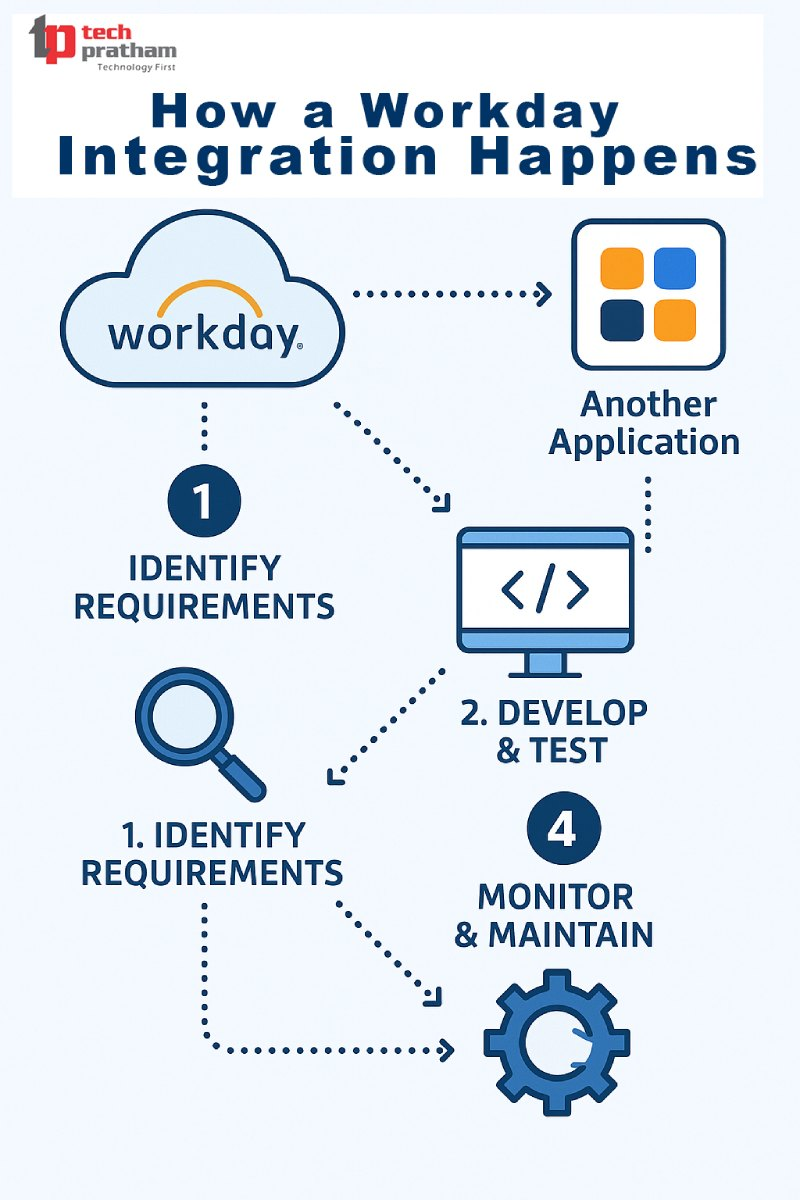
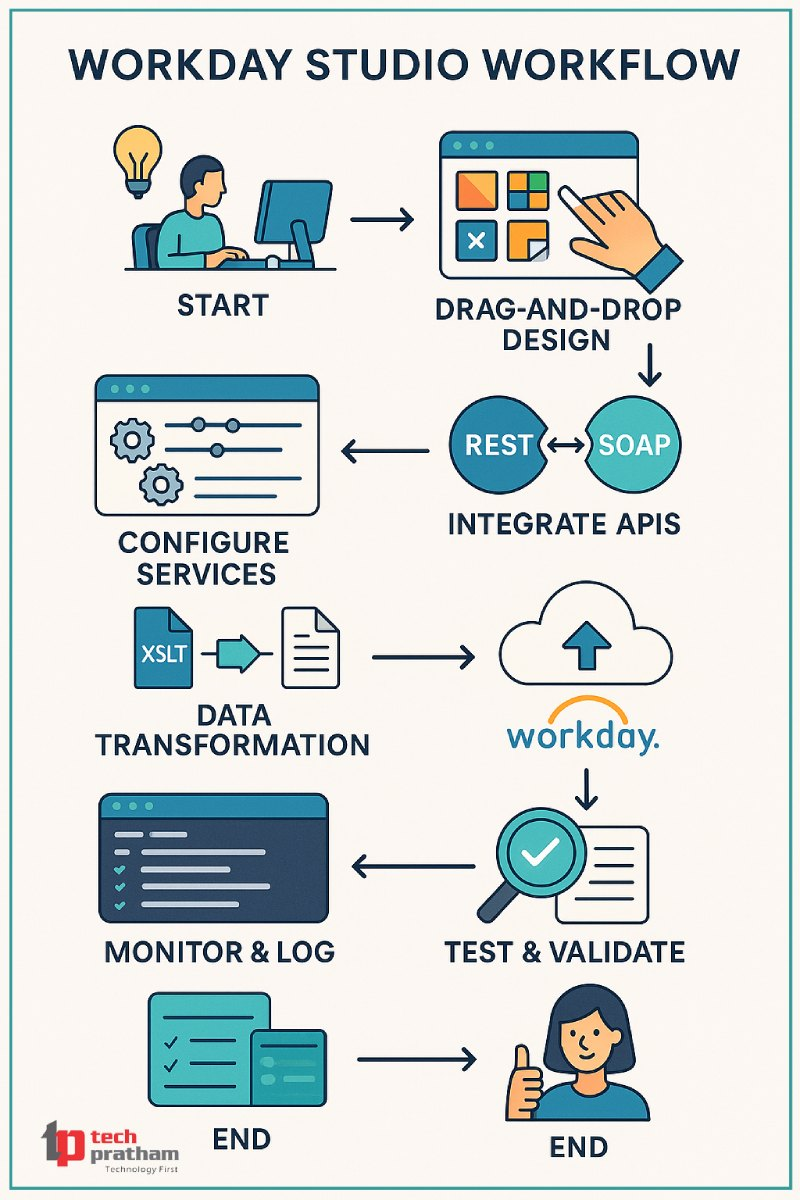
Workday Studio is a powerful development environment that makes it easy to build complicated integrations in Workday. Workday Studio lets developers build, test, and deploy integrations for payroll, HCM, or financial data operations. It does this with a drag-and-drop visual editor and strong coding tools.
This technology is becoming a must-learn platform for professionals in India and the US who want to improve their cloud-based ERP integration and automation skills.
2. Why Workday Studio Matters in 2025 & Beyond
As more and more multinational firms switch to Workday HCM and Finance, the requirement for workflows that function together is bigger than ever. Gartner says that Workday use has grown by 32% year over year around the world, with India, the US, and Europe leading the way.
Workday Studio gives businesses the power to:
- Automated integrations can help you make fewer mistakes by hand.
- Make ERP workflows your own
- Manage data that crosses departments like HR, Finance, and Payroll
3. Core Concepts of Workday Studio
Workday Studio is a Java-based IDE that lets you:
- Architecture Based on Services (SOA)
- Web Services and APIs for REST and SOAP
- Connectors for Integration
- Logging and Handling Errors
- Parts that can be used again
It's not enough to just know how to drag and drop; you need to know how XML, XSLT, JSON, and Workday's integration maps work together.
4. Modules You Will Learn in a Workday Studio Course
Our Workday Studio Training at Tech Pratham has the following modules:
- Module Description Introduction to Workday Studio Overview & setup AssembliesMake code chunks that can be used again
- Route PartManaging the steps in a workflow
- Workday Studio Debugger: Tools for fixing problems
- Integration FeaturesManaging the transfer of data
- RaaS stands for "Reporting as a Service."Integrations for dynamic reporting
- Core ConnectorsIntegrations that are easy to set up
- APIs for WorkdayUsing a custom API
- Scalability Best PracticesMake sure it works well for business load
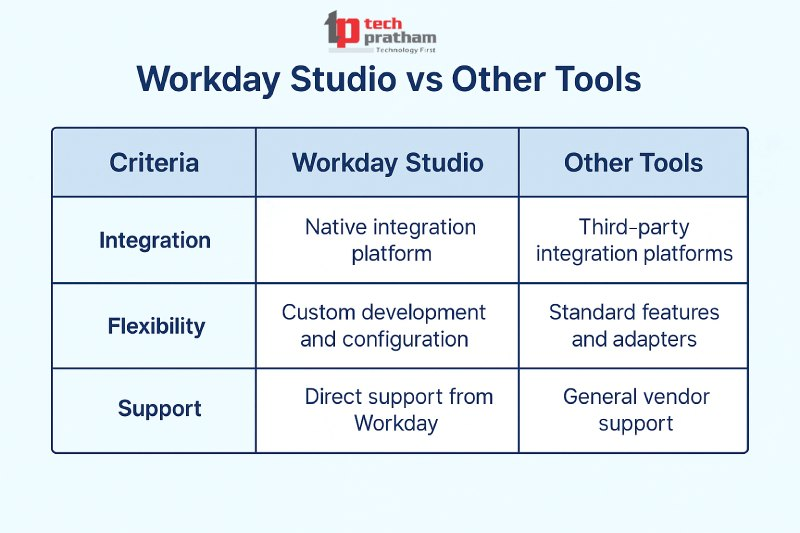
5. . Workday Studio vs Other Integration Tools
FeatureDell Workday Studio Boomi Mulesoft Native Workday Support Yes No No Limited
Low Code + Pro Code: Yes, Yes, Yes
Complex Integrations: BestModerate Good Community SupportVery High Moderate High
Workday Studio is included into Workday, which makes it better for integrating Workday with other systems.
6. Use Cases of Workday Studio in Real-Time Projects
Some real-world instances are:
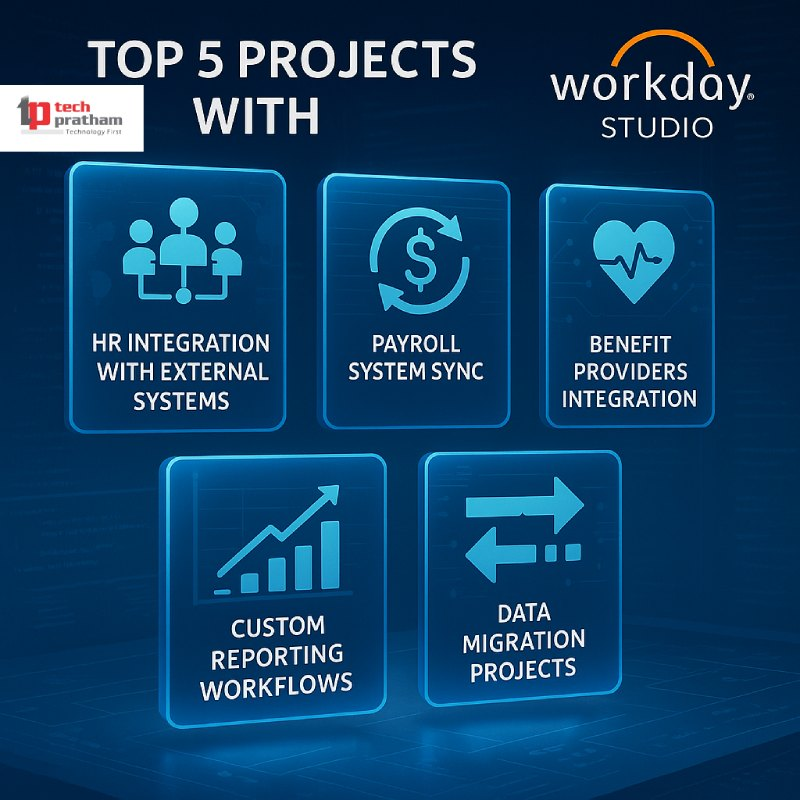
- Integrations between payroll and banking
- Automating the onboarding of new employees
- Tools for Reporting Taxes
- APIs for Attendance and Timesheets
- Integration of third-party compliance (for example, ADP, Kronos)
7. Skills You Need to Master Workday Studio
To do well, students should focus on:
- XSLT and XML
- Designer of Workday Reports
- Java basics (to help with debugging logic)
- Authentication and API endpoints
Learning about Workday Business Objects
💡 Tip: If you already know how to use Workday Integration or Core Connectors, you'll have a big edge.
8. Career Scope: India vs USA
Avg Salary (INR/USD)Companies in India that are hiring and the job titles they are looking for₹9 LPA to ₹25 LPA Integration Consultant and Studio Developer with Accenture, Infosys, and Cognisant in the US$90,000 to $140,000Amazon, Netflix, and Workday Inc. are all companies that have Workday Studio Developers and HCM Integration Leads.
👉 Workday or SAP? Career Scope: Workday's cloud-first architecture is appealing to modern businesses, giving it a more flexible and affordable option than SAP in many situations.

9. Why Learn from Tech Pratham: The Best Workday Training Institute in India
Tech Pratham is the best place in India to take Workday Studio classes that give you hands-on experience with real projects and access to Workday Tenant. This is why:
🎓 Live Training with Trainers Who Are Workday Certified
💼 Help with finding a job and writing a resume
🖥️ Learning by doing and case studies
Tenants Can Use It for Free to Practice
📍Support in Hyderabad, Noida, Bangalore, and Pune when you're not online
10. Workday Studio Certification: Cost, Duration, and ROI
Course Length: 6 to 8 Weeks
- Mode: Both online and offline
- Access: Tenants can get in for six months.
- Prices range from ₹35,000 to ₹45,000 in India and $499 to $799 in the US.
- ROI: Students say their salaries go up by an average of 2x in 12 months.
11. Top Workday Studio Interview Questions
What is the difference between Workday Studio and Core Connector? Tell me how route components operate in Studio.
✅ What are the login details for Workday's integration system?
✅ How do you add error handling to Studio workflows?
✅ How does Workday Studio keep data safe?
12. Conclusion: Is Workday Studio Worth It?
Yes! If you're an HR, IT, or integration professional aiming to future-proof your career, Workday Studio is your best bet. With demand surging in both India and the USA, certified professionals are in high demand.
🔗 Ready to Upskill?
📞 Call: +91-8882178896
📧 Email: info@techpratham.com
🌐 Website: www.techpratham.com