Start typing to search courses...

Type in the search box to find courses
CoursesMicrosoft Dynamics
Dynamics 365 Reporting & Power BI (PL-300)
Microsoft Dynamics

Dynamics 365 Reporting & Power BI (PL-300)

Master Dynamics 365 Reporting Training with our industry-oriented program designed to help you build powerful reports and interactive dashboards using Microsoft Power BI. 

5/5(4,890 Reviews)

Level

Advanced

Duration

8 weeks

Enquire This Course

About
Training Plan
Course Curriculum
New Batch
Projects
Certificate
Testimonials
FAQ
Interview FAQ

Placement Client

Accenture Logo
AWS Logo
Capgemini Logo
Deloitte Logo
Genpact Logo
HP Logo
Intel Logo
Microsoft Logo
Infosys Logo
Zoho Logo
Zelis Logo
Wipro Logo
Saint Gobain Logo
ONX Logo
Nava Logo
Infosys Logo
HCL Logo
Egon Zehnder Logo
Cognizant Logo
Bosch Logo
Bank of America Logo
Accenture Logo
AWS Logo
Capgemini Logo
Deloitte Logo
Genpact Logo
HP Logo
Intel Logo
Microsoft Logo
Infosys Logo
Zoho Logo
Zelis Logo
Wipro Logo
Saint Gobain Logo
ONX Logo
Nava Logo
Infosys Logo
HCL Logo
Egon Zehnder Logo
Cognizant Logo
Bosch Logo
Bank of America Logo

About Dynamics 365 Reporting & Power BI (PL-300)

Dynamics 365 Reporting Training is designed for professionals who want to develop expertise in enterprise reporting, business intelligence, and data visualization using Microsoft technologies. This comprehensive Microsoft Dynamics 365 Reporting & Power BI Training covers Dynamics 365 reporting, Microsoft Power BI, SSRS reports, FetchXML reporting, Dataverse reporting, Power Query, DAX, interactive dashboards, KPIs, report automation, row-level security, scheduled refresh, and Power BI Service.

Our expert trainers provide live project exposure, interview preparation, certification guidance, and placement assistance to ensure learners become job-ready. Whether you are a Dynamics 365 Consultant, Business Analyst, CRM Professional, or aspiring BI Developer, this Dynamics 365 Reporting & Power BI Course equips you with the skills required to build professional reports, automate business insights, and pursue rewarding careers in Microsoft's Business Intelligence ecosystem. The Dynamics 365 Reporting and Power BI Certification Training follows industry best practices and prepares candidates to work confidently on enterprise reporting solutions across multiple business domains.

Video Thumbnail

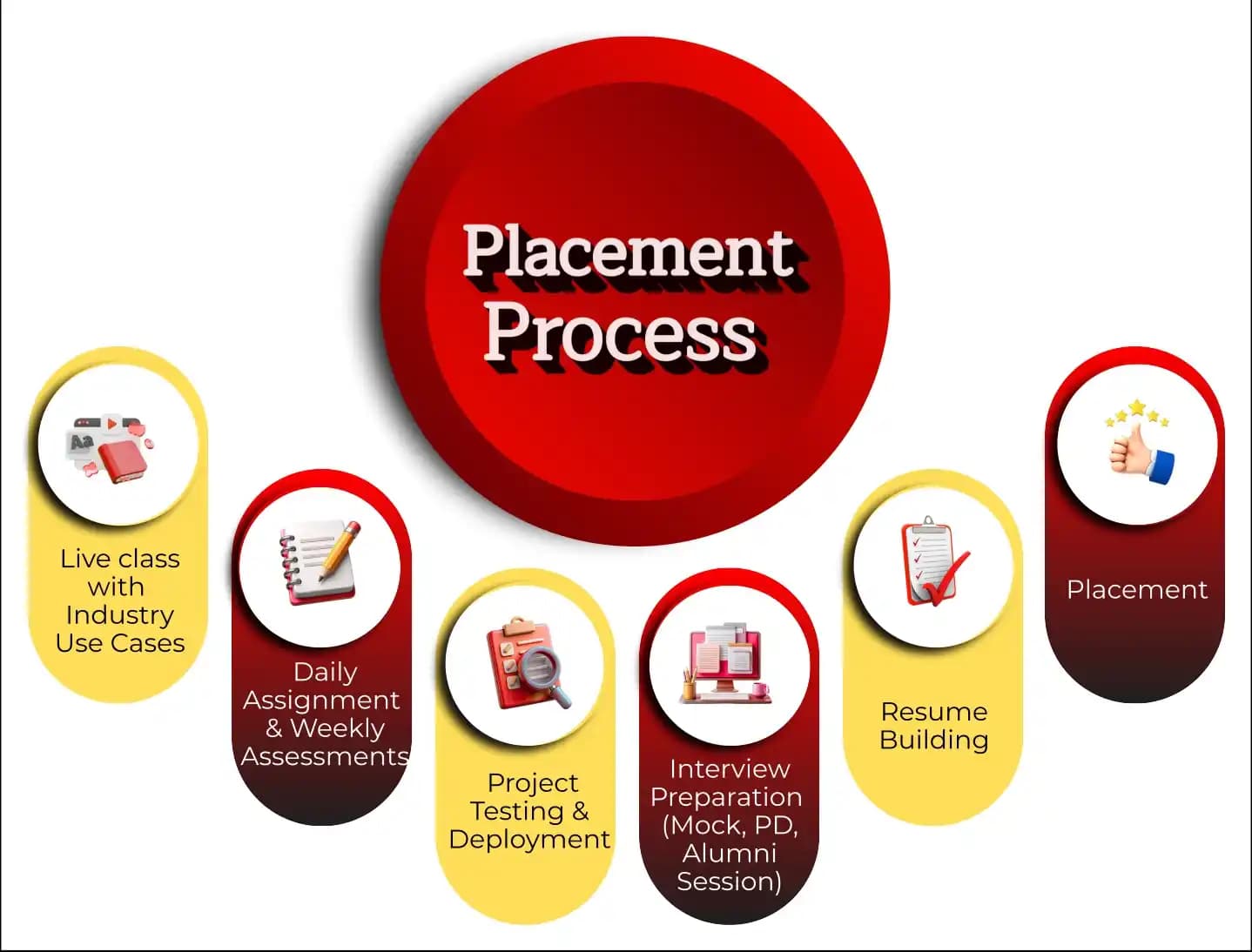
Training Plan

01
About trainer

About trainer

Working professional who is carrying more than 10 years of industry experience.

02
Decks & Updated Content

Decks & Updated Content

Access to updated presentation decks shared during live training sessions.

03
e-Book

e-Book

E-book provided by TechPratham. All rights reserved.

04
Assignments & MCQs

Assignments & MCQs

Module-wise assignments and MCQs provided for practice.

05
Video Recording

Video Recording

Daily Session would be recorded and shared to the candidate.

06
Projects

Projects

Live projects will be provided for hands-on practice.

07
Resume Building

Resume Building

Expert-guided resume building with industry-focused content support.

08
Interview Preparation

Interview Preparation

Comprehensive interview preparation with real-time scenario practice.

Curriculum Details

Introduction to Dynamics 365 Reporting & Power BI

Understand the fundamentals of Microsoft Dynamics 365 Reporting and Power BI, along with the role of business intelligence in modern organizations. Learn how reports and dashboards help organizations analyze business performance and make informed decisions. This module introduces reporting architecture, reporting tools, and the complete reporting lifecycle in Dynamics 365. By the end of this module, learners will understand the reporting ecosystem and its importance in enterprise applications

Introduction to Dynamics 365 Reporting
Overview of Microsoft Power BI
Business Intelligence Concepts
Reporting Architecture

Microsoft Power BI Fundamentals

Learn the core features of Microsoft Power BI and understand how to build professional business reports and dashboards. This module covers Power BI Desktop, Power BI Service, report publishing, navigation, and visualization techniques. Students will gain practical knowledge of connecting data, creating visual reports, and publishing dashboards for business users.

Power BI Desktop
Data Connectivity
Report Publishing
Power BI Interface

Connecting Dynamics 365 Data Sources

Explore how to connect Microsoft Dynamics 365 with Power BI and other business data sources. Learn to import, transform, and manage data from Dataverse, SQL Server, Excel, SharePoint, and cloud services. This module focuses on building a strong data foundation for reporting and analytics.

Dataverse Integration
SQL Server Connection
Excel & CSV Import
SharePoint Integration

Power Query for Data Transformation

Master Power Query to clean, organize, and transform raw business data before creating reports. Learn various transformation techniques, query optimization, and data preparation methods. Students will understand how to prepare accurate datasets for advanced business intelligence reporting.

Power Query Editor
Data Cleaning
Merge & Append Queries
Query Optimization

Data Modeling in Power BI

Learn how to create efficient data models using relationships, calculated columns, hierarchies, and star schema design. This module teaches best practices for organizing business data and improving report performance while building scalable enterprise reporting solutions.

Table Relationships
Star Schema
Calculated Columns
Hierarchies

DAX for Advanced Reporting

Develop expertise in Data Analysis Expressions (DAX) to create advanced calculations, KPIs, business metrics, and dynamic reports. This module focuses on writing powerful DAX formulas that enhance business reporting and support intelligent decision-making.

DAX Fundamentals
Measures
Calculated Columns
KPI Calculations

Dynamics 365 Dashboards & Visualizations

Create interactive dashboards that provide meaningful business insights using Microsoft Dynamics 365 and Power BI. Learn visualization best practices, dashboard design principles, and advanced reporting techniques that improve data interpretation for business users.

Interactive Dashboards
KPI Visualization
Charts & Graphs
Drill-through Reports

SSRS and FetchXML Reporting

Understand enterprise reporting using SQL Server Reporting Services (SSRS) and FetchXML. Learn how to design, customize, and deploy reports for Microsoft Dynamics 365 using industry-standard reporting tools.

SSRS Fundamentals
FetchXML Queries
Report Wizard
Custom Report Design

Power BI Service & Report Management

Learn how to publish, secure, share, and manage Power BI reports using Power BI Service. This module covers workspace management, scheduled refresh, gateways, permissions, and report collaboration for enterprise environments.

Power BI Workspaces
Scheduled Refresh
Data Gateway
Workspace Permissions

Security & Performance Optimization

Implement secure reporting solutions while optimizing report performance for enterprise applications. Learn row-level security, dataset optimization, performance tuning, and best practices for building scalable reporting solutions.

Row-Level Security
Dataset Optimization
Security Management
Best Practices

Live Industry Project

Apply your reporting and analytics knowledge by working on a real-world Dynamics 365 Reporting and Power BI implementation. Build complete dashboards, connect enterprise data sources, create analytical reports, publish business intelligence solutions, and present insights through executive dashboards. This module provides practical experience that closely matches industry reporting requirements.

Dynamics 365 Data Integration
Power BI Report Creation
Dashboard Development
Business Analytics Project

Microsoft Dynamics Courses

No related courses found

Additional Program Highlights

Learning Materials

Comprehensive study materials and resources

HD
Resume Writing

Professional resume building session

HD
Interview Preparation

Master your interview skills

HD
Live Project Demo

Real-world project demonstrations

HD

Upcoming Batches

Can't find a batch you were looking for?

Eligible Candidates for this Training

IT Professionals

Non-IT Career Switchers

Fresh Graduates

Top Career Opportuinities

Dynamics 365 Reporting Consultant

Power BI Developer

Senior Power BI Developer

Key Projects

Industry Oriented Projects

TCS

TCSSales Dashboard Reporting Scenario:


Scenario: A Hyderabad-based retail enterprise implemented Microsoft Dynamics 365 and Power BI to monitor sales performance, customer trends, and regional KPIs through interactive business dashboards.

Live Work:

  • Connect Dynamics 365 to Power BI
  • Build sales KPI dashboards
  • Publish reports to Power BI Service
Outcome: Real-time sales reporting successfully delivered.
Infosys

InfosysCustomer Insights Dashboard


Scenario: A Bengaluru-based CRM consulting company required customer behavior reports using Dynamics 365 data to improve service quality and customer engagement across multiple business units.

Live Work:

  • Create customer analytics reports
  • Design interactive Power BI visuals
  • Implement Row-Level Security
Outcome: Improved customer analytics visibility.
Accenture

AccentureFinance KPI Reporting


Scenario: A Pune-based financial services organization integrated Dynamics 365 with Power BI to automate financial reporting, executive dashboards, and monthly performance analytics.

Live Work:

  • Develop financial KPI reports
  • Create DAX calculations
  • Configure scheduled data refresh
Outcome: Automated financial reporting achieved.
Deloitte

DeloitteExecutive BI Dashboard


Scenario: A Noida-based enterprise needed executive dashboards using Microsoft Dynamics 365 and Power BI to monitor operational performance, service metrics, and business growth in real time.

Live Work:

  • Build executive dashboards
  • Integrate Dataverse with Power BI
  • Optimize report performance
Outcome: Enterprise BI dashboard successfully deployed.
Mobile Banner

Latest HiringNEW

No hiring posts

Recently Placed Candidates

No placements available

Latest HiringNEW

No hiring posts

Our Success Mantra

Commitment Icon
Commitment

  • Ensuring quality training every day

Commitment Icon
Fulfillment

  • Meeting learning goals with confidence

Commitment Icon
Accomplishment

  • Students achieving industry-ready expertise

Our Learner Voice

Loading reviews...

Student review testimonial

Beyond Courses:

Additional Support We Provide

24/7 Support

LinkedIn Profile

Resume Writing

Alumni Sessions

Interview Preparation

Live Projects

What is Dynamics 365 Reporting & Power BI Training?

Who should enroll in Dynamics 365 Reporting & Power BI Training?

What skills will I learn in the Dynamics 365 Reporting & Power BI Course?

Why is Power BI important for Microsoft Dynamics 365?

What is the difference between Dynamics 365 Reporting and Power BI?

Is Dynamics 365 Reporting & Power BI a good career choice?

What is Microsoft Power BI, and how is it integrated with Dynamics 365?

Explain the difference between Power BI Desktop and Power BI Service.

What is Power Query, and why is it important in Power BI?

What is DAX, and where is it used in Power BI?

What is Data Modeling in Power BI?

What are the different types of visualizations available in Power BI?

Dynamics 365 Reporting and Power BI Certification Details

The Microsoft Dynamics 365 Reporting and Power BI Certification is designed for professionals who want to build expertise in business intelligence, enterprise reporting, and data visualization using Microsoft Dynamics 365 and Microsoft Power BI. It validates your ability to create interactive dashboards, develop analytical reports, connect multiple data sources, perform data modeling, write DAX calculations, transform data using Power Query, and deliver actionable business insights in real-world enterprise environments.

This certification focuses on practical knowledge of Dynamics 365 Reporting, Microsoft Power BI, Dataverse integration, SSRS reporting, FetchXML, dashboard development, report optimization, security implementation, and business analytics. It is an excellent choice for professionals seeking careers in Business Intelligence, reporting, data analytics, and Microsoft Business Applications. The certification is recognized by organizations that rely on Microsoft technologies to monitor business performance, automate reporting, and support data-driven decision-making.

Exam Details

Exam Name: Microsoft Certified Power BI Data Analyst Associate (PL-300)

Exam Fee: Around $165 USD (may vary by country or region)

Duration: 100–120 Minutes

Format: Multiple Choice Questions (MCQs), Case Studies, and Scenario-Based Questions

Passing Score: Approximately 700 out of 1000

Mode: Online Proctored or Pearson VUE Authorized Testing Center

Who Should Take This Certification?

This certification is ideal for Power BI Developers, Business Intelligence Developers, Data Analysts, Business Analysts, Dynamics 365 Consultants, Reporting Developers, CRM Professionals, Functional Consultants, IT Professionals, and fresh graduates who want to build expertise in Microsoft Dynamics 365 Reporting and Power BI.

Important Note

There are no mandatory prerequisites for this certification. However, practical experience with Microsoft Power BI, Dynamics 365 Reporting, Dataverse, Power Query, DAX, data modeling, report development, and dashboard creation is highly recommended. Candidates should also work on real-time reporting projects and practice building interactive dashboards to strengthen their practical knowledge before attempting the certification exam. Microsoft regularly updates its certification objectives to align with the latest Power BI features and reporting capabilities, so learners should always prepare using the latest Microsoft Learn resources and official documentation.


Industry-Recognized Certification

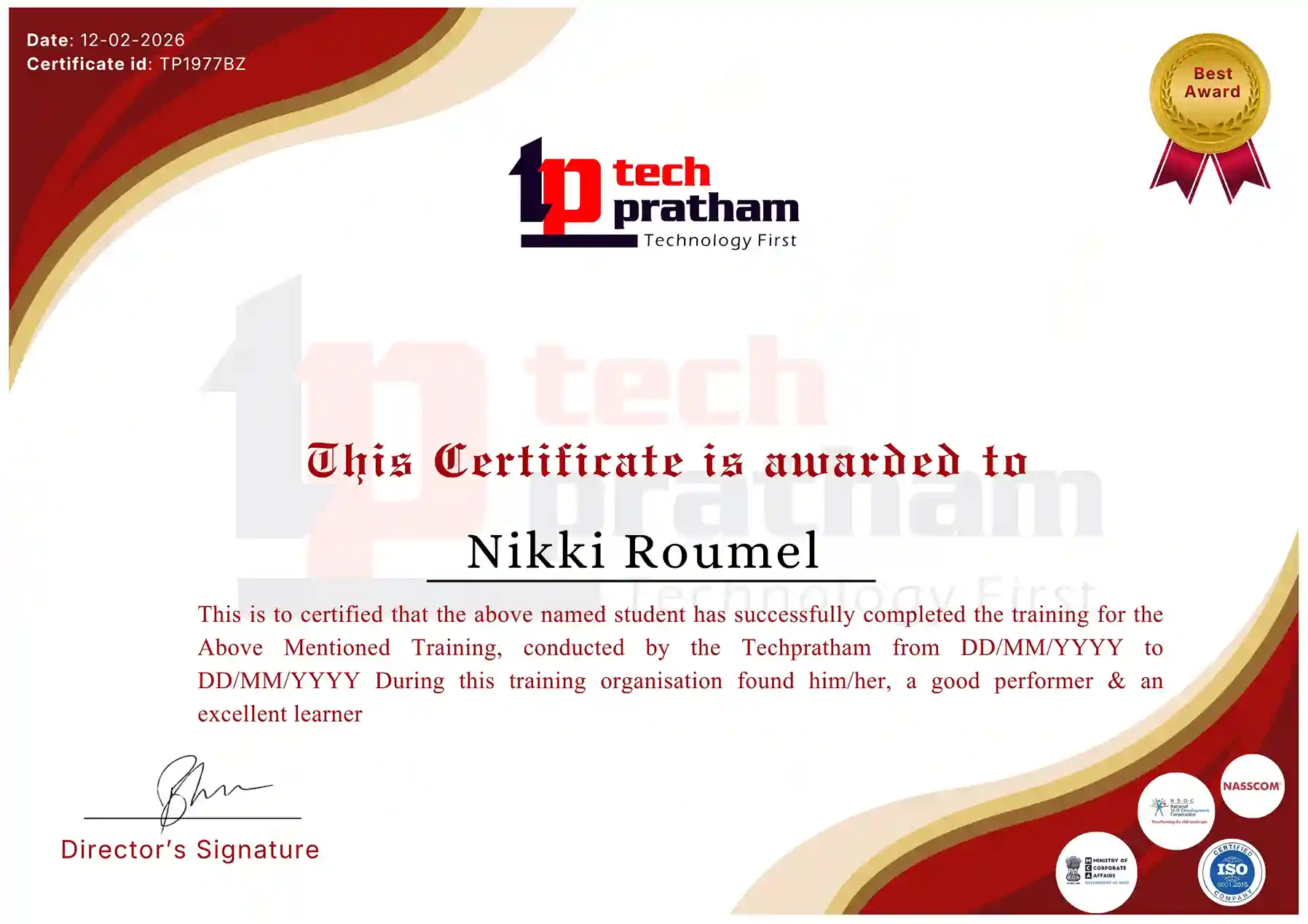
Certificate
Dynamics 365 Reporting & Power BI Certification

News Highlights

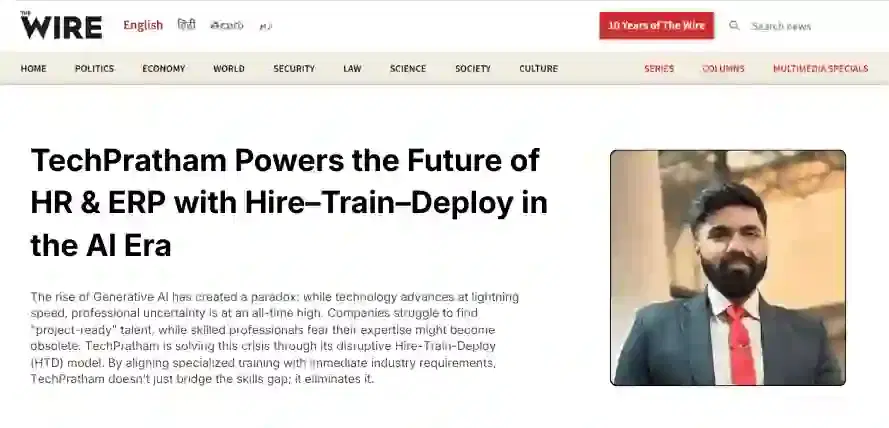
TechPratham Introduces Hire-Train-Deploy Model to Transform HR & ERP Talent in the AI Era
TechPratham Empowering Future Professionals Through AI-Focused HR & ERP Training

Featured In

Featured Logo 1Featured Logo 2Featured Logo 3Featured Logo 4Featured Logo 5Featured Logo 6Featured Logo 7Featured Logo 8Featured Logo 9Featured Logo 10Featured Logo 11Featured Logo 12
TechPratham Gains Recognition for Bridging the HR & ERP Skills Gap with Hire-Train-Deploy
TechPratham's Hire-Train-Deploy Approach Reshaping HR & ERP Careers in the AI-Driven Industry
India Flag

India

Head Office

G-31, 1st Floor, Sector-3, Noida - 201301

India Flag+91-8882178896
WhatsApp
USA Flag+1 (343) 477-0926
WhatsApp
India Flag

India

Noida Office

C-2, Sector-1, Noida, Uttar Pradesh - 201301

India Flag+91-8882178896
WhatsApp
USA Flag+1 (343) 477-0926
WhatsApp
India Flag

India

Hyderabad Office

LVS Arcade, 6th Floor, Hitech City, Hyderabad

India Flag+91-8383058741
WhatsApp
USA Flag+1 (343) 477-0926
WhatsApp
© 2026 TechPratham. All rights reserved.An ISO 9001:2015 Certified Company