











Start typing to search courses...

Type in the search box to find courses
CoursesMicrosoft Tools

Microsoft SharePoint Administrator Certification Training

Microsoft Tools

Microsoft SharePoint Administrator Certification Training

You can manage, configure, and secure SharePoint environments with the help of Microsoft SharePoint Administrator Certification Training. In order to guarantee efficient collaboration and content management in businesses, you will learn about site collections, user permissions, workflows, and best practices.

5/5(4,890 Reviews)

Level

Advanced

Duration

8 weeks

About
Training Plan
Course Curriculum
New Batch
Projects
Certificate
Testimonials
FAQ
Interview FAQ

Placement Client

Accenture Logo
AWS Logo
Capgemini Logo
Deloitte Logo
Genpact Logo
HP Logo
Intel Logo
Microsoft Logo
Infosys Logo
Zoho Logo
Zelis Logo
Wipro Logo
Saint Gobain Logo
ONX Logo
Nava Logo
Infosys Logo
HCL Logo
Egon Zehnder Logo
Cognizant Logo
Bosch Logo
Bank of America Logo
Accenture Logo
AWS Logo
Capgemini Logo
Deloitte Logo
Genpact Logo
HP Logo
Intel Logo
Microsoft Logo
Infosys Logo
Zoho Logo
Zelis Logo
Wipro Logo
Saint Gobain Logo
ONX Logo
Nava Logo
Infosys Logo
HCL Logo
Egon Zehnder Logo
Cognizant Logo
Bosch Logo
Bank of America Logo

About 

Microsoft SharePoint Administrator Certification Training

With the aid of Microsoft SharePoint Administrator Certification Training, you can efficiently administer and enhance SharePoint environments in companies. Site collections, document management, workflows, and permissions are all covered in the course. You will also learn how to configure governance, security, and compliance. This training guarantees that you can facilitate smooth collaboration and content management through practical labs and real-world scenarios.

Training Plan

01

About trainer

Working professional who is carrying more then 10 years of industry experience.

02

Decks & Updated Content

Access to updated presentation decks shared during live training sessions.

03

e-Book

E-book provided by TechPratham. All rights reserved.

04

Assignments & MCQs

Module-wise assignments and MCQs provided for practice.

05

Video Recording

Daily Session would be recorded and shared to the candidate.

06

Projects

Live projects will be provided for hands-on practice.

07

Resume Building

Expert-guided resume building with industry-focused content support.

08

Interview Preparation

Comprehensive interview preparation with real-time scenario practice.

Microsoft SharePoint Administrator Certification Training

Course Curriculum

Introduction to SharePoint Administration

The architecture, essential features, and deployment models of SharePoint are covered in this module, along with the administrator's responsibilities for overseeing and maintaining a SharePoint environment.

Overview of SharePoint Online & On-Premises
Role of a SharePoint Administrator
SharePoint architecture & service applications

SharePoint Installation and Configuration

Discover how to set up, optimize, and install SharePoint environments.

System requirements and prerequisites
Installing SharePoint Server and configuring farm topology
Central Administration site overview
Configuring services and service applications
Post-installation configuration best practices

Managing SharePoint Online in Microsoft 365

Control site collections, permissions, and SharePoint Online settings in Microsoft 365.

Accessing and navigating the Microsoft 365 Admin Center
Configuring SharePoint Online settings
Managing user profiles and permissions
Creating and managing site collections and hubs
Managing sharing and external access policies

Security and Compliance Management

Use DLP policies, compliance, and permissions to create secure SharePoint environments.

Implementing authentication and authorization
Managing permissions, groups, and roles
Data loss prevention (DLP) policies
Compliance center configuration
Information Rights Management (IRM) in SharePoint

Site and Content Management

Effectively manage content, libraries, and websites for the best possible teamwork.

Creating and customizing sites and site templates
Managing libraries, lists, and metadata
Versioning, check-in/check-out, and retention policies
Using Content Types and Document Sets
Hub sites and navigation management

Search and Metadata Configuration

Optimize enterprise search and metadata for better content discoverability.

Overview of SharePoint Search architecture
Configuring Search Service Application
Managing result sources and query rules
Enterprise metadata management
Optimizing search for better user experience

Microsoft Tools Courses

No related courses found

Additional Program Highlights

Learning Metarials
Resume Writing
Interview Preparation
Evaluate Your self

Evaluate Your self

Test your knowledge...

Upcoming Batches

Can't find a batch you were looking for?

Who Should Take

Microsoft SharePoint Administrator Certification Training

IT Professionals

Non-IT Career Switchers

Fresh Graduates

Key Projects

<h1><strong>Microsoft SharePoint Administrator Certification Training</strong></h1>

company-logo

Intranet Portal Setup

To allow for safe departmental collaboration, create and set up a SharePoint Online intranet portal with numerous site collections, user groups, and permission levels.

company-logo

Document Management System

Establish a document library with workflows for version control, metadata, and approval to guarantee secure document handling and adherence to retention guidelines.

company-logo

Backup & Monitoring Solution

Set up SharePoint backup, recovery, and monitoring policies to track system health, troubleshoot issues, and maintain high availability for critical business processes.

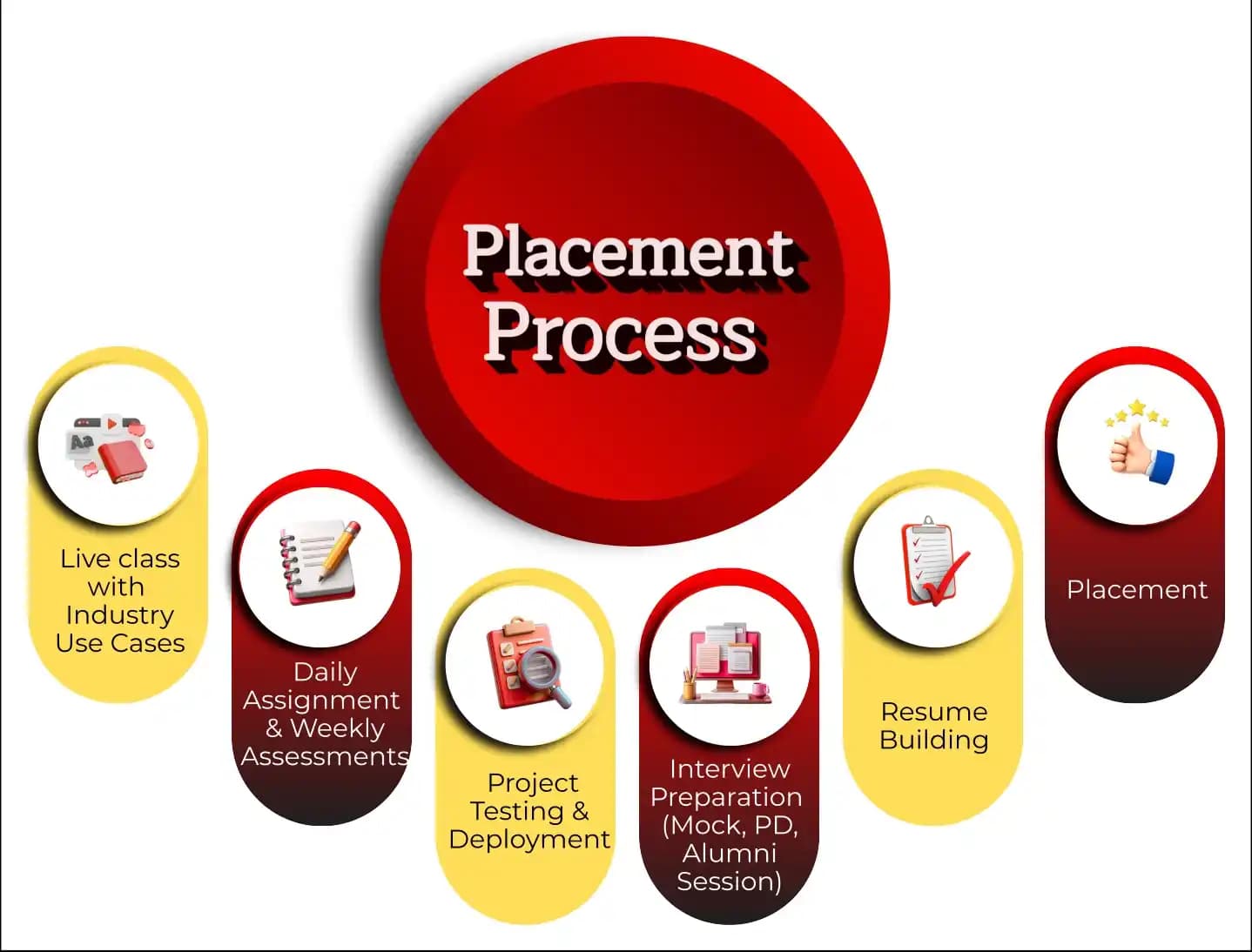
Placement Process

Mobile Banner

Knowledge Center

Recently Placed Candidates

We’re Hiring

What Makes TechPratham Training Different?

Real-World Implementation
Live enterprise tenant access for 24/7 practice on real-world, enterprise-grade scenarios.
Restricted or simulation-based access that lacks real-world complexity.
Subject Matter Experts
Mentorship from certified professionals with 15+ years of global industry experience.
Generic instructors with no hands-on implementation background.
2026 Ready Curriculum
AI-driven curriculum with advanced platform integrations and real-world configurations.
Basic, outdated syllabus that misses key technical integrations.
Daily & Weekly assignments
Daily assignments and weekly assessments focused on concept reinforcement and continuous feedback.
Self-paced learning with no accountability or progress tracking.
End-to-End Lifecycle
Hands-on project testing and deployment with portfolio-ready real-world exposure.
Basic lab exercises without any deployment or testing practice.
Interview Readiness
Structured interview preparation including mock interviews, PD sessions, and alumni guidance.
Minimal support limited to a generic certificate of completion.
Placement Support
Guaranteed interview support through tie-ups with top MNCs and 1-on-1 mock interview sessions.
Basic career tips with no direct industry connections.
Training Support
24/7 technical doubt resolution and personalized mentoring support.
Limited mentor availability and no support after class hours.
Affordable Fees
Competitive fixed pricing with flexible payment options and transparent fee structure.
Inflated fees with hidden costs and low return on investment.
FAQ's
ABOUT CERTIFICATE

Course FAQs

What is this SharePoint Administrator Certification Training about?

What are the main responsibilities of a SharePoint Administrator?

What tools are used for managing SharePoint environments?

How do you back up and restore SharePoint data?

Is PowerShell necessary for SharePoint administration?

What kind of job roles can I get after this certification?

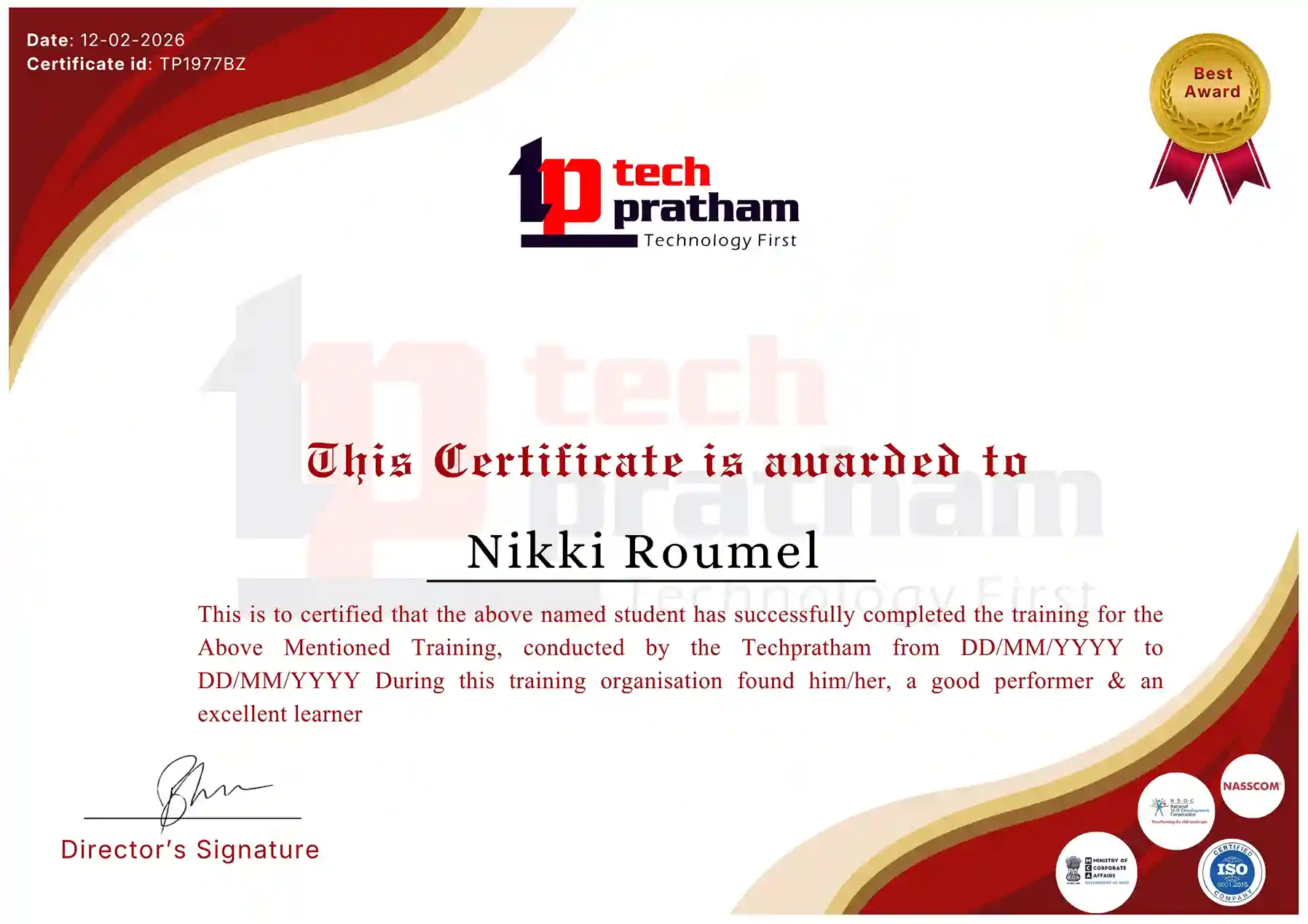
Industry-Recognized Certification

Certificate
flag

India

Head Office

G-31, 1st Floor, Sector-3, Noida - 201301

India Flag+91-8882178896
WhatsApp
USA Flag+1 (343) 477-0926
WhatsApp
flag

India

Noida Office

C-2, Sector-1, Noida, Uttar Pradesh - 201301

India Flag+91-8882178896
WhatsApp
USA Flag+1 (343) 477-0926
WhatsApp
flag

India

Hyderabad Office

LVS Arcade, 6th Floor, Hitech City, Hyderabad

India Flag+91-8383058741
WhatsApp
USA Flag+1 (343) 477-0926
WhatsApp
© 2026 TechPratham. All rights reserved.An ISO 9001:2015 Certified Company