
Start typing to search courses...

Type in the search box to find courses
CoursesOdooOdoo Development Training
Odoo
Odoo Development Training
Odoo Development Training offers practical instructions for creating and modifying Odoo modules with XML and Python. In order to create effective business applications, it covers fundamental ideas like models, views, workflows, and API integration.
5/5(4,890 Reviews)

Level

Advanced

Duration

8 Weeks

What is Odoo Development Training?
Odoo Development Training teaches you everything you need to know about making and customizing Odoo apps with Python, XML, and JavaScript. It talks about important things like ORM, making models, changing views, and QWeb templating. Participants learn how to create custom modules and automate business processes by doing them. The training also teaches you how to debug, test, and deploy Odoo apps. Best for developers who want to learn how to use Odoo's backend and frontend development frameworks.
Training Plan

About trainer

Working professional who is carrying more then 10 years of industry experience.

Decks

The candidate will get access to the presentation taken-up during the session.

Notes

Consolidated notes in word document.

Assignments

Assignments for every module will be covered.

MCQs

MCQs for every module covered in the session would be provided.

Video Recording

Daily Session would be recorded and shared to the candidate.

Dumps for Certification

We will provide dumps for the certification exam, which will help you to prepare for the exam.

Updated Content

We provide Generative AI Driven content By experts.

Projects

3 Live Projects will be provided for practice.

Odoo Development Training Course Curriculum
.

Introduction to Odoo Framework
Section 1

The Introduction to Odoo Framework gives an overview of Odoo's modular architecture and shows how models, views, and business logic work together. It talks about how an Odoo module is put together and the main technologies that make the system work, such as Python, XML, and PostgreSQL.
Overview of Odoo
Odoo Architecture
Module Structure
Core Technologies Used
Odoo Workflow and Data Flow
Odoo Apps and Add-ons
Community and Ecosystem
.

Environment Setup
Section 2

Setting up the environment includes installing and configuring Odoo, as well as setting up dependencies, PostgreSQL, and development tools. It makes sure that the workspace is ready to use for quickly building and running Odoo modules.
System Requirements
Installing Odoo
Setting Up PostgreSQL
Virtual Environment Configuration
Installing Required Python Libraries
IDE and Tools Setup
Running Odoo Server
Creating a Custom Add-ons Folder
.

Python and ORM in Odoo
Section 3

The Python and ORM section of Odoo is all about using Python with Odoo's Object-Relational Mapping (ORM) system to set up models, fields, and relationships. It helps developers handle data and put business logic into Odoo apps in a smart way.
Introduction to Odoo ORM
Model Definition
Field Types and Attributes
Model Inheritance
Recordsets and Browsing Records
Domain Filters and Search
Computed, Related, and Stored Fields
Onchange and Constraints
API Decorators
Default Values and Sequences
.

Module Development
Section 4

Module Development teaches you how to make your own Odoo modules by defining models, views, and business logic. It talks about the best ways to make modules that can grow and be easy to maintain, as well as the structure and configuration files.
Module Structure and Organization
Creating a New Module
Defining Models and Fields
Creating Menus and Actions
Data Files and Initial Data Loading
Module Dependencies and External Libraries
Adding Translations
Testing and Updating Modules
Module Packaging and Distribution
.

XML and View Customization
Section 5

View and XML Customization in Odoo is all about using XML to design and change user interfaces. It involves changing forms, lists, menus, and actions to fit the specific needs of a business.
Introduction to XML in Odoo
Types of Views
Creating and Modifying Views
Inheritance and View Extension
Menu and Action Configuration
Statusbar and Button Integration
Field Attributes in Views
QWeb Templates (Basic)
Search View Customization
User Interface Best Practices
.

Server Actions and Automation
Section 6

Server Actions and Automation talks about how to make automated processes in Odoo, like scheduled tasks and server actions that only happen under certain conditions. It makes business processes easier by cutting down on the need for people to do things by hand.
Introduction to Server Actions
Types of Server Actions
Creating Server Actions
Automating with Scheduled Actions (Cron Jobs)
Using Python Code in Server Actions
Triggering Actions via Conditions
Automated Workflows and Business Processes
Linking Server Actions to Buttons and Triggers
Debugging and Testing Automation
.

Security and Access Rights
Section 7

Access Control Lists (ACLs), record rules, and user groups are all ways to manage user permissions in Odoo. It keeps data safe by limiting who can see, make, change, or delete certain records.
Introduction to Odoo Security Model
User Groups and Roles
Access Control Lists (ACLs)
Record Rules
Security Files
Defining Rules in XML
Field-Level Security
Implied Groups and Group Inheritance
Security in UI Elements
Best Practices for Security Configuration
.

Reporting in Odoo
Section 8

Reporting in Odoo includes making custom reports with QWeb templates and the built-in reporting tools. It lets users make dynamic PDF, Excel, and analytical reports that are specific to their business needs.
Introduction to Reporting in Odoo
QWeb Report Templates
Report Actions and Configuration
Dynamic Data in Reports
Excel (XLSX) Report Generation
Adding Reports to Menus or Buttons
Translating and Styling Reports
Security and Access to Reports
Troubleshooting and Debugging Reports
Using BI Tools and External Integrations
.

Web Controllers and API
Section 9

Web Controllers and API teaches how to create custom web routes and integrate external systems using Odoo’s RESTful and RPC APIs. It enables building web services and extending Odoo’s functionality beyond the core modules. Web Controllers and API shows you how to use Odoo's RESTful and RPC APIs to make your own web routes and connect to other systems. It lets you make web services and add new features to Odoo that aren't in the core modules.
Introduction to Web Controllers
Creating Custom Controllers
Handling HTTP Requests and Responses
Public vs Private Controllers
Rendering Templates with QWeb
Working with JSON and AJAX
Introduction to Odoo APIs
Connecting External Applications
Security and Validation in Controllers
Use Cases: Web Forms, Portals, and REST Services
.

Frontend Development (Optional/Advanced)
Section 10

Frontend Development (Optional/Advanced) teaches you how to change Odoo's user interface using JavaScript, the OWL framework, and web assets. It's great for making interactive UI elements and improving the experience of the web client.
Introduction to Odoo Web Client Architecture
Working with JavaScript in Odoo
OWL Framework Basics
Custom Widgets Development
Modifying Web Assets
QWeb for Web UI
Event Handling and JS Services
Creating Dynamic Dashboards
Website and eCommerce Customization
Best Practices in Frontend Development
.

Testing and Debugging
Section 11

Using logs, the Odoo shell, and debugging tools, Testing and Debugging is all about finding and fixing problems in Odoo modules. It also talks about how to write unit tests to make sure that code is stable and reliable.
Introduction to Debugging in Odoo
Activating Developer Mode
Logging and Error Tracking
Using Odoo Shell
Python Debugging Tools
Unit Testing in Odoo
Test Data and Fixtures
Mocking and Test Isolation
Frontend Debugging Tools
Best Practices in Testing and Debugging
.

Deployment and Maintenance
Section 12

Setting up Odoo on production servers, configuring PostgreSQL, and keeping an eye on performance are all part of Deployment and Maintenance. It also has tips on how to do updates, backups, and system monitoring the right way.
Odoo Deployment Overview
Installing Odoo on a Server
PostgreSQL Configuration
Odoo Configuration File
Service Management
Static and Media File Handling
Database Backup and Restore
Performance Optimization
Monitoring and Logging
Upgrading and Migrating Odoo
.

what is oracle fusion cloud ?
Section 13

ERP, HCM, CRM, and supply chain management are all combined on one integrated platform in Oracle Fusion Cloud, a full suite of cloud-based business apps. With integrated analytics and AI capabilities, it assists businesses in streamlining operations, automating procedures, and gaining real-time insights.
Key Projects
Odoo Development Training

Custom HR Management Module
Create a custom Odoo module to keep track of employee records, requests for time off, and approvals. Includes workflows for checking leave requests, sending automatic notifications, and reporting dashboards for HR managers.
Inventory Barcode Scanner Integration
Make an inventory system that uses barcodes so that warehouse workers can scan items while they are picking, receiving, and delivering them. Includes updates on stock levels in real time and ways to fix mistakes.
Customer Feedback and Rating System
Make a module that lets customers leave feedback and rate products or services on the Odoo website or portal. Connect with sales and CRM to keep an eye on how happy your customers are.

Odoo Development Training – Associate Training Program

Category
Associate
Exam Name:
Odoo Development Training – Associate
Exam Code:
N.A.
Exam Duration:
N.A.
Exam Format:
N.A.
Passing Score:
N.A.
Our Testimonials
K
Khyati Sharma
2 months ago
★ ★ ★ ★ ★ (5/5)
Google Review
"I had a great experience learning at Tech Pratham. The courses were well-structured, up-to-date with the latest industry standards, and the instructors were extremely knowledgeable and supportive throughout my journey. Thanks to Tech Pratham, I was able to build a strong foundation in my technical skills!"
R
Ritika
2 months ago
★ ★ ★ ★ ★ (5/5)
Google Review
"My experience with Tech Pratham Institute has been excellent. The course content is well-updated according to industry standards, with a strong focus on practical learning. The faculty members are knowledgeable and very supportive, always clearing doubts with patience."
I
Ivan Silvester
2 months ago
★ ★ ★ ★ ★ (5/5)
Google Review
"As a student diving into the world of technology, discovering Tech Pratham has been a total game-changer for me. The way they break down complex topics into simple, easy-to-understand lessons is incredibly helpful, especially for someone who's just starting out."
S
Shubham Sinha
2 months ago
★ ★ ★ ★ ★ (5/5)
Google Review
"I enrolled in the AWS Certification Program at Tech Pratham, and it was one of the best decisions for my career. The training was completely hands-on with real-time projects, and the instructors explained even complex cloud concepts in a very simple and practical way."
N
Neha Singh
2 months ago
★ ★ ★ ★ ★ (5/5)
Google Review
"I joined Tech Pratham for the Workday Consultant Program 5 months ago. From day one till the completion of the course, I received full support from all the faculty members. Thanks to Tech Pratham, I have now successfully got placed and started my professional journey."
C
Chauhan Deco
3 weeks ago
★ ★ ★ ★ ★ (5/5)
Google Review
"I had an excellent experience with Tech Pratham's data analytics training program. The course content was well-structured, up-to-date, and highly practical, covering tools like Excel, SQL, Python, and Power BI. Thanks to Tech Pratham, I now feel confident in my data analytics skills and have even landed my first job in the field."
D
Dimpy
2 months ago
★ ★ ★ ★ ★ (5/5)
Google Review
"Joining Tech Pratham Institute has been a life-changing decision for me. The support and encouragement I received from the faculty gave me the confidence to believe in myself. The environment here feels more like a family than just a classroom."
A
Amarjeet Kumar
2 months ago
★ ★ ★ ★ ★ (5/5)
Google Review
"I joined Tech Pratham's SAP HCM course and it was a fantastic experience! The trainers explained complex HR modules in a very simple way, and the hands-on sessions helped me build real skills. Highly recommended for anyone looking to build a career in SAP HCM!"
S
Shashi Ranjan
2 months ago
★ ★ ★ ★ ★ (5/5)
Google Review
"I had a wonderful learning experience with the Workday HCM course at Tech Pratham under Roy Sir's guidance. His teaching style is very clear, practical, and easy to understand even for beginners. The real-time examples and assignments made concepts crystal clear."
A
Akash Solanki
2 months ago
★ ★ ★ ★ ★ (5/5)
Google Review
"My experience with the Ethical Hacking training session from Tech Pratham located in Noida was excellent. The trainers ensured we understood every concept thoroughly. The placement support was remarkable, leading to my successful employment. Choosing Tech Pratham was a life-changing decision for me."
A
Ajay Kumar Verma
2 months ago
★ ★ ★ ★ ★ (5/5)
Google Review
"I enrolled in the Data Analytics & Generative AI course at Tech Pratham and had a great learning experience. The curriculum is industry-relevant, and the trainers explain concepts clearly. The practical projects and tools like Python, SQL, Power BI, and AI models were especially helpful."
S
Shivshankar Singh
2 months ago
★ ★ ★ ★ (4/5)
Google Review
"I had a decent experience with Tech Pratham. The course content was strong, but there were a few delays in project support and doubt sessions. Faculty was knowledgeable, though response time could be improved. Overall, a good place to learn if you're patient and proactive."
L
Laxman Thakur
2 months ago
★ ★ ★ ★ ★ (5/5)
Google Review
"I recently completed the Workday certification from Tech Pratham, and I must say it's one of the best IT training institutes in India. The trainers were industry experts, and the content was up-to-date. Highly recommend it for anyone serious about their tech career!"
S
S Vall
2 months ago
★ ★ ★ ★ ★ (5/5)
Google Review
"The sessions were very well-structured, covering both the functional and technical aspects in a clear and practical way. The trainer was incredibly knowledgeable, patient, and always willing to answer questions with real-world examples. The hands-on exercises helped me build confidence in navigating Workday."
A
Abdur Razzak Shaikh
2 months ago
★ ★ ★ ★ ★ (5/5)
Google Review
"I joined TechPratham three months ago for the Odoo ERP course, and my experience so far has been excellent. The faculty is highly knowledgeable and supportive. They focus on practical learning by providing real-time projects, which has really helped me understand industry requirements."
P
Panchsheel Gautam
a month ago
★ ★ ★ ★ ★ (5/5)
Google Review
"Tech Pratham is very well planned and organised. The staff takes keen interest in parting the knowledge. Also the staff very hardworking and meticulous. I have gained a lot from tech Pratham. I wish all the luck to the tech Pratham for their good work."
Frequently Asked Questions (FAQs)

What is Odoo Development Training?

Odoo Development Training is a specialized course that teaches developers how to use the Odoo ERP platform to create and modify applications. It includes Python programming, making modules, ORM, customizing XML views, integrating APIs, and more.

Who should take Odoo Developer Training in India or the USA?

This course is great for software developers, ERP consultants, and IT professionals in India, the US, or anywhere else in the world who want to learn more about Odoo development to advance their careers or implement it in their businesses.

What is the average salary of an Odoo Developer in India?

The average base salary is around ₹4 LPA, but it can range from ₹1.8 LPA to ₹8 LPA. Depending on their experience and role, top performers can make more than ₹10 LPA.

What is the duration of Odoo Developer Training in Delhi?

Depending on the school and the type of course (online or offline, regular or weekend), Odoo training in Delhi usually lasts between 4 and 8 weeks.

Is Odoo development training available online in the USA or India?

Yes, a lot of companies in India and the US offer online Odoo developer training. This means that people in cities like Hyderabad, Pune, and Delhi, or anywhere else in the world, can take the courses.

What will I learn in this Odoo Developer Course?

You will learn: Odoo's Python and ORM Making modules and views XML and QWeb templates Actions and automation on the server Integrations with APIs Testing, security, and deployment

Are certifications provided after Odoo Developer Training in India or the USA?

Yes, most good training providers give you a certificate when you finish. Some also help you get ready for the Odoo official certification, which is recognized around the world.

What is the average fee for Odoo Developer Training in India?

The price depends on the city and the provider. In India (Hyderabad, Pune, and Delhi), it usually costs between INR 10,000 and INR 35,000. Depending on the level and mode of the course, it could cost between $200 and $600 in the US.

Is there job placement assistance after Odoo Training in TechPratham?

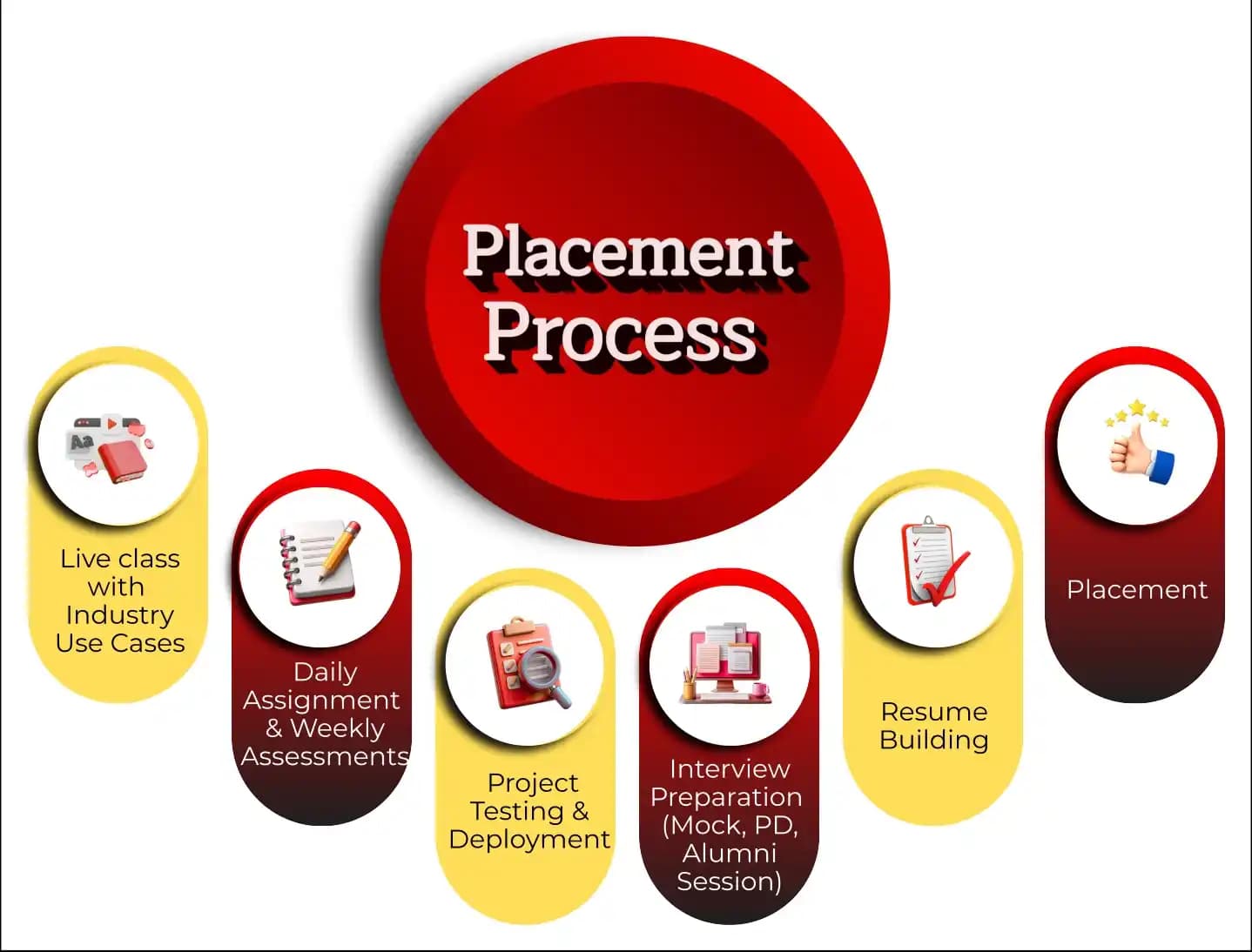
TechPratham give 100% placements after odoo development training and also helps people find jobs by writing resumes and preparing for interviews for jobs like Odoo Developer, ERP Consultant, or Technical Analyst.

Can I take Odoo Development Training while working a full-time job?

Yes, many courses offer flexible timing, including weekend and evening batches, especially in Hyderabad, Pune, and through online platforms.

Why is Odoo Developer Training popular in India and the USA?

Because more and more people around the world want Odoo ERP, companies in the US and India are looking for trained developers to customize and set up Odoo solutions. This makes the skill very valuable in the job market.

How can I choose the best Odoo training institute in Hyderabad or online?

Look for: Industry-experienced trainers Hands-on projects Updated course content Good reviews and placement support Options for both offline and online learning

ERP Partners
Accenture Logo
AWS Logo
Capgemini Logo
Deloitte Logo
Genpact Logo
HP Logo
Intel Logo
Microsoft Logo
TCS Logo
Tech Mahindra Logo
Wipro Logo
Zoho Logo

Other Odoo Courses

📚

No Related Courses Found

We couldn't find any other courses in the "Odoo" category at the moment.

© 2025 TechPratham. All rights reserved.An ISO 9001:2015 Certified Company