Learn Workday Leave and Absence Management at Tech Pratham Institute. Gain skills to automate leave requests, improve compliance, and enhance HR efficiency with real-time visibility.
Level
Advanced
Duration
8 weeks
Master Workday Leave & Absence Management with Tech Pratham Institute — practical training for HR professionals and payroll teams.
Learn to automate leave requests, configure absence rules, and handle compliance with hands-on scenarios.
Improve HR efficiency with absence calculations, audit-ready reporting, and smooth payroll integration to reduce errors.
Instructor-led sessions, certification guidance, and job-ready projects designed to boost your Workday career.
Keywords: Tech Pratham Institute, Workday Leave Management training, Workday certification, leave and absence management course, Workday HR training
Working professional who is carrying more then 10 years of industry experience.
The candidate will get access to the presentation taken-up during the session.
Consolidated notes in word document.
Assignments for every module will be covered.
MCQs for every module covered in the session would be provided.
Daily Session would be recorded and shared to the candidate.
We will provide dumps for the certification exam, which will help you to prepare for the exam.
We provide Generative AI Driven content By experts.
3 Live Projects will be provided for practice.
Overview of time-off and absence management in Workday
Covers the foundational framework for configuring leave types, eligibility rules, and accrual systems in Workday.
Explains how to create and configure different leave and time-off types such as vacation, sick leave, and maternity leave.
Focuses on setting up accrual policies, carryover balances, and expiration rules for employee leave.
Explains how employees request leaves, managers review them, and workflows process approvals.
Details how absence data integrates with Time Tracking for attendance and Payroll for accurate calculations.
Covers defining eligibility rules and validations to ensure correct application of leave policies.
Explains how to generate absence reports and dashboards for monitoring workforce attendance and compliance.
Focuses on ensuring leave policies comply with labor laws, and maintaining audit trails for transparency.
Provides guidelines on managing absence policies efficiently, optimizing user adoption, and troubleshooting issues.
Set up a vacation policy for the whole company that lets employees earn time off based on how long they've worked there. Make sure that your rules for carryover, eligibility, and approval workflows are in line with the policies of your organization.
Create a policy for sick leave that spells out who is eligible and what paperwork is needed. Create approval workflows for managers and add reporting to keep track of trends in medical absences.
Make a Workday dashboard that shows leave balances, team availability, and requests that are still open. Add custom reports that show trends in absences to help managers plan their workforces.

How does Workday Leave and Absence Management help organizations improve workforce planning?
Workday Leave and Absence Management lets managers see in real time when employees are available, how much leave they have left, and how many absences are happening. With Techpratham's training, students can set up policies, automate accruals, and make custom dashboards that cut down on mistakes, make sure rules are followed, and boost worker productivity.
Who should join this training?
HR professionals, payroll specialists, Workday consultants, and freshers interested in HR technology can join. TechPratham makes the training suitable for both beginners and experienced professionals.
What skills will I gain in this training?
You’ll learn time-off setup, leave eligibility rules, accruals, absence plans, and integration with payroll. TechPratham ensures you learn through real-world HR and payroll use cases.
Does the training provide hands-on practice?
Yes, TechPratham offers tenant access, case studies, and live projects so learners gain practical exposure in configuring and managing leave plans.
What is the duration of Workday Leave & Absence Management Training?
The course typically lasts 5–8 weeks, with TechPratham providing both instructor-led classes and flexible self-paced learning options.
Will this training prepare me for Workday certification?
Absolutely. TechPratham’s curriculum is designed to match Workday certification standards and includes practice tests, trainer guidance, and certification strategies.
What job opportunities can I expect after this training?
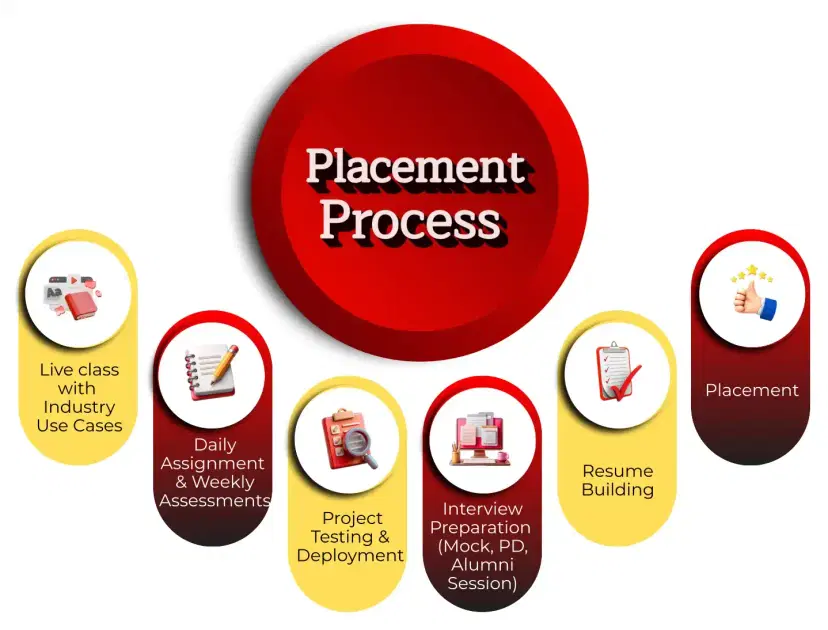
You can work as a Workday Absence Consultant, HRIS Analyst, Payroll Specialist, or Functional Consultant. TechPratham also supports learners with placement and career mentoring.
What salary can I expect after completing this training?
Freshers can earn ₹4–8 LPA, while experienced consultants may earn ₹12–20 LPA+. TechPratham helps learners build job-ready skills to secure high-paying roles.
Why should I choose this training provider?
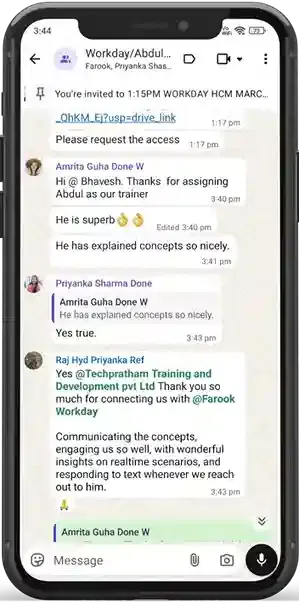
TechPratham offers expert trainers, updated curriculum, real-time projects, flexible learning schedules, and placement support, ensuring a complete learning journey.
Do I need prior Workday or HR knowledge to join?
No prior knowledge is required. TechPratham starts with fundamentals and gradually progresses to advanced absence management concepts, making the course suitable for all learners.
How to request feedback in Workday ?
To request feedback in Workday, log in and go to the Feedback or Talent worklet. Select Request Feedback, choose the person you want feedback from, and specify the context or project. Submit your request, and the feedback will be sent back to you in Workday. TechPratham suggests requesting feedback regularly to support growth and performance.
What does new candidate status mean in Workday ?
In Workday, "New Candidate" status means your job application has been successfully submitted and entered into the employer’s system. It indicates you are in the initial stage of the hiring process, awaiting review by recruiters or hiring managers. TechPratham advises monitoring your application status for further updates.
Is workday saas?
Yes, Workday is a SaaS (Software as a Service) platform that provides cloud-based solutions for human resources, finance, and payroll management. It allows organizations to access applications over the internet without on-premise installations. Workday offers real-time analytics, streamlined workflows, and regular updates for all users. TechPratham provides training on Workday SaaS, helping learners understand its cloud-based functionalities effectively.
What does in consideration mean in Workday?
In Workday, “In Consideration” status typically indicates that a job application is being actively reviewed by the recruiter or hiring team. It means the candidate’s profile is under evaluation, but no decision has been made yet. This status helps applicants know their application is being considered for the role. TechPratham provides guidance on understanding Workday statuses for better career management.
How to access Workday after termination?
After termination, direct access to Workday is usually revoked by your employer for security and privacy reasons. However, former employees can often access certain features like W-2 forms, pay stubs, or benefits information through a Workday portal for alumni or ex-employees, if your organization provides it. You may need login credentials or a temporary link sent via email from HR. TechPratham offers guidance on navigating Workday for both current and former employees.
How to create a survey in Workday?
To create a survey in Workday, first navigate to the “Create Survey” or “Surveys” task in the Workday search bar. Choose the survey type (e.g., employee engagement, feedback) and define the questions and response types. Set the audience, schedule the launch and closing dates, and configure anonymity or visibility options. Finally, review and launch the survey; Workday provides real-time reporting to track responses. TechPratham offers training on Workday Surveys for effective data collection and analysis.
How to use PTO on Workday?
To use PTO (Paid Time Off) on Workday, go to the Time Off or Absence section in your Workday dashboard. Click “Request Time Off”, select the type of leave (e.g., vacation, sick), and choose the dates you want off. Submit the request for manager approval and check back to see the status of your request. TechPratham provides step-by-step training on managing PTO efficiently in Workday.
We couldn't find any other courses in the "Workday" category at the moment.