










Start typing to search courses...

Type in the search box to find courses
CoursesMicrosoft Dynamics

MS Dynamics Navision Technical Training

Microsoft Dynamics

MS Dynamics Navision Technical Training

With MS Dynamics Navision Technical Training by Techpratham, you can learn how to develop, customize, and integrate NAV using C/AL, AL, and extensions.

5/5(4,890 Reviews)

Level

Advanced

Duration

8 Weeks

About
Training Plan
Course Curriculum
New Batch
Projects
Certificate
Testimonials
FAQ
Interview FAQ

Placement Client

Accenture Logo
AWS Logo
Capgemini Logo
Deloitte Logo
Genpact Logo
HP Logo
Intel Logo
Microsoft Logo
Infosys Logo
Zoho Logo
Zelis Logo
Wipro Logo
Saint Gobain Logo
ONX Logo
Nava Logo
Infosys Logo
HCL Logo
Egon Zehnder Logo
Cognizant Logo
Bosch Logo
Bank of America Logo
Accenture Logo
AWS Logo
Capgemini Logo
Deloitte Logo
Genpact Logo
HP Logo
Intel Logo
Microsoft Logo
Infosys Logo
Zoho Logo
Zelis Logo
Wipro Logo
Saint Gobain Logo
ONX Logo
Nava Logo
Infosys Logo
HCL Logo
Egon Zehnder Logo
Cognizant Logo
Bosch Logo
Bank of America Logo

About 

MS Dynamics Navision Technical Training

This class is for developers and technical consultants who want to learn how to customize and program the back end of Microsoft Dynamics NAV. You will learn about APIs, web services, tables, forms, reports, and the C/AL and AL languages. The training includes how to design extensions, fix bugs, and connect NAV to other programs. By the end, you'll know how to create, deploy, and keep technical solutions in NAV.

Training Plan

01

About trainer

Working professional who is carrying more then 10 years of industry experience.

02

Decks & Updated Content

Access to updated presentation decks shared during live training sessions.

03

e-Book

E-book provided by TechPratham. All rights reserved.

04

Assignments & MCQs

Module-wise assignments and MCQs provided for practice.

05

Video Recording

Daily Session would be recorded and shared to the candidate.

06

Projects

Live projects will be provided for hands-on practice.

07

Resume Building

Expert-guided resume building with industry-focused content support.

08

Interview Preparation

Comprehensive interview preparation with real-time scenario practice.

MS Dynamics Navision Technical Training

Course Curriculum

Introduction to NAV Architecture & Development Environment

Learn NAV structure and technical components.

NAV three-tier architecture
Development environment setup
Object designer overview
Version control basics

C/SIDE Environment and Object Designer

Introduces the development environment (C/SIDE), NAV objects, and working with Object Designer.

C/SIDE overview
Object Designer
Table, Page, Report, Codeunit
Development lifecycle

Tables and Data Model

Covers creating and modifying tables, fields, keys, and relations in the NAV database.

Table creation
Primary keys & indexes
Table relations
Data dictionary

Pages and Forms Development

Teaches building user interfaces (pages), form customization, and navigation design.

Page types (Card, List, Role Center)
Form layouts
Action items
Page customization

Reports and Data Items

Covers building reports in NAV including RDLC integration, data items, and layouts.

Report designer
Data items & grouping
RDLC layouts
Report customization

Codeunits and Business Logic

Focuses on writing reusable business logic using C/AL code and codeunits.

Codeunit creation
Functions & procedures
Business rules
Error handling

Microsoft Dynamics Courses

No related courses found

Additional Program Highlights

Learning Metarials
Resume Writing
Interview Preparation
Evaluate Your self

Evaluate Your self

Test your knowledge...

Upcoming Batches

Can't find a batch you were looking for?

Who Should Take

MS Dynamics Navision Technical Training

IT Professionals

Non-IT Career Switchers

Fresh Graduates

Job Roles For

MS Dynamics Navision Technical Training

Key Projects

<h1><strong>MS Dynamics Navision Technical Training</strong></h1>

company-logo

Custom Sales Order Module

Make a custom sales order management module that will automate the process of going from order to invoice for a retail business using tables, pages, and reports.

company-logo

NAV–Third Party API Integration

Use OData and JSON to connect NAV to a third-party payment gateway API so that payments and transaction reconciliation can be done automatically.

company-logo

Role-Centered Dashboard Customization

Use AL extensions and web services to make a custom NAV dashboard for finance managers that shows them role-specific KPIs, reports, and quick actions.

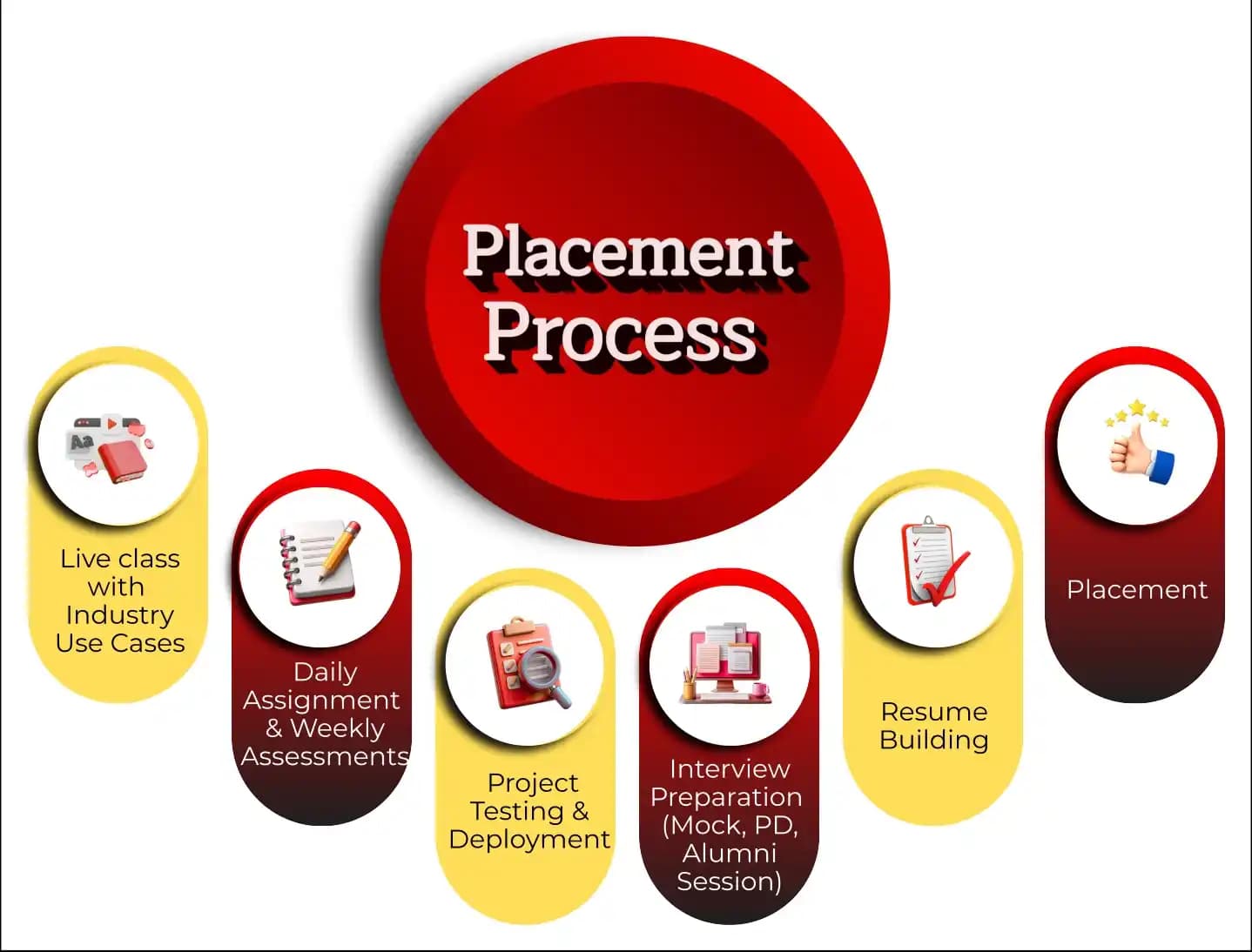
Placement Process

Mobile Banner

Knowledge Center

Recently Placed Candidates

We’re Hiring

What Makes TechPratham Training Different?

Real-World Implementation
Live enterprise tenant access for 24/7 practice on real-world, enterprise-grade scenarios.
Restricted or simulation-based access that lacks real-world complexity.
Subject Matter Experts
Mentorship from certified professionals with 15+ years of global industry experience.
Generic instructors with no hands-on implementation background.
2026 Ready Curriculum
AI-driven curriculum with advanced platform integrations and real-world configurations.
Basic, outdated syllabus that misses key technical integrations.
Daily & Weekly assignments
Daily assignments and weekly assessments focused on concept reinforcement and continuous feedback.
Self-paced learning with no accountability or progress tracking.
End-to-End Lifecycle
Hands-on project testing and deployment with portfolio-ready real-world exposure.
Basic lab exercises without any deployment or testing practice.
Interview Readiness
Structured interview preparation including mock interviews, PD sessions, and alumni guidance.
Minimal support limited to a generic certificate of completion.
Placement Support
Guaranteed interview support through tie-ups with top MNCs and 1-on-1 mock interview sessions.
Basic career tips with no direct industry connections.
Training Support
24/7 technical doubt resolution and personalized mentoring support.
Limited mentor availability and no support after class hours.
Affordable Fees
Competitive fixed pricing with flexible payment options and transparent fee structure.
Inflated fees with hidden costs and low return on investment.
FAQ's
ABOUT CERTIFICATE
CERTIFICATION DUMPS

Course FAQs

Who should enroll in MS Dynamics Navision Technical Training?

What does MS Dynamics Navision Technical Training cover?

Where can you take MS Dynamics Navision Technical Training?

Why choose MS Dynamics Navision Technical Training?

What career opportunities are available after completing MS Dynamics Navision Technical Training?

What salary can you expect after MS Dynamics Navision Technical Training?

Industry-Recognized Certification

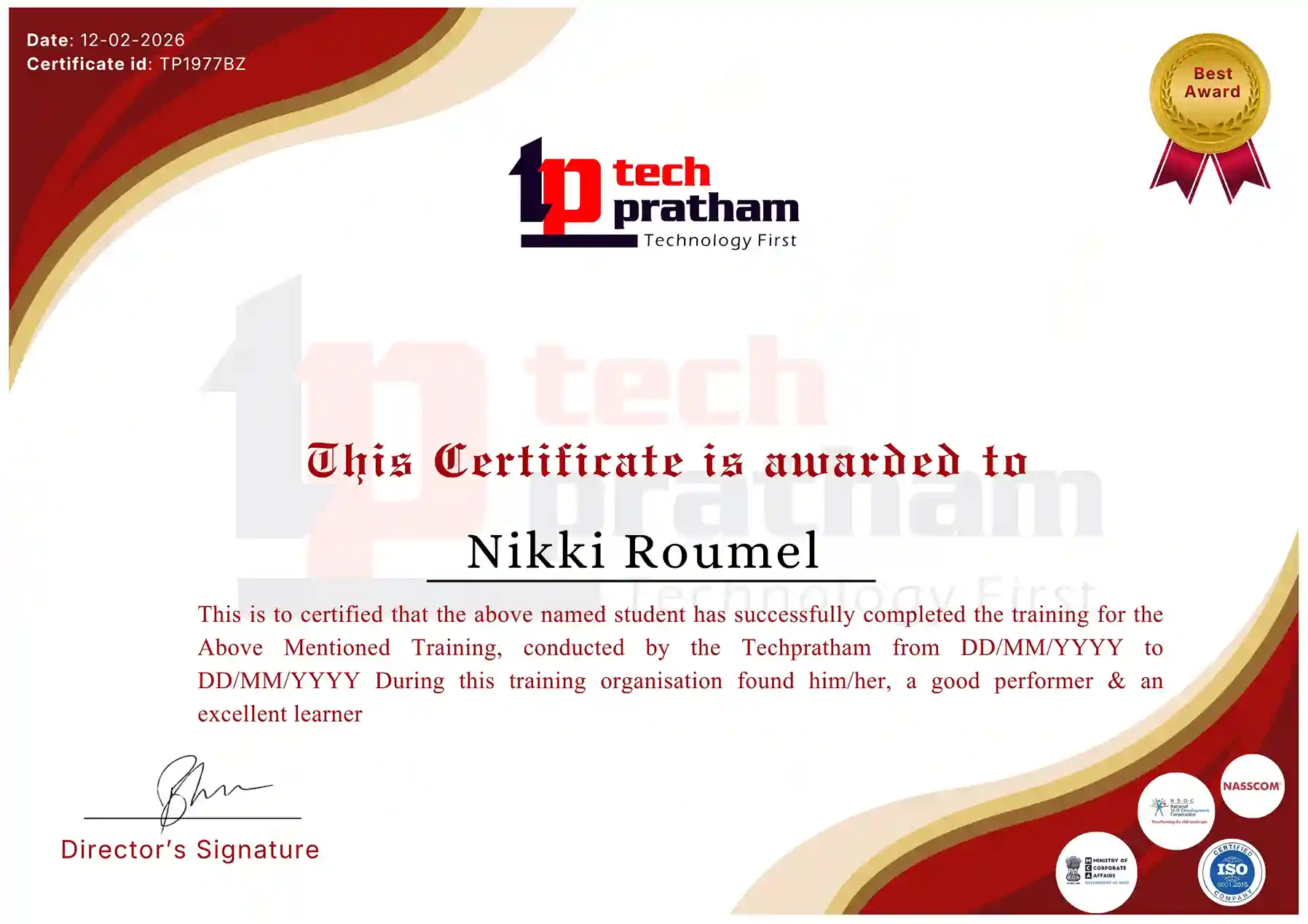
Certificate
flag

India

Head Office

G-31, 1st Floor, Sector-3, Noida - 201301

India Flag+91-8882178896
WhatsApp
USA Flag+1 (343) 477-0926
WhatsApp
flag

India

Noida Office

C-2, Sector-1, Noida, Uttar Pradesh - 201301

India Flag+91-8882178896
WhatsApp
USA Flag+1 (343) 477-0926
WhatsApp
flag

India

Hyderabad Office

LVS Arcade, 6th Floor, Hitech City, Hyderabad

India Flag+91-8383058741
WhatsApp
USA Flag+1 (343) 477-0926
WhatsApp
© 2026 TechPratham. All rights reserved.An ISO 9001:2015 Certified Company