
From Ticketing to Transformation – Automating and Reporting in ServiceNow ITSM
In today’s fast-paced IT landscape, organizations need more than just ticket management—they require a comprehensive IT service management solution that streamlines operations, reduces manual effort, and ensures seamless service delivery. ServiceNow ITSM provides a centralized platform to manage incidents, changes, and assets efficiently. By maintaining an accurate Configuration Management Database (CMDB) and tracking IT assets, teams can quickly identify issues, understand dependencies, and make informed decisions that minimize downtime and improve overall IT performance.
Beyond asset management, ServiceNow ITSM empowers organizations to automate workflows, configure business rules, and integrate with tools like Jira, Slack, and Teams for real-time notifications and updates. Its advanced reporting, dashboards, and performance analytics enable IT teams to monitor KPIs, track SLAs, and gain actionable insights for proactive service management. With features like Virtual Agents, chatbots, and predictive intelligence, ServiceNow not only resolves issues faster but also transforms IT service delivery into a strategic, data-driven operation that enhances efficiency and end-user satisfaction.
CMDB (Configuration Management Database) & Asset Management in ServiceNow ITSM (IT Service Management)
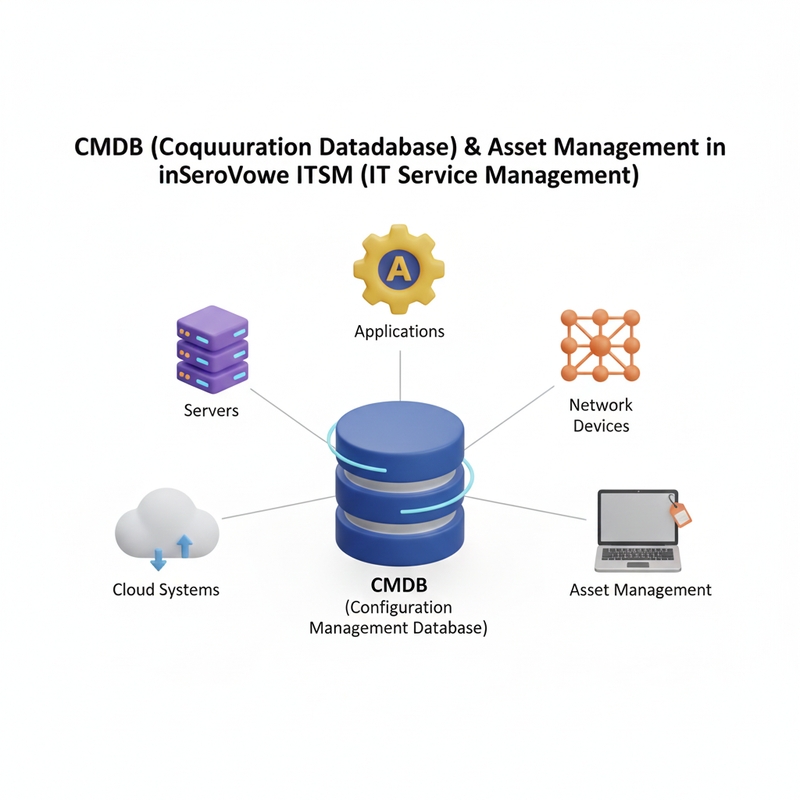
Effective IT service management begins with accurate and up-to-date information about your IT environment. ServiceNow’s Configuration Management Database (CMDB) and Asset Management capabilities provide a central repository for all configuration items (CIs) and assets, enabling IT teams to understand relationships, track lifecycle, and support ITSM (IT Service Management) processes efficiently. By leveraging CMDB and asset management, organizations can reduce downtime, minimize errors, and make proactive decisions that enhance overall IT performance.
Understanding Configuration Items (CIs) and Their Relationships
Configuration Items (CIs) are the backbone of CMDB. They represent IT components such as servers, applications, network devices, databases, and even business services. Each CI has attributes and relationships that define how it interacts with other components. For example:
- A server supporting multiple applications
- An application relying on a specific database
Mapping these relationships allows IT teams to quickly identify the impact of incidents or changes, making problem resolution faster and more precise. Understanding CI relationships is critical for Change Management, Incident Management, and Problem Management within ITSM.
Linking CMDB with ITSM (IT Service Management) Processes
Integrating CMDB with ITSM workflows ensures that IT teams have real-time context when managing incidents, problems, and changes. Some benefits include:
- Automated assignment of incidents based on impacted CIs
- Enhanced visibility into service dependencies
- Reduced manual errors in change approvals
By connecting the CMDB with ITSM processes, organizations create a single source of truth that improves operational efficiency and decision making.
Basic Discovery and Asset Tracking Setup
ServiceNow’s Discovery module automatically identifies devices, applications, and services across your IT infrastructure. This automation eliminates the need for manual updates and ensures your CMDB is always current. Key steps include:
- Defining CI types and classification rules
- Scheduling regular discovery scans to identify new or changed assets
- Tracking asset lifecycle from procurement to retirement
Accurate asset tracking enables IT teams to plan upgrades, manage licenses, and maintain compliance, supporting seamless IT operations.
Benefits of CMDB & Asset Management
Improved Incident Resolution: Quickly identify the root cause by analyzing CI relationships.
Enhanced Change Management: Understand the impact of changes on services before implementation.
Operational Efficiency: Reduce manual tracking and errors with automated discovery and asset updates.
Compliance and Audit Readiness: Maintain complete records of IT assets for regulatory purposes.
With ServiceNow’s CMDB (Configuration Management Database) and asset management capabilities, organizations gain full visibility into their IT environment, streamline ITSM (IT Service Management) workflows, and ensure that IT services are delivered efficiently, reliably, and proactively.
Automation & Scripting in ServiceNow ITSM (IT Service Management)
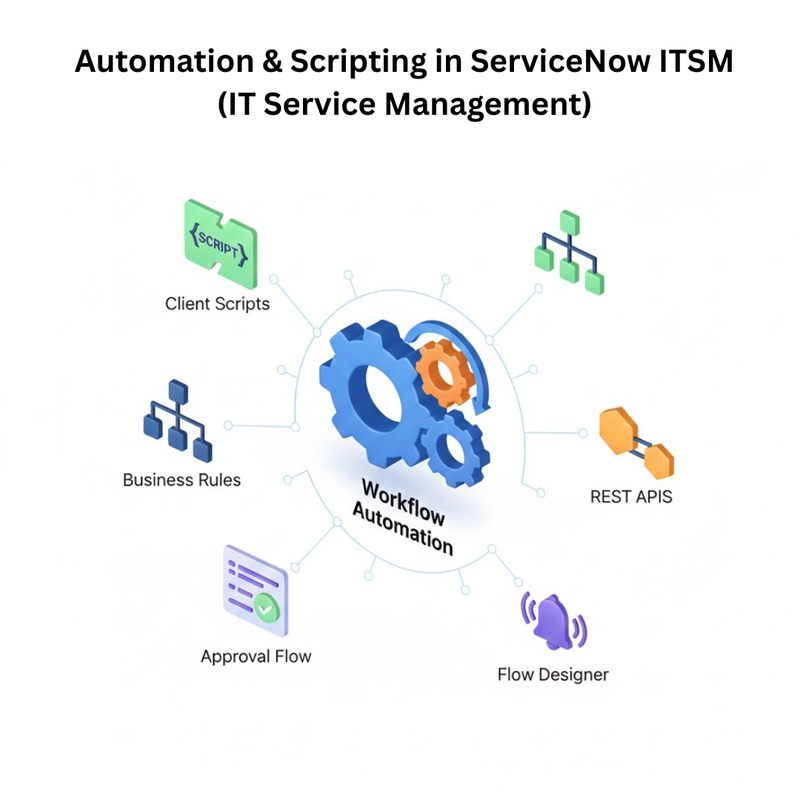
In modern IT environments, automation is key to reducing manual effort, minimizing errors, and accelerating incident resolution. ServiceNow ITSM (IT Service Management) provides robust automation and scripting capabilities that enable IT teams to streamline workflows, improve efficiency, and deliver faster, more reliable services. By leveraging tools like Flow Designer, Workflow Editor, Business Rules, Client Scripts, and REST API integrations, organizations can transform repetitive ITSM tasks into automated, intelligent processes.
Using Flow Designer and Workflow Editor
Flow Designer is a low-code automation tool in ServiceNow that allows you to create automated workflows using a drag-and-drop interface, without writing complex code. It is ideal for automating routine ITSM tasks, such as routing incidents, triggering notifications, or updating configuration items (CIs) automatically.
Example: Automatically escalate high-priority incidents to senior support staff and notify the relevant team based on the affected CI’s impact.
Workflow Editor, on the other hand, is used to build more complex workflows that involve multiple stages, approvals, and conditional logic. It is particularly useful for managing Change Management, Incident Management, and Service Requests where multiple approvals and dependencies are required.
Example: Automatically assign an incident to the correct support group based on CI impact, escalate if unresolved for a defined SLA period, and trigger notifications to stakeholders at each stage.
Configuring Business Rules and Client Scripts
Business Rules in ServiceNow are server-side scripts that run automatically when records are created, updated, or deleted. They help automate backend operations such as:
- Updating related records
- Enforcing data consistency
- Triggering notifications
Client Scripts are frontend scripts that run on forms and fields to improve the user experience. They allow IT teams to automate actions such as:
- Automatically populating form fields
- Showing or hiding fields based on user input
- Validating data before submission
Example: When a user selects a CI on an incident form, a Client Script automatically fills in the assigned support group and notifies the manager if it’s a high-priority system.
Integrating ITSM with REST APIs and Notifications
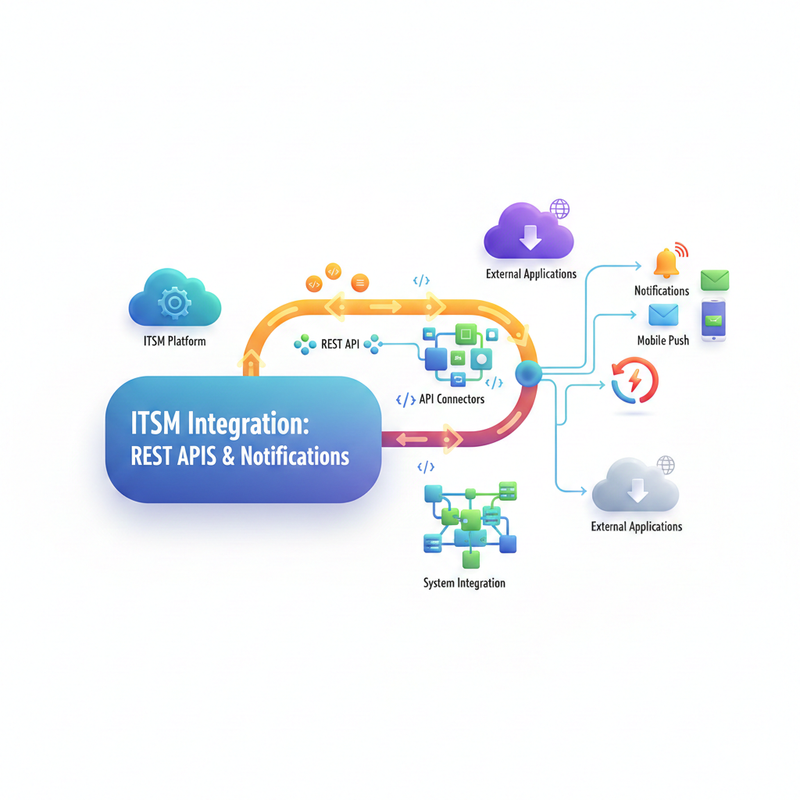
ServiceNow ITSM also supports integration with external applications like Jira, Slack, Microsoft Teams, and email systems using REST (Representational State Transfer) APIs. Integrations allow seamless data exchange between platforms, helping IT teams stay connected across tools.
Example: When a critical incident is logged in ServiceNow, a REST API integration can create a corresponding ticket in Jira, notify the assigned team via Slack, and send an email to stakeholders in real time.
Real-time Notifications are another critical aspect of ITSM automation. By configuring alerts for incidents, changes, approvals, and SLA breaches, IT teams can respond faster, reduce downtime, and improve overall service efficiency.
Benefits of Automation & Scripting in ServiceNow ITSM
Faster Incident Resolution: Automate routing, approvals, and notifications to resolve issues quickly.
Reduced Manual Effort: Eliminate repetitive tasks with Flow Designer, Workflows, and scripts.
Improved Accuracy: Automations ensure consistent execution and reduce human errors.
Seamless Integration: Connect with external tools like Jira, Teams, and Slack for unified IT operations.
Enhanced User Experience: Client Scripts automate forms and improve end-user satisfaction.
By leveraging automation and scripting in ServiceNow ITSM, organizations can not only accelerate IT processes but also deliver proactive, intelligent, and consistent IT services, transforming ITSM from a reactive function into a strategic business enabler.
Reports & Dashboards in ServiceNow ITSM (IT Service Management)
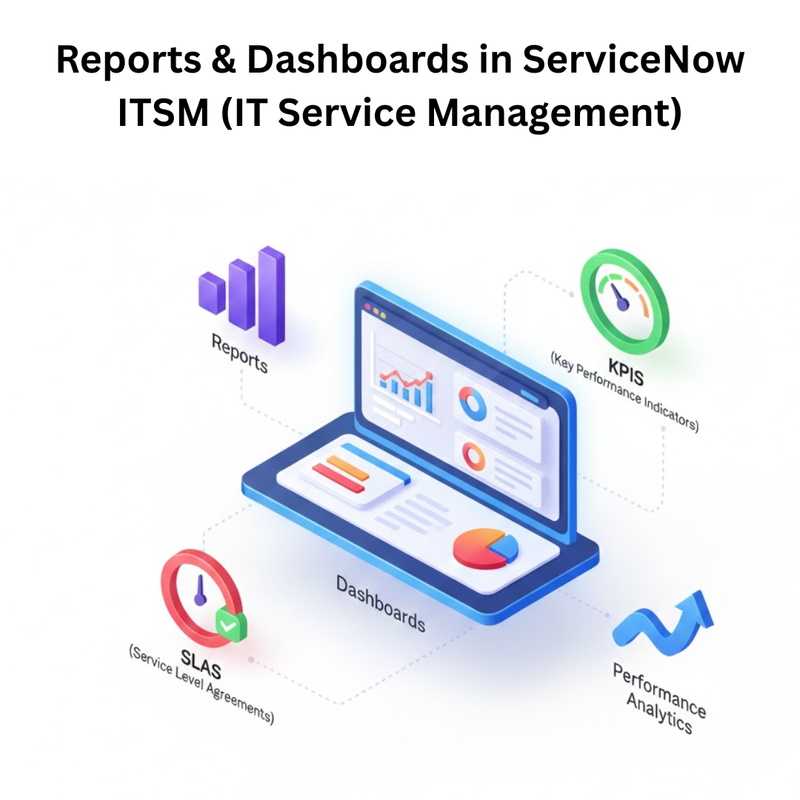
In modern IT environments, data-driven decision-making is crucial for efficient IT service delivery. ServiceNow ITSM (IT Service Management) provides a comprehensive suite of reporting and dashboard tools that help IT teams visualize key metrics, monitor service performance, and gain actionable insights. By leveraging these capabilities, organizations can track service levels, identify trends, and proactively improve IT operations.
Building ITSM Reports and Visual Dashboards
ServiceNow’s Report Builder allows IT teams to create customized, real-time reports tailored to organizational needs. These reports can cover incidents, problems, changes, requests, and asset management, enabling stakeholders to understand performance at a glance.
Visual Dashboards provide a dynamic, interactive view of IT operations. They display metrics such as:
- Incident trends over time
- Change request volumes
- Asset usage and lifecycle status Dashboards can be personalized for different roles, such as IT managers, support teams, or executives, ensuring everyone has the information they need for decision-making.
Tracking KPIs (Key Performance Indicators) and SLAs (Service Level Agreements)
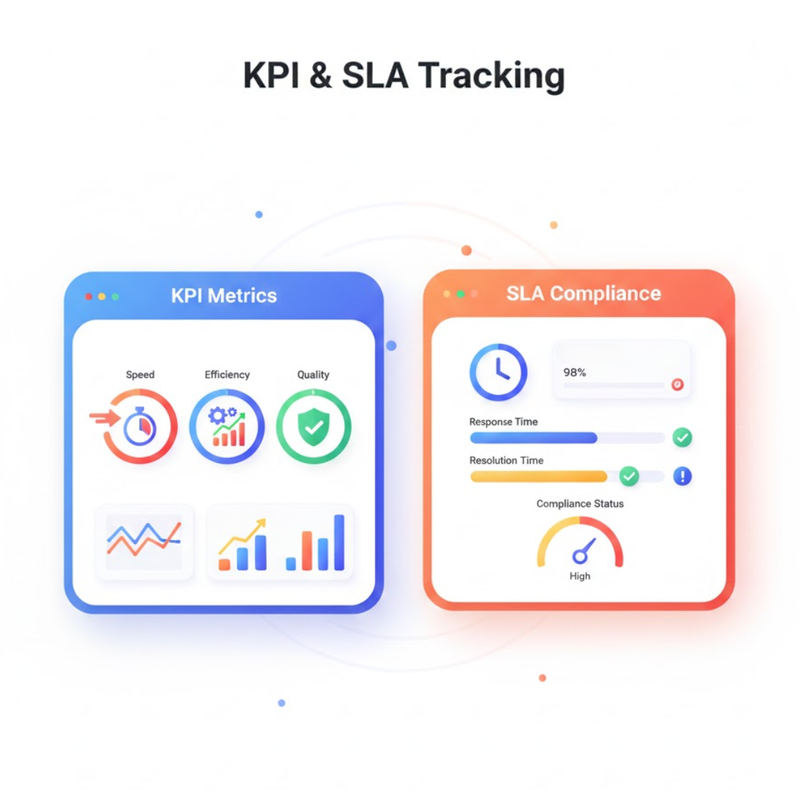
Monitoring KPIs and SLAs is essential for maintaining high-quality IT services. Key metrics include:
- Incident resolution time – measures how quickly issues are resolved
- SLA breaches – tracks whether IT services meet agreed timelines
- Change success rate – evaluates the effectiveness of change implementations
By actively tracking these indicators, IT teams can identify bottlenecks, prioritize critical tasks, and improve overall service quality. SLA tracking also ensures that IT commitments align with business expectations, reducing operational risks and increasing stakeholder confidence.
Using Performance Analytics for Insights
ServiceNow’s Performance Analytics allows organizations to analyze historical data and uncover trends in IT operations. By evaluating past performance, IT teams can:
- Predict workloads and resource requirements
- Anticipate recurring incidents or potential issues
- Optimize processes for improved efficiency
Performance Analytics supports proactive IT management, enabling IT teams to prevent problems before they impact users, rather than just reacting to incidents.
Benefits of Reports & Dashboards in ServiceNow ITSM
Improved Decision-Making: Data visualization makes it easier to understand IT operations.
Enhanced Accountability: Track KPIs and SLAs to ensure team performance and service quality.
Proactive IT Management: Identify trends and prevent issues before they escalate.
Real-Time Insights: Dashboards provide up-to-date information for faster action.
Customizable Views: Tailor reports and dashboards for different roles within the organization.
By leveraging reports, dashboards, and Performance Analytics in ServiceNow ITSM, organizations gain complete visibility into IT operations, enabling smarter decision-making, improved service delivery, and enhanced end-user satisfaction.
Testing & Deployment in ServiceNow ITSM (IT Service Management)
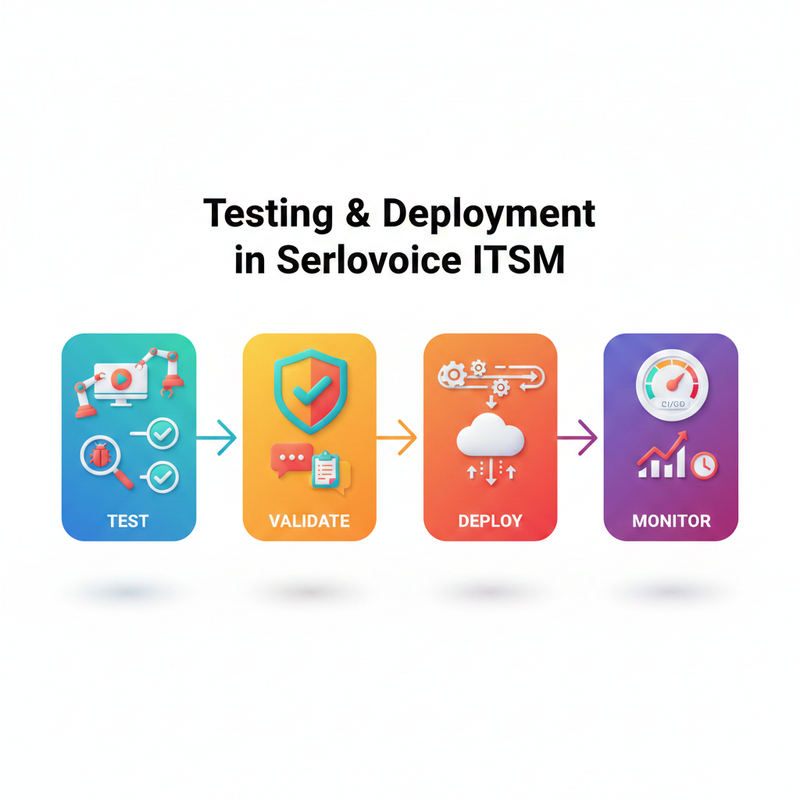
A successful ServiceNow ITSM (IT Service Management) implementation requires robust testing, careful planning, and structured deployment. Proper testing and deployment strategies ensure that IT workflows, automation, and integrations work seamlessly, minimize errors, and provide a smooth transition from development to production. By following best practices, organizations can reduce risks, improve system reliability, and enhance end-user satisfaction.
Implementation Best Practices and Testing
Before deploying ITSM solutions, it is critical to define clear scope, objectives, and requirements. This ensures that all stakeholders have a shared understanding of the system’s goals and expected outcomes. Key best practices include:
- Sub-Production Testing: Test workflows, business rules, Client Scripts, and integrations in a non-production environment to identify and resolve issues before go-live.
- Regression Testing: Ensure new changes do not break existing functionality.
- Automation Testing: Use automated test suites where possible to validate repeated processes efficiently.
Example: Test incident assignment workflows in a sandbox environment to ensure incidents are routed correctly based on CI impact before deploying to production.
UAT (User Acceptance Testing) and Go-Live Checklist
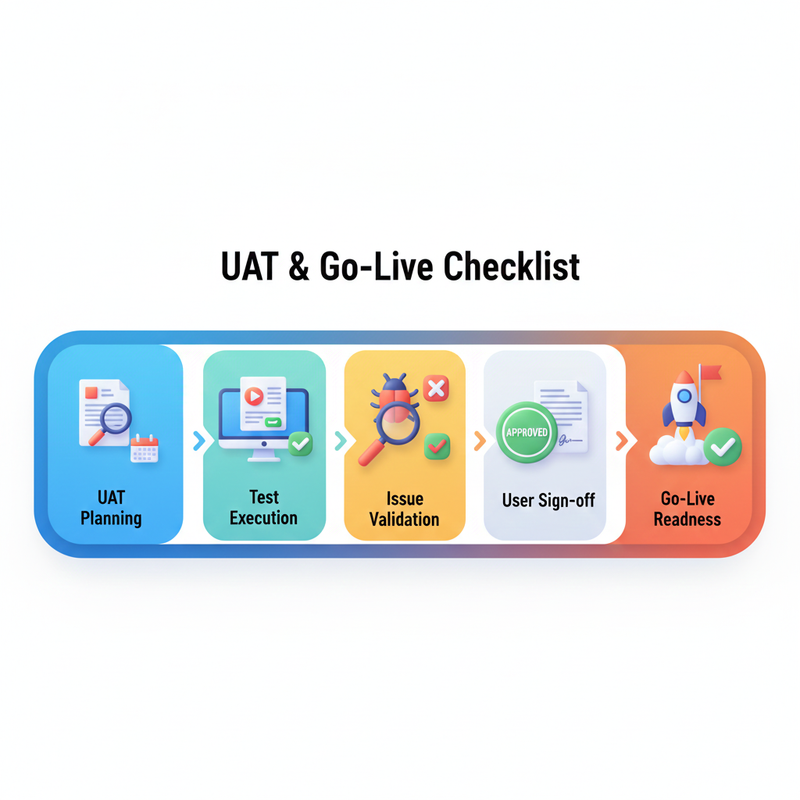
User Acceptance Testing (UAT) involves IT teams and business stakeholders validating the system against real-world use cases. UAT ensures that all functionalities, forms, notifications, and workflows meet organizational needs.
Go-Live Checklist Includes:
- Confirm that all forms, workflows, and approvals function as expected
- Validate notifications and alert triggers for incidents, changes, and requests
- Ensure integration points with external tools like Jira, Slack, or Teams are working correctly
- Confirm backup and rollback procedures in case of unexpected issues
Proper UAT and a structured go-live checklist minimize post-deployment issues and ensure a smooth launch.
Post-Deployment Support Activities
After deployment, providing knowledge transfer (KT) to IT teams and support staff is essential for ongoing operations. Post-deployment activities include:
- Monitoring live systems for early detection of incidents or performance issues
- Collecting feedback from end-users to identify areas for improvement
- Performing continuous optimization of workflows, automation rules, and reporting dashboards
Example: Set up a post-go-live support window where IT teams actively monitor SLA compliance and incident trends for the first 30 days to ensure stability.
Benefits of Proper Testing & Deployment
Reduced Risk of Failures: Testing identifies potential issues before affecting production.
Higher User Confidence: UAT ensures the system meets user requirements.
Seamless Go-Live: Structured checklists prevent common deployment errors.
Continuous Improvement: Post-deployment monitoring allows early problem detection and optimization.
Efficient Knowledge Transfer: Ensures IT teams are fully prepared to manage and support the system.
By following ServiceNow ITSM testing and deployment best practices, organizations can guarantee a successful rollout, minimize disruptions, and ensure that IT services remain reliable, efficient, and aligned with business goals.
Advanced Topics in ServiceNow ITSM (IT Service Management)
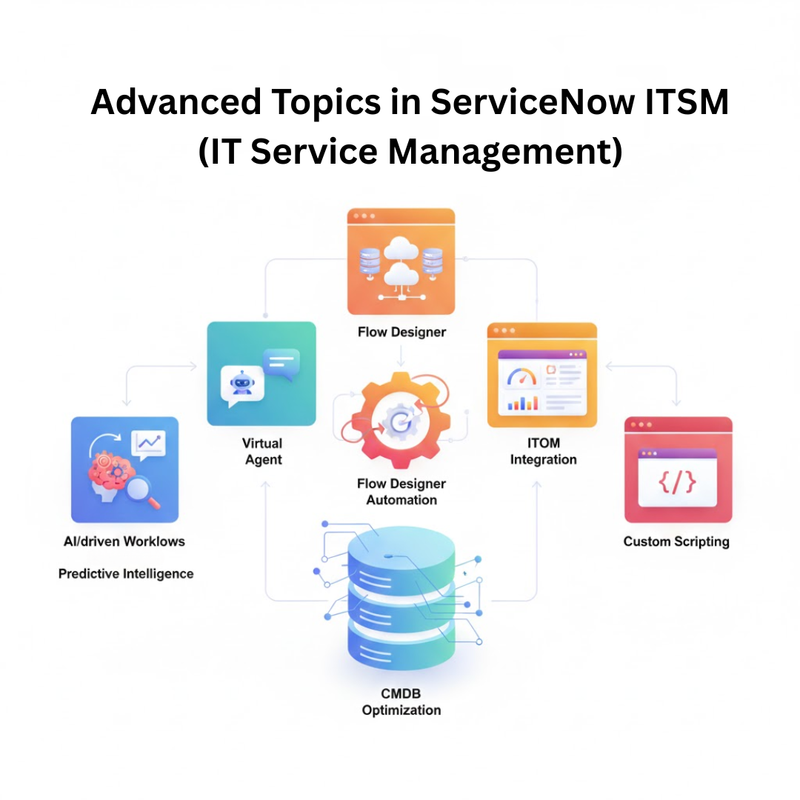
To stay ahead in modern IT environments, organizations can leverage advanced ServiceNow ITSM features that enable intelligent service delivery and enhance the end-user experience. By integrating AI, automation, and external collaboration tools, IT teams can streamline processes, improve efficiency, and provide proactive support. Key advanced capabilities include ITSM Pro, Virtual Agent, Predictive Intelligence, and external tool integrations.
ITSM Pro: Agent Workspace and Predictive Intelligence
ITSM Pro offers features designed to optimize the productivity of IT support teams:
- Agent Workspace: A unified interface where support agents can manage incidents, service requests, and changes efficiently. It provides a consolidated view of tasks, notifications, and CI relationships, enabling faster resolution and improved collaboration.
- Predictive Intelligence: Uses AI-powered algorithms to analyze historical incident data and provide recommendations for auto-routing tickets, suggesting solutions, or identifying potential problem areas.
Example: Predictive Intelligence can automatically classify incidents as high, medium, or low priority and route them to the appropriate support group based on past resolution patterns, reducing manual effort and improving response times.
Virtual Agent and Chatbot Integration
Virtual Agents in ServiceNow provide automated self-service support, allowing users to resolve common IT requests without human intervention. By integrating chatbots with Slack, Microsoft Teams, or internal portals, organizations can provide 24/7 support, improve response times, and reduce the workload on IT support teams.
Example: A Virtual Agent can handle password reset requests, create new tickets, or provide status updates on incidents automatically, freeing support staff to focus on complex issues.
External Tool Integrations (Jira, Teams, Slack)
ServiceNow ITSM supports seamless integration with external collaboration and project management tools like Jira, Microsoft Teams, and Slack. These integrations allow IT teams to sync tasks, share updates, and automate notifications across platforms, ensuring consistent communication and faster issue resolution.
Example: When a critical incident is logged in ServiceNow, a task can be automatically created in Jira, a notification sent via Teams, and updates pushed to Slack channels to ensure all stakeholders are informed in real time.
Benefits of Advanced ServiceNow ITSM Features
Enhanced Agent Productivity: Unified interfaces and AI recommendations accelerate incident handling.
Proactive IT Support: Predictive Intelligence identifies potential issues before they impact users.
24/7 Self-Service Support: Virtual Agents and chatbots reduce dependency on human support.
Seamless Collaboration: Integrations with Jira, Teams, and Slack improve communication and task tracking.
Reduced Manual Effort: Automation of notifications, ticket creation, and routing minimizes repetitive work.
By leveraging advanced ServiceNow ITSM capabilities, organizations can transform their IT service operations into intelligent, automated, and collaborative workflows, improving efficiency, reducing response times, and delivering a superior end-user experience.
Conclusion:
ServiceNow ITSM (IT Service Management) empowers organizations to move beyond basic ticketing and transform their IT operations into a strategic, data-driven function. By leveraging CMDB (Configuration Management Database) and Asset Management, IT teams gain complete visibility into infrastructure, enabling faster incident resolution, better change management, and proactive decision-making. Automation and scripting streamline workflows, reduce manual effort, and ensure consistent service delivery, while integrations with tools like Jira, Slack, and Teams enhance collaboration and real-time communication.
Advanced reporting, dashboards, and Performance Analytics provide actionable insights, helping teams monitor KPIs, track SLAs, and optimize IT processes. Features like ITSM Pro, Predictive Intelligence, and Virtual Agents further enable proactive, intelligent support and 24/7 self-service, elevating the overall end-user experience. By implementing these capabilities and following best practices for testing, deployment, and post-go-live support, organizations can ensure efficient, reliable, and scalable IT service management, turning ITSM into a true enabler of business success.








 +91-8882178896
 +1 (343) 477-0926