


How To Master Workday Integration: How It Works, The Best Modules, And Tools For Smooth Connectivity
Table of Contents
Introduction
Workday is one of the most powerful cloud-based solutions for Human Capital Management (HCM), Finance, and Planning in today's business world. But no business works alone, which is why Workday integration is so important. Connecting Workday to other business systems without any problems makes sure that data can be shared easily, processes can be automated, and procedures are the same in all departments..
This blog post talks about everything you need to know about Workday integration, including what it is, how it works, the main modules, tools, and best practices.
1. What is Workday Integration?
Workday Integration is the process of linking Workday apps (such HCM, Finance, Payroll, etc.) to other systems, either inside or outside the company, like SAP, Oracle, Salesforce, or third-party APIs.
Integrations with Workday let you share data in real time, keep it in sync, and automate business operations. Workday integration makes sure that all of your systems "talk to each other" without you having to do anything. This is true whether you're syncing employee information with payroll software or adding financial data to a business intelligence platform.

2. Why is Workday Integration Important?
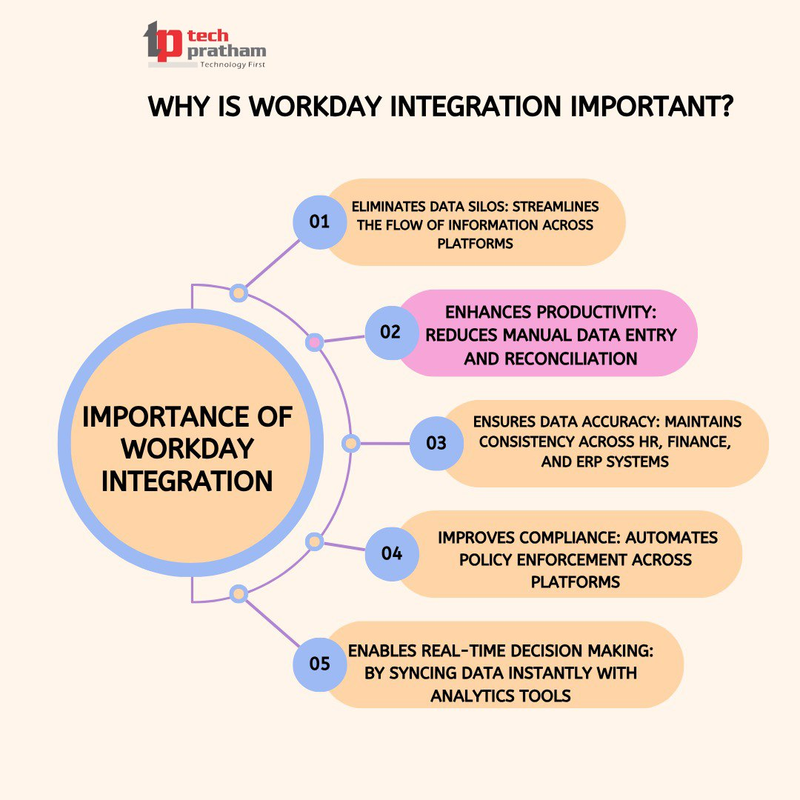
✅ Gets rid of data silos: makes it easier for information to move between platforms
✅ Increases productivity by cutting down on manual data entry and reconciliation
✅ Makes sure the data is correct: keeps things the same across HR, finance, and ERP systems
✅ Better Compliance: Automatically enforces policies on all platforms
✅ Lets you make decisions in real time by rapidly syncing data with analytics tools
3. How Does Workday Integration Work?
Workday has a lot of tools and technology that make integration possible. Workday supports the following depending on the use case and level of difficulty:
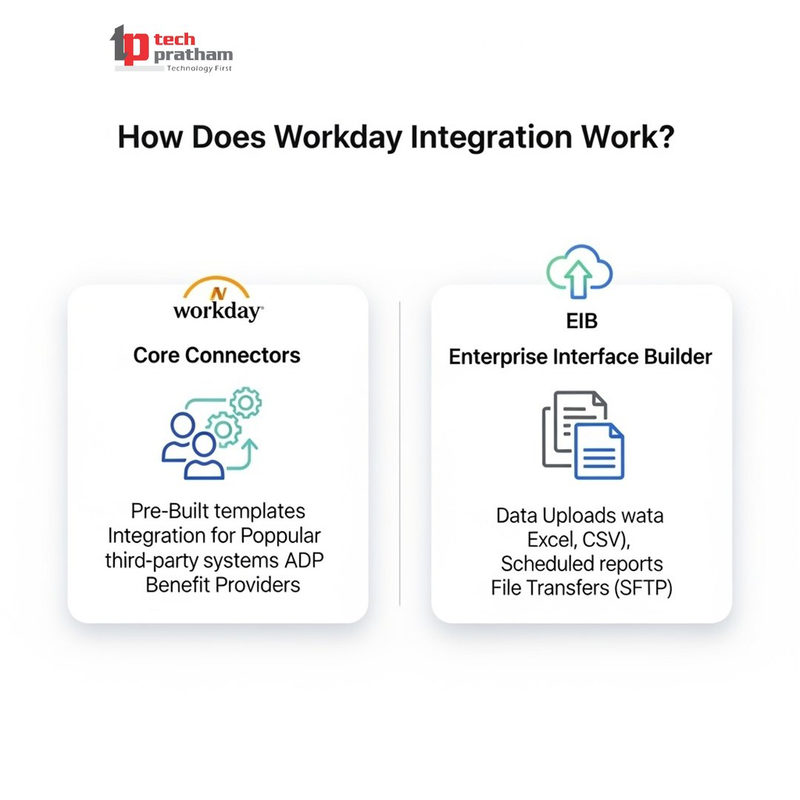
1. Core Connectors
Pre-made templates for third-party systems that are often used, such as ADP or Benefit Providers.
2. Enterprise Interface Builder (EIB):
A simple tool in Workday that lets you make integrations for incoming and outgoing data without having to write any code. Best for:
- Uploading data (Excel, CSV)
- Reports that are planned
- File transfers that are easy (SFTP)
3. Workday Studio
An advanced IDE (integration development environment) for making complicated and custom integrations. Best for:
- Changes
- Putting together many systems
- APIs and logic that are made just for you
4. Workday Web Services (WWS) / REST & SOAP APIs
Used to send and receive data in real time with external systems like Salesforce, Oracle, and bespoke apps. Workday APIs let you:
- GET, PUT, and POST actions
- Using OAuth 2.0 or WS-Security to log in
5. Cloud Connect
A Workday solution that comes with ready-made integrations for third-party vendors (such payroll, benefits, taxes, etc.).
🔄 Different kinds of Workday integrations
Workday divides integration strategies into three basic groups:
✅ Inbound Integrations
Data comes into Workday from other systems.
Example, uploading data from a third-party provider about an employee's background check
✅ Outbound Integrations
Data moves from Workday to systems outside of it.
For example, sending pay cheque information to ADP
✅ Bidirectional (Two-Way) Integrations
Sync data in real time both directions
Example: Workday ↔ Salesforce for employee and customer relationship data
4. Top Workday Modules That Require Integration
Workday's ecosystem includes many different business functions. These are the main modules where integration is often used:
1. Workday HCM
Make sure that payroll, attendance, and onboarding tools are all in sync with employee data.
Works with Active Directory, the HR Helpdesk, and others.
2. Workday Payroll
Works with banks, tax software, and benefits suppliers.
Sends and gets information about pay, deductions, and compliance
3. Workday Financial Management
Works with ERP systems like SAP and Oracle.
Allows for real-time audits and financial reporting
4. Workday Time Tracking
Works with biometric devices and systems that keep track of attendance.
Makes ensuring that labour regulations are followed and payroll is correct
5. Workday Recruiting
Works with LinkedIn, Indeed, and ATS systems.
Automatically posts jobs, keeps track of applicants, and brings new hires on board
6. Workday Adaptive Planning
Connects to databases for finances and operations.
Budget forecasting and scenario analysis in real time
5. Common Workday Integration Use Cases
Employee Onboarding: Automatically fill in employee information from a recruiting system into HCM and payroll.
📊 Analytics Dashboards: Use Power BI, Tableau, or Looker to connect Workday data to these tools.
💰 Payroll Automation: Send data from Workday to ADP to be processed, and then get a confirmation back.
Identity Management: Use Okta or Azure Active Directory to sync user info.
Time and Attendance: Get punch-in and punch-out data from physical devices into Workday Time Tracking
6. Workday Integration Tools-In Details
- EIB (Enterprise Interface Builder)
- Core Connectors
- Workday Studio
- Web Services (SOAP, REST APIs)
- Cloud Connect
7. Security In Workday Integration
- Workday follows best-in-class security standards:
- Encrypting data while it is being sent and while it is at rest
- Protocols for OAuth 2.0 and WS-Security
- Access controls based on roles
- Audit logs for every job that is executed to integrate
8. The best ways to integrate Workday
Set Goals for Integration Clearly, start with your business goals and work your way back.
Pick the Right Tool
For simple tasks, use EIB; for more complicated logic, use Studio or APIs.
Test a lot in the Sandbox
Before deploying, run integration jobs in test environments.
Keep an eye on and take care of
Use The Workday Integration Dashboard lets you keep an eye on things, get alerts, and see how well things are doing.
Make sure you follow the rules
When you handle sensitive data, be sure you follow GDPR, HIPAA, and local rules.
9. Workday Integrations in Different Fields
- IT and Tech: For managing employees and integrating payroll
- Healthcare: Putting together tools for compliance, benefits, and scheduling workers
- Integrating accounting systems and analytics platforms in finance and banking
- Retail: For hiring, scheduling, and ERP systems
10. The Future of Workday Integration
As AI, data lakes, and multi-cloud settings become more common, Workday connections will becoming smarter and more flexible. Expect more:
- Ecosystems that put APIs first
- Decisions made in real time using machine learning
- Connectors that are easy to use and set up quickly
🏁 Conclusion: Why it's important to connect Workday
Workday integration is a must for firms that want to get the most out of digital transformation. Integrating Workday with your ecosystem helps you with things like scaling HR operations, automating payroll, and predicting how well your business will do financially.
- Making decisions faster
- Easier to run operations
- Better experience for employees
- More compliance
Professionals may make smarter workflows that have an impact on company by learning how to use Workday integration technologies including Studio, EIB, APIs, and Core Connectors.