
Salesforce CRM Software: Features, Modules, Benefits & How It Works
Businesses today deal with a large amount of customer information, sales activities, service requests, marketing interactions, and follow-ups. Managing all this information through spreadsheets or separate systems can make it difficult for teams to maintain a clear view of their customers. This is where Salesforce CRM software can help. Salesforce is a cloud-based customer relationship management platform that helps organizations manage customer information, sales processes, marketing activities, customer service, and business operations from a connected platform. It provides different products and capabilities that businesses can use according to their specific requirements.
But what exactly is Salesforce CRM, how does it work, and what are its main features and modules?
What Is Salesforce CRM Software?
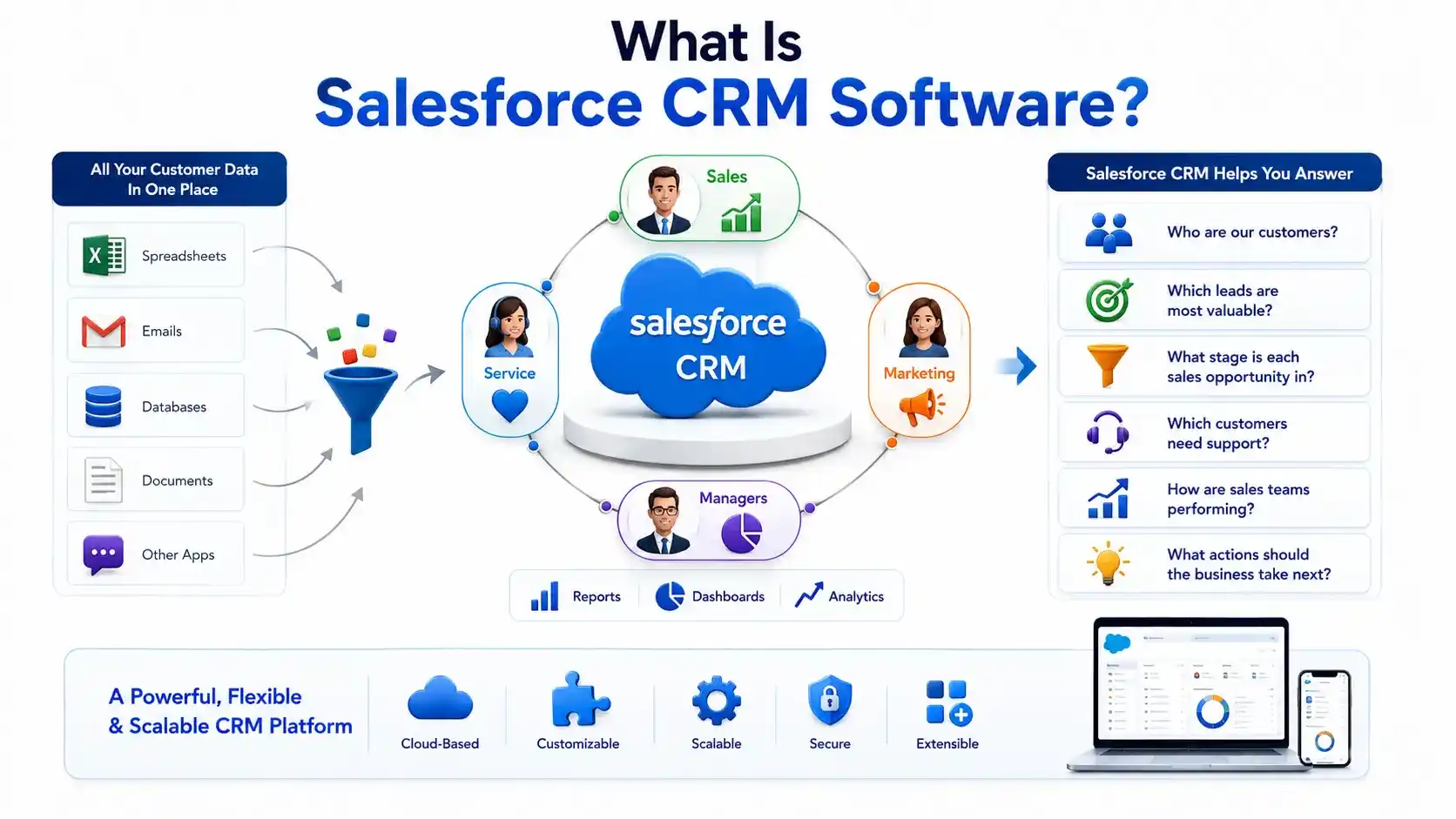
Salesforce CRM software is a cloud-based customer relationship management solution designed to help businesses manage relationships and interactions with current and potential customers. Instead of keeping customer information in multiple spreadsheets, emails, or disconnected applications, Salesforce can bring important customer and business data together in one platform.
Sales teams can use it to manage leads and opportunities, service teams can track customer cases, and marketing teams can manage customer engagement. Managers can also use reports and dashboards to understand business performance. In simple terms, Salesforce CRM helps organizations answer questions such as:
- Who are our customers?
- Which leads are most valuable?
- What stage is each sales opportunity in?
- Which customers need support?
- How are sales teams performing?
- What actions should the business take next?
Because Salesforce supports different business functions, it is more than a basic Salesforce CRM tool. It is a broader platform that can be customized and extended for different organizational needs.
How Does Salesforce CRM Work?
The basic working process of Salesforce CRM can be understood through the customer lifecycle:
Lead → Opportunity → Customer → Service → Retention
Here is how the process works.
1. Customer and Lead Data Is Captured
Teams can maintain important information such as names, contact details, company information, lead source, communication history, interests, and other relevant customer data. By keeping customer information in one system, businesses can reduce scattered data and make it easier for employees to access accurate information when they need it.
Businesses can capture information about potential and existing customers through multiple sources, including websites, contact forms, marketing campaigns, social media, referrals, email inquiries, phone calls, and manual data entry. This information can be stored and organized in Salesforce, giving sales and marketing teams a centralized view of customer details.
2. Leads Are Managed and Nurtured
Once lead information is captured, sales teams can use Salesforce to organize and manage leads throughout the early stages of the sales process. Sales representatives can review lead details, track previous interactions, add notes, schedule follow-ups, and determine whether a prospect is a good fit for the business. Salesforce can also help teams prioritize leads based on their status, source, activity, or other business criteria.
3. Qualified Leads Become Opportunities
When a potential customer shows genuine interest and meets the business's qualification criteria, the lead can be converted into an opportunity. An opportunity represents a potential sales deal that the sales team can actively work toward closing. Salesforce allows sales representatives to track opportunities through different stages of the sales pipeline, from initial interest and qualification to proposal, negotiation, and closing.
4. Sales Activities and Customer Interactions Are Tracked
Sales representatives regularly communicate with prospects and customers through calls, meetings, emails, tasks, and other activities. Salesforce allows these interactions to be recorded and associated with the relevant customer or opportunity.
For example, a sales representative can add meeting notes, schedule a follow-up task, record important customer requirements, or review previous communication before contacting a prospect.
5. Customer Service Continues After the Sale
The customer relationship does not end when a deal is closed. Businesses also need to provide support, answer questions, resolve issues, and maintain customer satisfaction after the purchase. Salesforce can support customer service teams through features such as case management, knowledge resources, service workflows, and customer interaction tracking
6. Reports and Analytics Support Better Business Decisions
Salesforce also helps businesses turn customer and sales data into useful business insights through reports, dashboards, and analytics. Managers can monitor important metrics such as sales performance, lead conversion, opportunity value, pipeline progress, customer activity, and service performance.
What Are the Main Features of Salesforce CRM Software?
Salesforce CRM software includes features that help businesses manage customer information, sales activities, service operations, automation, reporting, and business processes from a centralized platform. Some of the main Salesforce CRM features include:
- Contact & Account Management
- Lead Management
- Opportunity Management
- Sales Pipeline Management
- Workflow Automation
- Reports & Dashboards
- Sales Forecasting
- Customer Service
- Integration
- Mobile Access
What Are the Main Salesforce CRM Modules?
Salesforce does not have a single fixed list of modules that every organization must use. Instead, Salesforce provides different Cloud products and specialized solutions, with each one designed for particular business requirements. For a CRM-focused understanding, the most relevant Salesforce products include:
1. Salesforce Sales Cloud
Sales Cloud is one of the core Salesforce products for managing sales and customer relationships. It provides tools that help sales teams organize leads, accounts, contacts, opportunities, activities, and sales pipelines. Sales representatives can use Sales Cloud to maintain customer information, record interactions, manage follow-ups, and track potential deals through different stages of the sales process. Sales managers can also use sales data to monitor pipeline activity, evaluate team performance, and support sales forecasting.
2. Salesforce Service Cloud
Service Cloud is designed for customer service and support operations. It helps organizations manage customer questions, complaints, support requests, and service cases from a centralized system. Service teams can create and track cases, view customer information, manage interactions, and use knowledge resources while assisting customers.
3. Salesforce Marketing Cloud
Marketing Cloud focuses on customer engagement and digital marketing activities. It provides capabilities that can help marketing teams communicate with customers and prospects across different stages of the customer journey. Depending on the specific Marketing Cloud solution, organizations can work with campaigns, customer journeys, audience segmentation, personalization, and marketing automation.
4. Salesforce Data Cloud
Salesforce Data Cloud is focused on bringing customer data together from different sources and creating a more unified view of that information. Modern businesses often collect customer data from websites, applications, marketing platforms, commerce systems, service interactions, and other sources. When this information exists across separate systems, understanding the complete customer relationship can become difficult.
5. Salesforce Revenue Cloud
Salesforce Revenue Cloud focuses on processes related to revenue throughout the customer lifecycle. It can support areas such as product management, pricing, quoting, contracts, billing, and other revenue-related activities. For organizations with complex products, pricing structures, subscriptions, or recurring revenue models, managing these processes separately can create unnecessary complexity.
Revenue Cloud helps connect revenue-related activities with customer and sales information, allowing organizations to manage more of the process within the Salesforce ecosystem.
6. Salesforce Agentforce
Salesforce Agentforce brings AI-powered capabilities into Salesforce to support customer interactions and business processes. Depending on the organization's implementation, AI agents can assist with tasks such as answering customer questions, retrieving relevant information, supporting service processes, and helping employees complete certain activities.
What Are the Benefits of Salesforce CRM Software?
The benefits of Salesforce CRM software go beyond simply storing customer information. When the platform is configured according to an organization's processes, it can help teams organize their work, improve visibility across departments, reduce repetitive tasks, and make better use of business data. The actual benefits can vary depending on the Salesforce products being used, the size of the organization, and how the system is implemented.
- Centralized Business Information
- Better Sales Visibility
- More Consistent Customer Service
- Reduced Manual Work
- Improved Team Collaboration
- Data-Based Decision-Making
- Flexibility and Scalability
Who Uses Salesforce CRM?
Salesforce CRM can be used by different teams within an organization because customer and business information is relevant across multiple departments. Each team may use Salesforce for different activities depending on its responsibilities.
The way Salesforce is used can vary based on an organization's industry, business processes, team structure, number of users, and technology requirements. Not every department needs to use the same Salesforce products or capabilities.
What Are the Common Uses of Salesforce CRM?
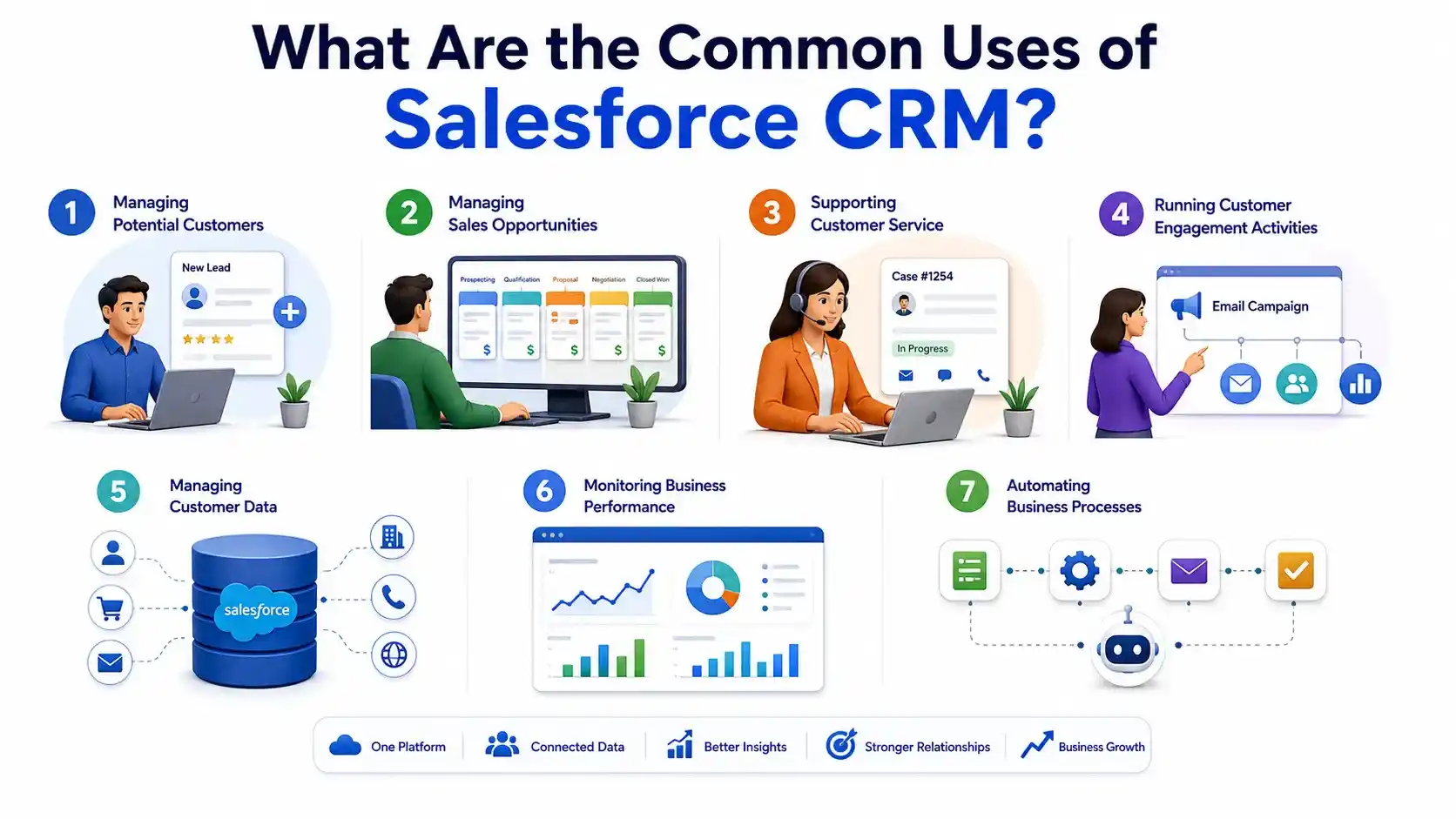
Salesforce CRM can be used across different business activities throughout the customer lifecycle, from the first interaction with a potential customer to ongoing customer relationships after a sale. Businesses can use Salesforce to manage potential customers, organize sales opportunities, support customer service, coordinate marketing and engagement activities, maintain customer information, monitor business performance, and automate routine business processes.
Salesforce CRM vs Traditional CRM Systems
Salesforce CRM: Salesforce CRM is a broad cloud-based platform that goes beyond basic customer relationship management. It provides organizations with capabilities for sales, customer service, marketing, customer data, automation, reporting, integrations, and other business processes. Its customization and scalability options allow businesses to adapt the platform according to their specific workflows and changing requirements. Organizations can also use different Salesforce products and solutions depending on their business needs, making it suitable for businesses that require a more connected and flexible CRM environment.
How Can Salesforce CRM Be Customized?
Businesses rarely have identical processes. A company may need different fields, approval steps, automation rules, user permissions, or integrations depending on how it operates. Salesforce provides several ways to adapt the platform, including:
- Custom fields
- Custom objects
- Automation
- Business rules
- Reports and dashboards
- User permissions
- Integrations
- APIs
- Custom applications
Many configuration tasks can be handled by Salesforce administrators, while more advanced requirements may involve developers and other technical professionals. This flexibility is one reason Salesforce supports a wide range of professional roles, from administration and business analysis to development and consulting.
Is Salesforce CRM Suitable for Small Businesses?
Salesforce can be used by businesses of different sizes, but suitability depends on the organization's actual requirements. A small business should consider factors such as:
- Number of users
- Required CRM capabilities
- Budget
- Existing software
- Integration requirements
- Internal technical resources
- Expected business growth
A company does not necessarily need every Salesforce product. Selecting the capabilities that match current business requirements can make implementation easier and more practical. Larger organizations may require additional customization, integrations, automation, data management, and governance because of their more complex business environments.
What Skills Are Needed to Work With Salesforce CRM?
The skills required to work with Salesforce depend on the role. For someone starting with Salesforce CRM, useful foundational skills include:
- CRM concepts
- Salesforce navigation
- Customer data management
- Reports and dashboards
- User and access management
- Automation fundamentals
- Sales and service processes
- Problem-solving
- Business analysis
Technical Salesforce roles may require additional knowledge of areas such as Apex, Lightning development, SOQL, APIs, integrations, and application development. Professionals can choose their learning path according to their career goals. For example, someone interested in CRM administration may focus on Salesforce Administrator skills, while someone interested in development may require programming and platform development knowledge.
Salesforce CRM Career Opportunities
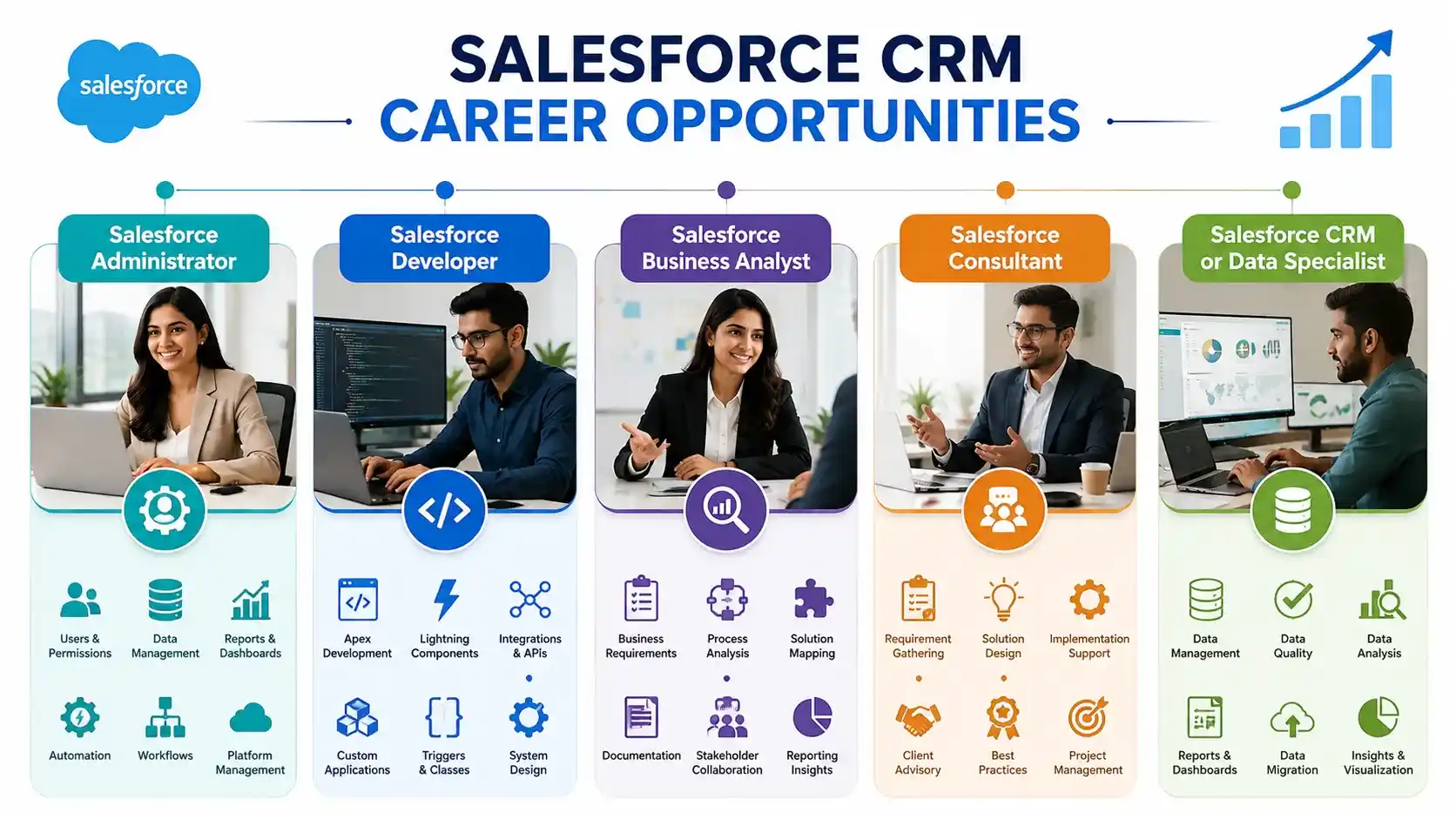
Salesforce CRM offers career opportunities in administration, development, business analysis, consulting, and CRM or data management. The most common Salesforce career roles include Salesforce Administrator, Salesforce Developer, Salesforce Business Analyst, Salesforce Consultant, and CRM/Data Specialist. Each role focuses on a different part of the Salesforce ecosystem, from managing and configuring the platform to developing custom solutions, understanding business requirements, supporting implementations, and working with customer data. The skills required for these roles vary according to the position, experience level, and Salesforce technologies involved. Professionals can therefore choose a Salesforce career path based on whether they are interested in CRM operations, technical development, business processes, consulting, or data-related work.
Professionals interested in building a career in the Salesforce ecosystem can develop the required skills through structured Salesforce Training, followed by relevant certification and practical learning.
Frequently Asked Questions
1. What is Salesforce CRM software?
2. Is Salesforce a CRM software or a CRM platform?
3. What are the main Salesforce CRM products?
4. What careers are available in Salesforce?
5.What are the benefits of Salesforce CRM?
Conclusion
Salesforce CRM software provides organizations with a structured way to manage customer relationships and different business processes through a connected cloud-based platform. Its capabilities cover areas such as sales, customer service, marketing, customer data, revenue processes, automation, reporting, and integrations. Rather than requiring every organization to use the same set of products, Salesforce allows businesses to select and configure solutions according to their requirements.
The way Salesforce works can be understood through the customer lifecycle, starting with prospect information and continuing through sales, customer service, and ongoing engagement. Features such as automation, reporting, dashboards, and integrations help organizations manage these processes more efficiently. At the same time, the value of Salesforce depends on proper implementation. Businesses need to select relevant products, maintain accurate data, define clear processes, train users, and regularly evaluate whether the CRM is meeting their objectives.
Related Articles

How Salesforce Developers Can Switch to a MuleSoft Career
Learn how Salesforce Developers can transition to MuleSoft, build integration skills, work with APIs, and explore new career opportunities.
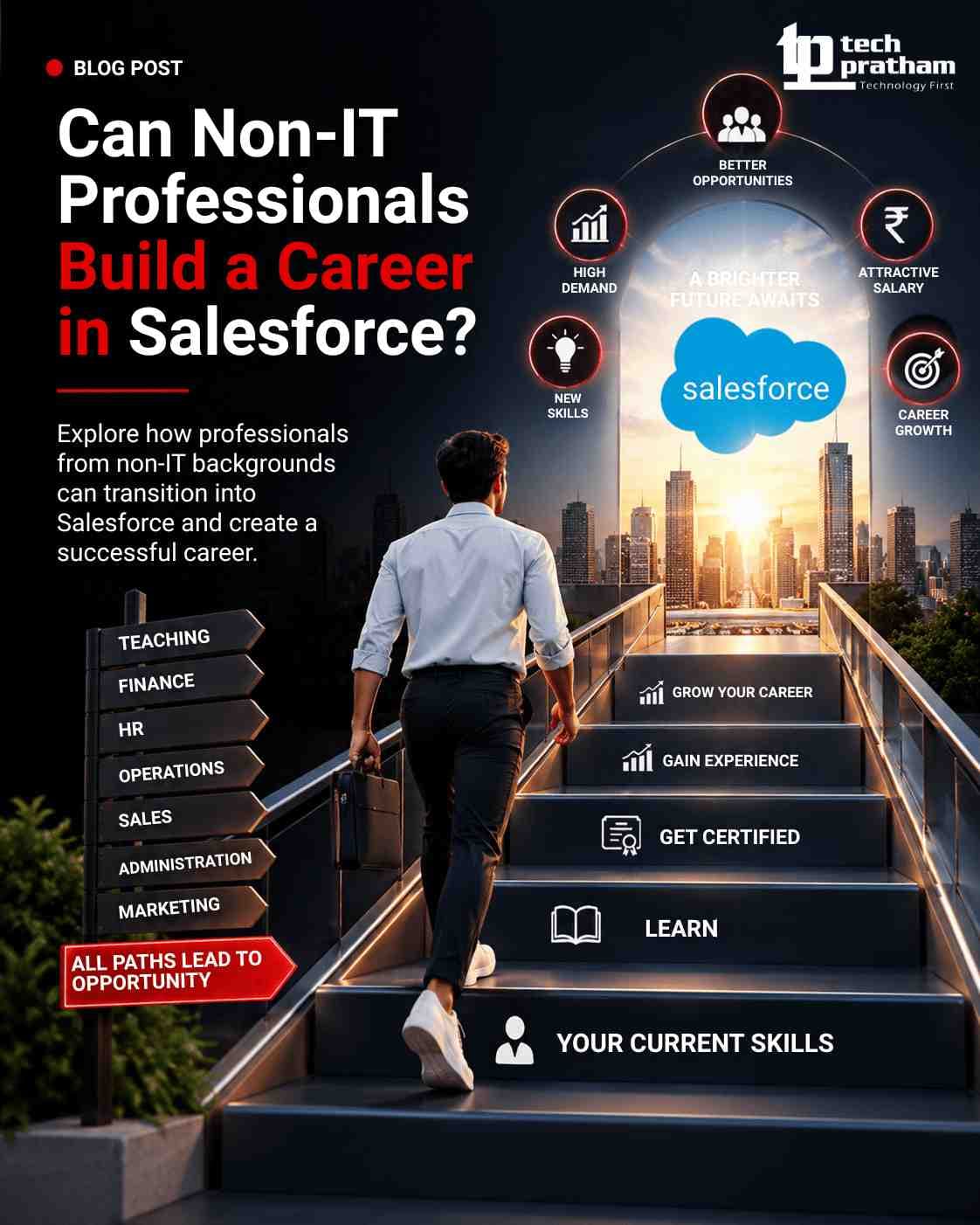
Can Non-IT Professionals Build a Career in Salesforce?
Can non-IT professionals build a career in Salesforce? Learn about Salesforce roles, coding requirements, AI impact, skills, certification, and career

Salesforce Business Analytics: How It Works, Key Features, Tools and Benefits
Explore Salesforce Business Analytics, key features, tools, benefits and use cases, with insights into Salesforce Business Analyst Training.




 +91-8882178896
 +1 (343) 477-0926