
Workday Training for Beginners: Complete 2026 Guide to Learn HCM & Get Placed
Table of Contents
Are you interested in entering the Workday HCM industry but unsure on where to begin?
This 2026 Guide to workday tutorial for beginners guides you through every stage, from achieving certification requirements to understanding fundamental workday hcm tutorial. Learn the skills that top employers are looking for and get ready with confidence for opportunities to be placed in the real world. This is where your path to becoming an expert in Workday begins.
What is Workday & Why You Should Learn It in 2026 (Career Growth + Salary Insights)
Top businesses utilize Workday, a well-known cloud-based HR and financial management platform, to handle payroll, analytics, and HR all in one location. As more businesses switch to cloud HR systems in 2026, the need for Workday specialists will soar.
With certified consultants making between $90K and $150K+ a year, learning Workday can open doors to lucrative, future-proof careers. Professionals in HR, finance, and IT who want to pursue international prospects and long-term career advancement in business technology would find it suitable.
Mastering Workday Terminology
It's important for anyone beginning their Workday HCM training. These concepts serve as the foundation of Workday's operations, from overseeing daily HR tasks to managing business processes.
Let's simplify them:
1. Business Process
A Business Process in Workday refers to a series of tasks performed to achieve a specific business goal — such as hiring or promotions. It includes approvals, actions, checklists, and to-dos, all combined to ensure seamless workflow completion.
2. Life Event
A Life Event is a personal milestone that affects employee benefits — like marriage, childbirth, or adoption.
3. Headcount
Headcount represents the total number of active employees within an organization. It helps track workforce size and structure.
4. Org Chart
The Org Chart (Organizational Chart) visually displays the company’s hierarchy — showing roles, responsibilities, and reporting relationships.
5. Staffing Event
A Staffing Event occurs when there’s a change in an employee’s job or position, such as hire, transfer, or promotion. These events often allow employees to update their benefit elections.
6. Worker Profile
The Worker Profile provides a quick overview of an employee’s details, such as contact information, job title, and current position.
7. Worklets
Worklets are small, interactive icons on the Workday home page that provide quick access to frequently used tasks and reports — such as viewing open positions or upcoming anniversaries.
8. Actions and Views
These are shortcut buttons that group related reports and tasks together. You can access them easily through Worklets.
9. Add Button
The Add Button allows users to include extra details or additional entries within a task.
10. Alert Message
An Alert Message serves as a soft warning — notifying users about system restrictions or missing information while still allowing them to proceed.
11. Attachments Icon
This icon lets users attach important files like PDFs, Word documents, or Excel sheets to any task or record.
12. Arrow Icon
A Clickable Arrow Icon helps navigate deeper into editable sections or related pages within Workday.
13. Workday Logo
Clicking the Workday Logo takes you back to the home page — a quick navigation shortcut.
14. Calendar Icon
The Calendar Icon opens a date picker to select specific dates for entries or scheduling.
15. Cancel Button
The Cancel Button lets you exit or ignore the current task without saving changes.
16. Continue Button
The Continue Button moves you to the next step or page in a process.
17. Delete Row
The Delete Row icon removes the current line or entry from a data grid.
Mastering these Workday terms helps beginners build confidence in navigating the platform efficiently. Whether you’re starting Workday HCM training or preparing for certification, knowing these fundamentals will accelerate your learning and career growth.
Workday Architecture 2026: Essential Elements & Useful Layout
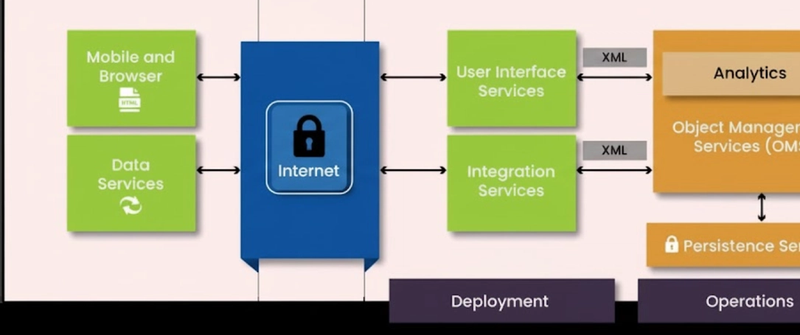
It's essential to understand the fundamental architectural elements that underpin Workday's scalability and performance in order to fully grasp it. Together, these components guarantee efficient operations, real-time processing, and seamless data management throughout the Workday platform.cm
1. Persistence Services
The Persistence Services Workday's data storage is managed by this layer. It stores business objects in a SQL database and documents in a NoSQL database. To ensure accuracy and consistency, the Object Management Services (OMS) automatically update the data in the backend whenever changes are made.
2. Object Management Services (OMS)
The OMS, an in-memory database that manages all business logic and transactions, is the central component of Workday's architecture. Workday is responsive and incredibly dependable for enterprise applications because it handles data requests fast and effectively.
3. UI Services
Users' interactions with Workday are controlled by UI Services. Mobile devices, web browsers, iPhones, Flash/Flex, and HTML5 interfaces are just a few of the platforms they support. Workday offers a consistent user experience across all devices thanks to its adaptable design.
4. Deployment
The Deployment layer helps in migrating data from legacy systems into Workday. It also allows existing customers to integrate or adopt new Workday products easily, ensuring smooth implementation and scalability as business needs evolve.
5. Operations
Workday's operations team keeps a close eye on service health and system performance. They gather performance metrics using tools like Sensu and Prometheus, and Wavefront dashboards display the results. To ensure data transparency and dependability, event logs are safely kept in the Hadoop Distributed File System (HDFS) and managed via Kafka.
By mastering these terms and understanding how each component functions, you gain a solid foundation in Workday’s technical architecture — an essential skill for anyone pursuing Workday HCM or Integration training.
Benefits of Workday
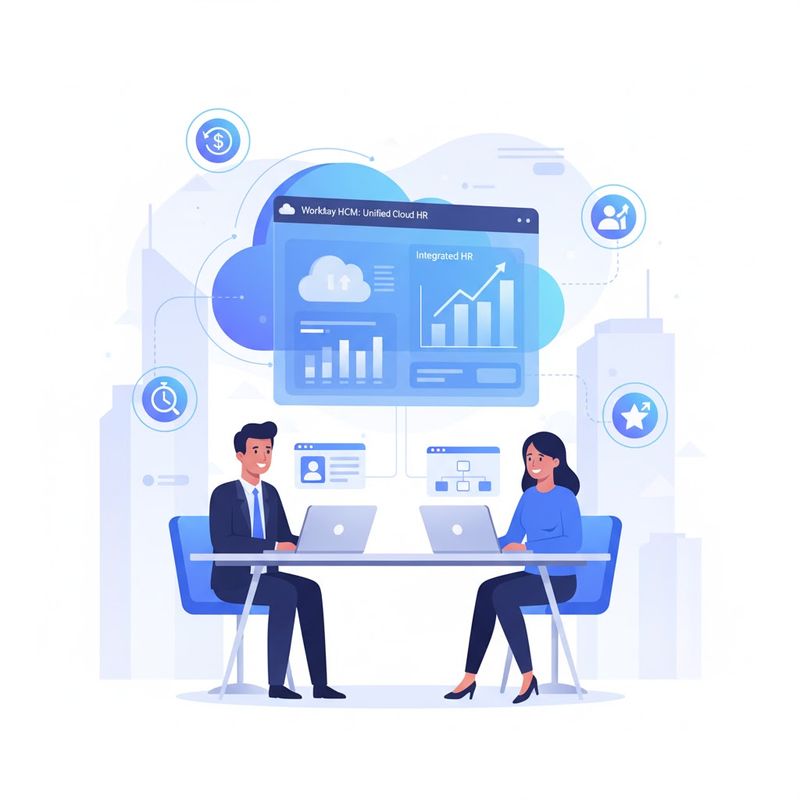
1. Unified Cloud Platform: Provides smooth data management by integrating analytics, payroll, finance, and human resources into a single system.
2. Real-Time Insights: Provides immediate reporting and analytics to facilitate quicker, data-driven decision-making.
3. Improved Employee Experience: Provides a user-friendly, mobile-friendly interface that makes daily chores easier.
4. Scalable and Flexible: Easily adjusts to evolving business requirements and organizational growth.
5. Constant Updates: Access to the newest features and compliance updates is guaranteed by frequent Workday releases.
6. Robust Security Framework: Uses enterprise-grade security to safeguard private financial and personnel information.
7. Global Accessibility: Perfect for remote and international teams, it offers cloud-based access at any time and from any location.
The Best Workday Products for Businesses in 2026
Workday provides a range of powerful cloud-based solutions made to satisfy the ever-changing requirements of medium-sized and large businesses. Every product aims to increase workforce productivity, data-driven decision-making, and business agility. Here is a brief overview of Workday's main features:
1. Workday Financial Management
Accounting, procurement, reporting, and project management are among the essential financial functions that are streamlined by Workday's Financial Management solution. Its adaptable cloud ERP ensures accuracy and agility by enabling organizations to update reports and processes without interfering with regular business operations.
2. Workday Enterprise Planning
This module, which is powered by Workday Adaptive Planning, aids companies in efficiently planning, carrying out, and evaluating strategies. By combining financial planning, workforce planning, and Elastic Hypercube technology, it improves overall performance and enables more informed, data-driven decisions.
3. Workday Analytics
Raw data is converted into useful insights by the Workday Analytics suite. Businesses can better understand workforce trends by utilizing tools like Prism Analytics and People Analytics, which facilitate data-driven decision-making that increases growth and productivity.
4. Workday Human Capital Management (HCM)
Workday HCM simplifies HR operations by managing the entire employee lifecycle — from recruitment and onboarding to career development and payroll. It offers real-time visibility into workforce data, helping organizations attract, engage, and retain top talent efficiently.
How to Configure Worklets in Workday (Step-by-Step Guide)
You can quickly access frequently used tasks, reports, and dashboards with Workday's Worklets, which are customizable shortcuts that show up as icons on your home page. You can customize your Workday dashboard to make it more effective and intuitive by configuring Worklets.
How to Set Up Worklets in Workday:
Open Settings: On your Workday home page, click the ⚙️ Settings icon in the top-right corner to open the Configure Worklets page.
Add a New Worklet: Click the Add Row (+) icon to create a new Worklet on your dashboard.
Select a Worklet Type: Click the Prompt icon to choose from the available Worklets list (e.g., Pay, Benefits, Time Off, or Reports).
Remove a Worklet: To delete a Worklet from your dashboard, click the Remove Row (🗑️) icon.
Rearrange Worklets: Use the Move Row Up or Move Row Down arrows to adjust the order of your Worklets.
- To place a Worklet at the top or bottom instantly, click Move Row to Top or Move Row to Bottom.
Save Your Changes: Once done, click Done, then OK to save your customized dashboard layout.
Understanding the Worklet Menu in Workday (Actions & Views Explained)
Important tasks and reports can be quickly accessed from your dashboard using Workday's Worklet Menu. A page layout that divides your workflow into two main sections, Actions and Views, is displayed when you select a Worklet, making navigation simpler and more effective.
1. Actions Section
Buttons corresponding to different tasks and operations you can carry out within that particular Worklet are located in the Actions section. For instance, the Actions section of the "My Team" Worklet may contain tasks like "Add Employee," "Request Transfer," and "Manage Time Off."
2. Views Section
Reports and insights pertaining to that Worklet are accessible through the Views section. Depending on the type of Worklet you have, you can view analytics, summaries, or dashboards here, including financial summaries, pending approvals, and employee details.
The Worklet Menu enables users to work more quickly, access data more readily, and keep better control over their daily HR and business operations by grouping Workday functions into distinct Actions and Views.
How Business Processes Work in Workday (Step-by-Step Explanation)
The Workday system's central component is its business processes. They specify how various HR and organizational operations, including hiring, promotions, pay adjustments, and terminations, are carried out, authorized, and monitored. To put it simply, a business process in Workday is a set of actions that need to be taken in order to accomplish a particular business objective.
Approvals, escalations, recognitions, notifications, and integrations can all be included in Workday processes, guaranteeing complete visibility and control throughout.
It's best practice to identify all stakeholders, lay out the process flow on paper, and specify the necessary steps before putting a business process into action. After the design is complete, Workday can be used to build and automate it.
🧩 Key Steps in a Workday Business Process
1. Initiation
A business process, like submitting a request to hire a new employee or start a promotion, begins with the Initiation step.
2. Action
Activities that are initiated within Workday, like sending notifications, updating job details, or proposing compensation, are included in the Action step.
3. Approval
The process is validated by the designated approver thanks to the approval step. Depending on organizational policies, approvals may be granted or rejected.
4. Approval Chain
A chain of approvers, such as from a manager to a department head to HR, is called an approval chain. This guarantees a distinct authorization hierarchy.
5. Service
By automating internal system processes that do not require human input, Workday's Service step improves consistency and efficiency.
6. Integration
In order to facilitate smooth platform communication, the Integration step manages data exchange between Workday and external systems.
7. Batch
Until related background tasks (such as payroll computations or report generation) are completed, the batch step makes sure that the business process is not marked as complete.
8. Consolidated Approval
This feature allows multiple approval requests for the same user to be merged into a single task, minimizing repetition and streamlining the workflow.
9. Report
The Report step enables users to generate reports from within a business process, offering instant insights and performance tracking.
10. Checklist
A Checklist provides a list of external tasks or validations that must be completed outside the Workday system (for example, background verification or equipment handover).
11. To-Do
The To-Do step assigns specific manual tasks to an individual — indicating actions that need to be completed outside Workday but are tracked within the process flow.
What is Workday HCM? | Complete Overview for Beginners
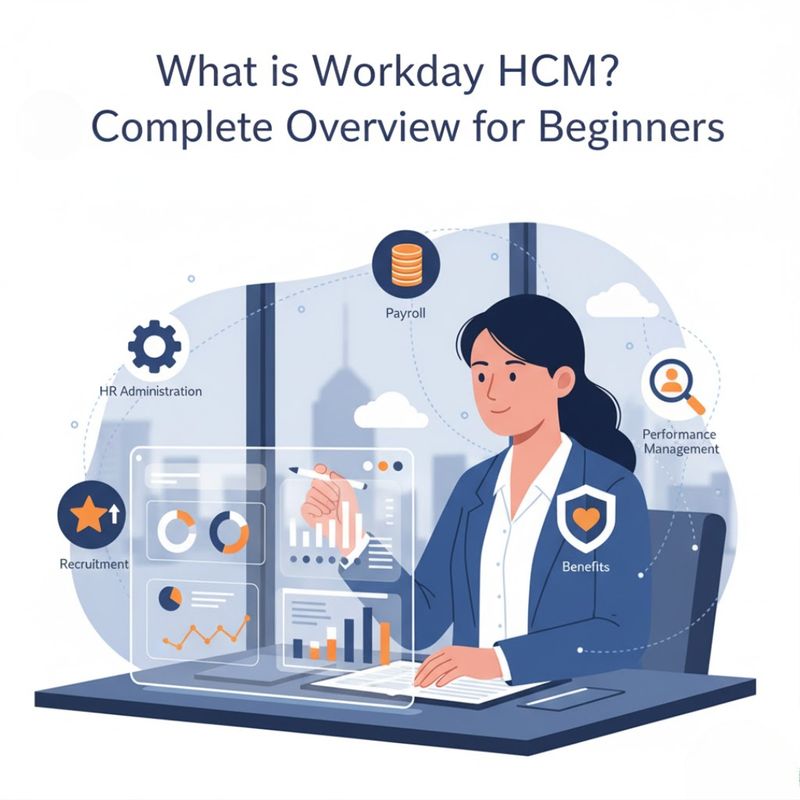
A cloud-based HR program called Workday HCM (Human Capital Management) was created to assist businesses in effectively managing their employees. It combines all of the essential HR tasks into one cohesive system, including hiring, payroll, talent management, time tracking, pay, and benefits administration.
Workday is a global HCM solution that enables companies to increase workforce visibility, optimize HR operations, and use real-time data to make more informed decisions. HR teams can quickly set up workflows and adjust to shifting business requirements thanks to its user-friendly and adaptable interface.
Key Benefits of Workday HCM
1. Enhanced Workforce Visibility
Workday HCM helps businesses understand employee performance, engagement, and productivity in real time by giving them a 360-degree view of their workforce.
⚙️ 2. Streamlined HR Operations
Reduces administrative effort and ensures accuracy by automating complicated HR tasks, such as payroll, benefits, and hiring and onboarding.
👥 3. Better Workforce Planning
Make better staffing and budgetary decisions by gaining a deeper understanding of your full-time and contingent workforce.
🧭 4. Empowered Self-Service Experience
Self-service for managers and employees allows users to independently handle performance goals, leave requests, and personal information, increasing productivity and engagement.
📊 5. Data-Driven Decision Making
Leverage real-time analytics and reports to make informed HR and financial decisions while maintaining compliance and transparency.
Workday HCM Training – Core Modules & Subtopics (2026 Updated)
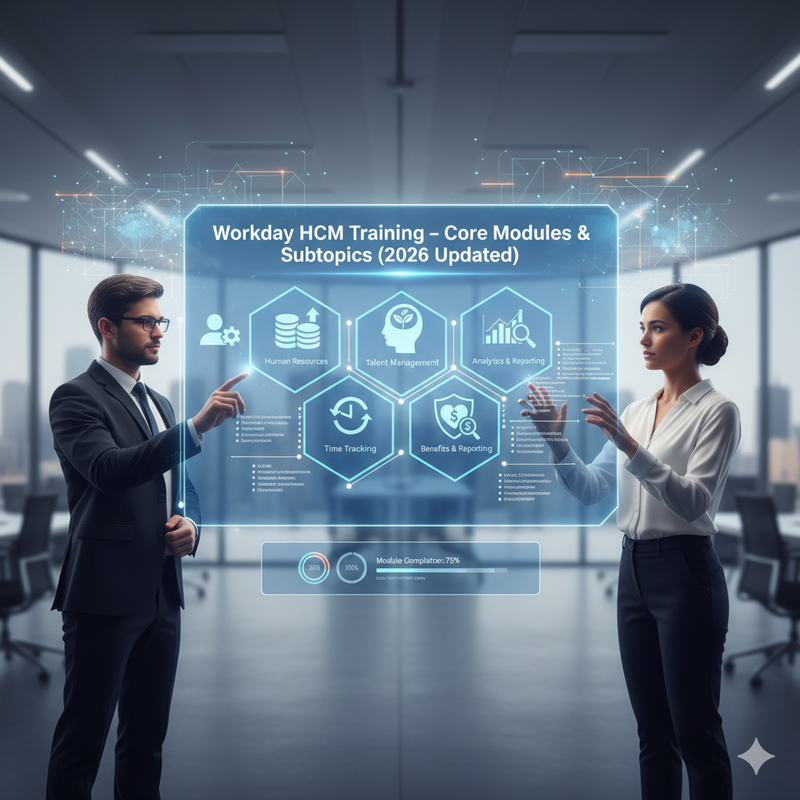
Topic 1: What is HCM?
Description: Understand how Human Capital Management (HCM) in the cloud is transforming workforce value, driving business growth, and shaping the future of HR.
Subtopics:
- Introduction to Cloud
- What Is HCM
- Google Trends Report on HCM
- Importance of HCM
- Future of HCM (Rise or Fall in Value of Human Capital)
Topic 2: What is Workday?
Description: Learn how Workday, a fully cloud-based platform, is revolutionizing HR, finance, and payroll with real-time innovation and seamless updates.
Subtopics:
- What Is Workday and How Is It Different?
- Is Workday Completely on Cloud?
- Downtime and Version Upgrades
- Workday Components: HCM, Studio, Finance, Payroll
- Market Comparison of HCM Vendors
- Google Trends Report on Workday
- Workday vs SAP SuccessFactors vs Oracle HCM
Topic 3: Core Concepts & Navigation Basics
Description: Master Workday’s foundational elements, including business objects, worklets, and navigation techniques for a smooth user experience.
Subtopics:
- Overview
- Core Concepts
- Business Objects
- Worklets
- Basic and Advanced Navigation
Topic 4: Organizations in Workday
Description: Explore how Workday Organizations manage workforce hierarchies, reporting, and business structure efficiently.
Subtopics:
- Organization Types
- Re-Organizations
- Location Hierarchy
- Create Company
- Cost Center
- Additional Organization Types
- Supervisory Organization Setup
- Create Subordinate
- Divide Organization
- Matrix Organization
- Organization Location
Topic 5: Staffing Models
Description: Learn how Workday Staffing Models define workforce planning, hiring, and job management.
Subtopics:
- Types of Staffing Models
- Maintaining Staffing Models
- Configuring Staffing Models
- Difference Between Staffing Model, Position & Jobs
- Hiring Restrictions
- Position Management
- Job Management
Topic 6: Jobs & Positions
Description: Understand how Workday uses job profiles, job families, and position controls for effective role management.
Subtopics:
- Job Profile
- Job Profile vs Job Family vs Job Family Group
- Job Profile & Compensation Grade
- Creating Job Profiles
- Managing Positions (Filled & Unfilled)
- Creating and Editing Positions
Topic 7: Compensation
Description: Gain insights into Workday’s compensation structure, including plans, grades, eligibility, and reward components.
Subtopics:
- Compensation Overview
- Compensation Plans
- Compensation Elements
- Compensation Components
- Grade, Grade Profile & Steps
- Compensation Package
- Eligibility Rules
Topic 8: Security
Description: Learn how Workday uses security groups and configurable policies to manage permissions and safeguard data.
Subtopics:
- Security Group Types
- Configurable Security
- Functional Areas, Securable Items & Security Policies
Topic 9: Business Process
Description: Understand how to create, edit, and manage Workday business processes for seamless workflow automation.
Subtopics:
- Business Processes Overview
- Business Process Framework
- Configuration Options
- Functionality & Rules
- Sub-Business Processes
Topic 10: Transactions in Workday
Description: Explore how to handle hiring, staff movement, and terminations effectively using Workday transactions.
Subtopics:
- Create Pre-Hire
- Hire Process
- Staff Movement
- Termination
Topic 11: Recruitment
Description: Master Workday’s recruitment process, from job requisitions to candidate management.
Subtopics:
- Recruitment Process
- Job Requisitions
- Create Prospects
- Maintain Job Applications
Workday HCM Training and Placement 2025: Launch Your Career with Tech Pratham
Looking to build a successful career in HR and cloud technology? Tech Pratham offers industry-recognized Workday HCM Training and Placement designed for beginners and professionals aiming to master Human Capital Management.To prepare you for employment with leading MNCs, our expert-led program includes real-time projects, core modules, and practical scenarios. Tech Pratham offers advanced learning modules and 100% placement support to help you develop the skills you need to succeed in global Workday HCM roles.
Workday Studio and Report Writer: Complete Guide for 2026
What is Workday Studio?
With the help of Workday Studio, developers, partners, and clients can create, implement, and oversee integrations between Workday and other systems. You can create intricate workflows, automate procedures, and safely link Workday with other enterprise apps via cloud-based servers with this Eclipse-based integrated development environment (IDE).
Workday Studio is perfect for companies that need sophisticated connectivity and smooth data transfer between systems because it provides the flexibility to manage large-scale integrations effectively. With clever, scalable integration solutions, Workday professionals use it extensively to improve HR, Finance, Payroll, and Time Tracking operations.
Workday Integration System: Complete Guide for 2026
Through the Workday Integration System, businesses can easily integrate Workday with third-party apps, guaranteeing seamless data transfer between payroll, finance, and human resources systems. Workday helps businesses achieve automation and real-time connectivity by supporting a variety of technologies with its robust integration tools and APIs.
One of the most reliable cloud integration platforms available, Workday also makes use of web services, connectors, and XML-based frameworks to guarantee safe system-to-system communication.
Advanced Workday Studio
Workday Studio is a complex integration development environment (IDE) built on Eclipse that is intended for the development, deployment, and debugging of intricate Workday integrations. Sequence generators, route components, debuggers, and integration maps are just a few of the many tools it gives developers to effectively manage integrations.
With Workday Studio, users can:
- Build custom integrations for complex data exchanges.
- Debug integrations with real-time monitoring tools.
- Utilize business objects and web services for smarter workflows.
- Support scalable and secure integration deployments.
This makes Workday Studio essential for organizations that need flexibility, scalability, and customization beyond standard connectors.
📱 Workday Mobile Application
The Workday Mobile App allows employees and managers to access HR, payroll, and time-tracking features on the go. It’s available for both Android and iOS (iPhone/iPad) devices, ensuring a consistent user experience across platforms.
Requirements to Configure Workday Mobile:
- Company ID
- Web Address (Workday tenant URL)
Steps to Install Workday on Android:
Open the Google Play Store.
Search for “Workday”.
Tap Install, then Open.
Click “Let’s Get Started” to begin setup.
Complete the configuration with your company details.
Steps to Install Workday on iPhone or iPad:
Go to the App Store and search for “Workday”.
Tap Get → Install → Open.
Enter your company’s tenant name and Workday web address.
Save settings, then log in with your NetID and password.
Once installed, users can manage time-off requests, pay slips, approvals, and notifications directly from their mobile devices — ensuring productivity anytime, anywhere.
🏁 Conclusion
With the aid of Workday Studio, Workday Mobile, and the Workday Integration System, organizations can establish a mobile-friendly, connected, and efficient digital workplace. With features ranging from real-time workforce management to complex integration design, Workday continues to be a top cloud-based HCM platform that encourages automation, flexibility, and scalability for global firms.