workday
152 min read314 viewsHow Can Non-IT Professionals Start a Career in Workday HCM?
By TechPratham TeamPublished September 14, 2026Updated September 14, 2026
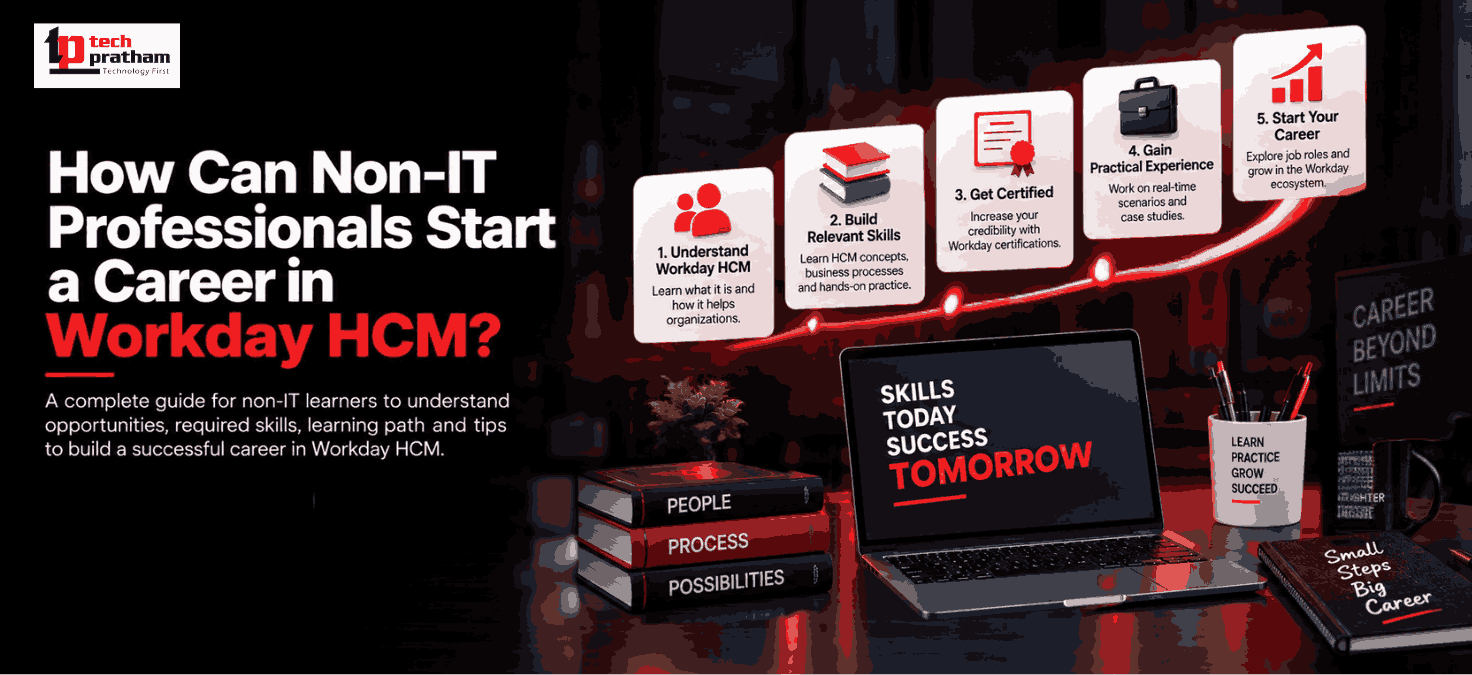
Workday HCM is not limited to people with a traditional IT background. Professionals from HR, recruitment, payroll, administration, finance, operations, business management, and other non-technical fields can build relevant Workday skills and explore HCM-related career paths. The key is to understand how Human Capital Management works, learn the Workday platform, develop practical skills, and choose a career path that matches your existing experience. Workday HCM brings together areas such as employee data, recruiting, talent management, learning, payroll, benefits, workforce management, and people analytics. So, if you already understand HR processes or business operations, that knowledge can provide a useful foundation while learning Workday. In this guide, we will explain how non-IT professionals can start learning Workday HCM, which skills they need, which roles they can explore, and how to build a practical learning roadmap.
What Is Workday HCM?
Workday HCM is a cloud-based Human Capital Management platform used to manage different stages of the employee lifecycle. It brings HR-related processes and workforce information into a connected platform. Areas covered by HCM can include:- Core HR
- Employee data management
- Recruiting
- Benefits
- Compensation
- Talent management
- Learning
- Time tracking
- Workforce management
- Reporting and analytics
Because Workday HCM is closely connected to HR and business processes, understanding how organizations manage people and HR operations can be valuable when learning the platform.
You Can Know More- "Workday Training – The Best Workday HCM Course"
You Can Know More- "Workday Training – The Best Workday HCM Course"
Can a Non-IT Professional Learn Workday HCM?
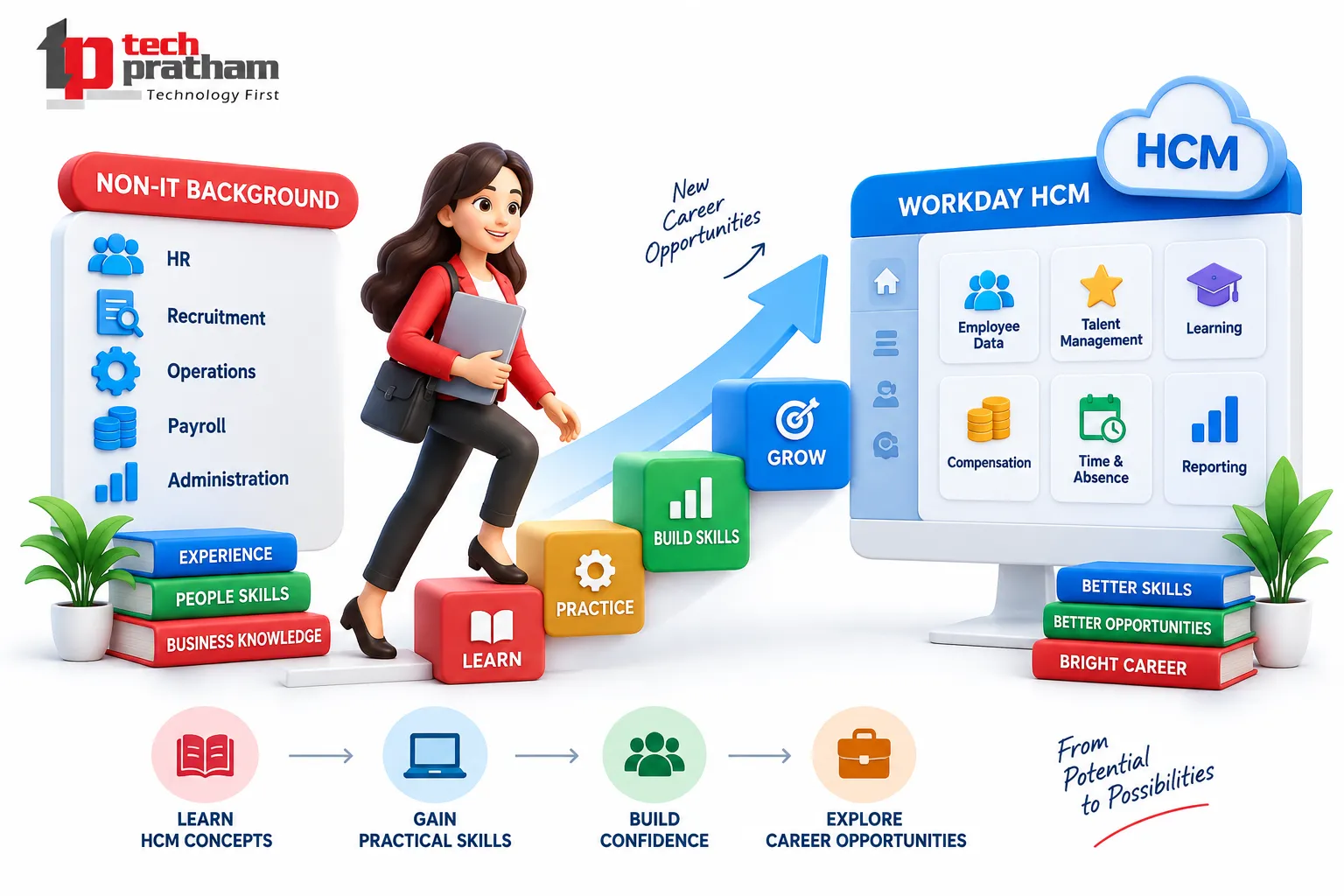
Yes, a non-IT professional can learn Workday HCM.
However, learning Workday does not mean that you need to become an expert programmer first. Workday has different types of roles and learning paths. For example, functional roles focus heavily on understanding business processes, configuring solutions, working with stakeholders, testing, and supporting customers. Workday itself describes its Functional Consultant role as using functional knowledge to configure solutions, coach users, and help customers achieve business outcomes.
This makes the functional side of Workday particularly interesting for professionals who already have experience in areas such as:
This makes the functional side of Workday particularly interesting for professionals who already have experience in areas such as:
- Human resources
- Recruitment
- Payroll
- Administration
- Business operations
- Finance
- Project coordination
- Employee management
Your existing domain knowledge does not replace Workday skills, but it can give you useful context while learning the platform.
Which Non-IT Professionals Can Consider Workday HCM?
A Workday career transition can be particularly relevant for professionals whose existing work involves HR, employees, business processes, or enterprise operations.
HR Professionals
HR professionals already understand processes such as employee onboarding, organizational structures, recruitment, compensation, performance, and employee data.
Learning Workday can help them understand how these processes are represented and managed in an enterprise HCM platform.
Recruitment Professionals
Recruiters understand hiring workflows, candidate information, job requisitions, interviews, and onboarding. This business knowledge can be useful when learning Workday Recruiting concepts.
Payroll Professionals
Professionals working with payroll processes can explore Workday areas related to payroll and employee compensation.
HR Operations Professionals
HR operations professionals often work with employee records, business processes, organizational structures, and HR administration.
This can provide useful context for learning Workday HCM.
Business and Operations Professionals
Professionals from business operations or administration can also explore Workday if they are comfortable understanding workflows, requirements, data, and business processes.
What Skills Do Non-IT Professionals Need to Learn Workday HCM?
You don't need to learn everything at once.
A practical approach is to build your skills in stages.
1. Understand Human Resources Fundamentals
Start with basic HR concepts such as:
- Employee lifecycle
- Organizational structures
- Hiring and onboarding
- Compensation
- Benefits
- Performance management
- Absence and time tracking
- Talent management
This foundation helps you understand why a particular business process exists before learning how it is handled in Workday.
2. Learn Workday HCM Fundamentals
Next, understand the basic Workday ecosystem and terminology.
You should become familiar with concepts such as:
- Workday HCM
- Business processes
- Organizations
- Worker data
- Job profiles
- Security
- Reports
- Workday navigation
- HCM modules
Workday's own learning resources include foundational courses covering Workday terminology, navigation, business processes, security permissions, and relationships between Workday products.
3. Develop Business Process Knowledge
One of the most important skills for a functional Workday path is understanding business processes.
For example:
Hire Employee → Review Information → Approvals → Complete Hiring Process
Instead of simply memorizing Workday screens, try to understand:
- What is the business requirement?
- Who performs the activity?
- What approval is required?
- What information is needed?
- What happens after the process is completed?
This type of thinking can be more valuable than simply memorizing terminology.
4. Learn Workday HCM Modules
After understanding the fundamentals, gradually explore relevant HCM areas. Depending on your career goal, you may study:
Hire Employee → Review Information → Approvals → Complete Hiring Process
Instead of simply memorizing Workday screens, try to understand:
- Core HCM
- Recruiting
- Compensation
- Benefits
- Talent
- Learning
- Time Tracking
- Absence
- Reporting
- Security
Workday's training documentation lists areas such as HCM Core, Benefits, Compensation, Learning, Recruiting, Security, Talent, and Time Tracking among its HCM learning resources. You don't necessarily need to master every module before choosing a career direction.
Should Non-IT Professionals Learn Coding for Workday HCM?
Not necessarily for a functional Workday HCM career. This is one of the most common misconceptions among beginners. If you choose a functional path, your initial focus can be on:
- HR processes
- Workday HCM concepts
- Business requirements
- Configuration concepts
- Business processes
- Reporting
- Security concepts
- Testing
- Documentation
- Stakeholder communication
Technical Workday paths are different and may require stronger technical knowledge around integrations, APIs, data, and related technologies.
Therefore, don't start by assuming:
“I need to become a programmer before I can learn Workday.”
Instead, first identify whether your target path is functional, technical, reporting, integration, or another Workday specialization.
Workday HCM Functional vs Technical Path for Non-IT Professionals
For many non-IT professionals, understanding the difference between functional and technical roles is important.
Functional Workday Path | Technical Workday Path |
HR/business-process focused | Technology/integration focused |
Requires domain understanding | Requires stronger technical knowledge |
Business requirements | Technical requirements |
Configuration | Integrations and technical solutions |
Stakeholder communication | System/data integration |
Testing and business processes | APIs, integrations and technical troubleshooting |
This does not mean a non-IT professional can never move into a technical role. It simply means the learning requirements are different.
How Can a Non-IT Professional Start Learning Workday HCM?
A structured learning roadmap is better than trying to learn every Workday concept simultaneously.
Step 1: Identify Your Existing Skills
Start by asking:
- Do I have HR experience?
- Do I understand recruitment?
- Have I worked with payroll?
- Do I understand business operations?
- Have I worked with employee data?
- Do I have experience with enterprise software?
Your answers can help you choose a suitable Workday learning direction.
Step 2: Learn HCM Fundamentals
Build your understanding of:
HR Processes → Employee Lifecycle → HCM Concepts → Workday HCM
This creates the business foundation required for deeper learning.
Step 3: Learn Workday Core HCM
Focus on the fundamentals before moving into specialized areas.
Understand:
- Worker information
- Organizations
- Job profiles
- Business processes
- Security concepts
- Reporting basics
Step 4: Choose a Specialization
Once you understand Core HCM, decide which area interests you most.
For example:
- HR background → Workday HCM / Functional
- Recruitment background → Workday Recruiting
- Payroll background → Workday Payroll
- Technical background → Workday Integrations / Technical
This approach helps prevent information overload.
Step 5: Practice Through Realistic Scenarios
Don't rely only on theoretical learning.
Try to understand scenarios such as:
- How would an organization hire a new employee?
- What information is required?
- Who approves the transaction?
- How would employee information change after a promotion?
- How would an HR team find employee information through reports?
Scenario-based learning helps connect HR knowledge with Workday functionality.
Step 6: Build a Workday-Focused Profile
Once you've developed relevant skills, update your professional profile.
Your profile should clearly communicate:
- Existing domain experience
- Workday skills
- HCM modules studied
- Projects or practical exercises
- Relevant certifications, if applicable
- Business-process knowledge
Avoid claiming professional Workday experience if you have only completed training or projects.
What Career Roles Can Non-IT Professionals Explore?
The exact opportunities depend on your experience, skills, training, and employer requirements.
Potential career directions can include:
- Workday HCM Functional Consultant
- Workday Business Analyst
- HRIS Analyst
- Workday HCM Analyst
- Workday Administrator
- Workday Recruiting-related roles
- Workday Reporting-related roles
- Workday Support roles
Workday's own career information includes roles such as Functional Consultant, Technical Consultant, Customer Success Manager, and Customer Support Analyst, showing that the Workday ecosystem includes both business-facing and technical career paths.
Is Workday HCM Suitable for HR Professionals?
For HR professionals, Workday can be a natural technology upskilling direction because the platform is built around human capital processes.
For example, an HR professional may already understand:
Recruitment → Hiring → Employee Data → Compensation → Performance → Learning → Career Development
Learning Workday can help connect those business processes with an enterprise HCM platform.
However, domain experience alone isn't enough. You still need to develop practical Workday knowledge and understand how the platform handles those processes.
How Can Workday HCM Training Help Non-IT Professionals?
Structured training can help beginners follow a defined learning path instead of jumping between unrelated Workday topics.
A good Workday HCM training program should ideally cover:
- Workday fundamentals
- Core HCM
- Business processes
- Configuration concepts
- Security
- Reporting
- Practical scenarios
- Hands-on exercises
- Interview preparation
- Career guidance
For example, Workday's own training resources organize learning around product-specific training paths and practical Workday skills. If you are considering structured learning, you can explore Workday HCM Training after understanding which specialization fits your background.
Common Mistakes Non-IT Beginners Should Avoid
1. Trying to Learn Every Workday Module
Start with one relevant path instead of attempting to learn the entire Workday ecosystem.
2. Ignoring HR Concepts
If you want to pursue a functional HCM role, understanding business processes is important.
3. Only Watching Tutorials
Learning becomes more useful when you combine concepts with scenarios, exercises, and practical tasks.
4. Focusing Only on Certification
A certification or course completion does not automatically replace practical knowledge.
5. Applying for Jobs Too Early
Build your fundamentals, practical understanding, and professional profile before targeting roles that require hands-on Workday experience.
A Simple Workday HCM Roadmap for Non-IT Professionals
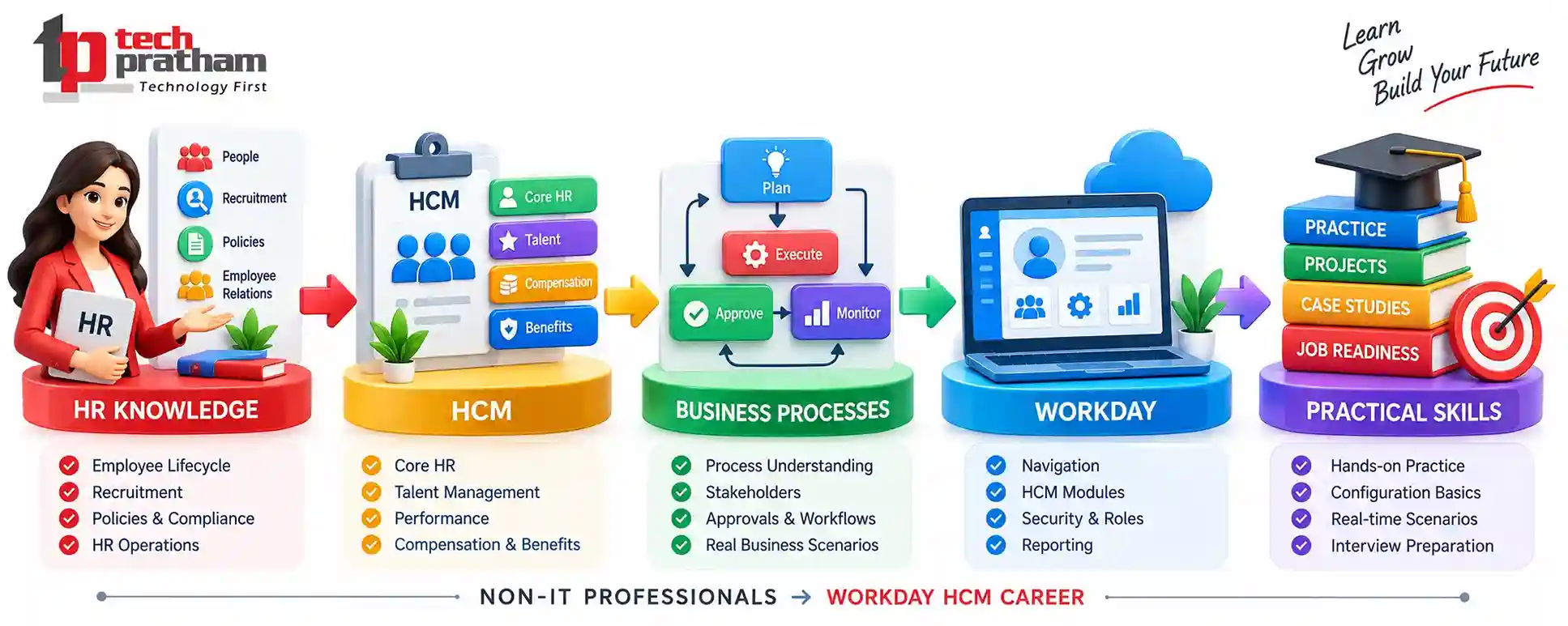
Workday HCM career roadmap for non-IT professionals
Existing Domain Knowledge
↓
HR & HCM Fundamentals
↓
Workday Basics
↓
Core HCM
↓
Business Processes
↓
Choose a Specialization
↓
Hands-On Practice
↓
Projects / Practical Scenarios
↓
Resume & LinkedIn Profile
↓
Interview Preparation
↓
Apply for Relevant Opportunities
This roadmap is more realistic than assuming that a non-IT professional can move into a Workday role simply by completing a short course.
Final Thoughts
A non-IT background does not automatically prevent you from learning Workday HCM. In fact, professionals with experience in HR, recruitment, payroll, administration, and business operations may already have useful domain knowledge that can support their transition into a Workday-focused career.
The key is to combine domain knowledge + Workday skills + practical learning + communication + problem-solving.
Start with Core HCM fundamentals, understand business processes, choose a specialization that matches your background, and gradually build practical experience.
Most importantly, don't try to learn Workday as if it were only a technical tool. Understand the business problem first, then learn how Workday helps solve it.
That approach can make your learning more structured and relevant as you explore a career in Workday HCM.
Related Articles

workday
Future Scope of Workday in India: Jobs, Skills, AI Impact and Salary
Explore Workday career opportunities in India, in-demand skills, AI impact, job roles, salary expectations, and a 90-day learning roadmap.
workday
What Are the Different Workday Modules and What Does Each One Do?
Explore Workday modules, their functions, how they work together, and which specialization may suit your skills and career goals.




 +91-8882178896
 +1 (343) 477-0926