
How Salesforce Developers Can Switch to a MuleSoft Career
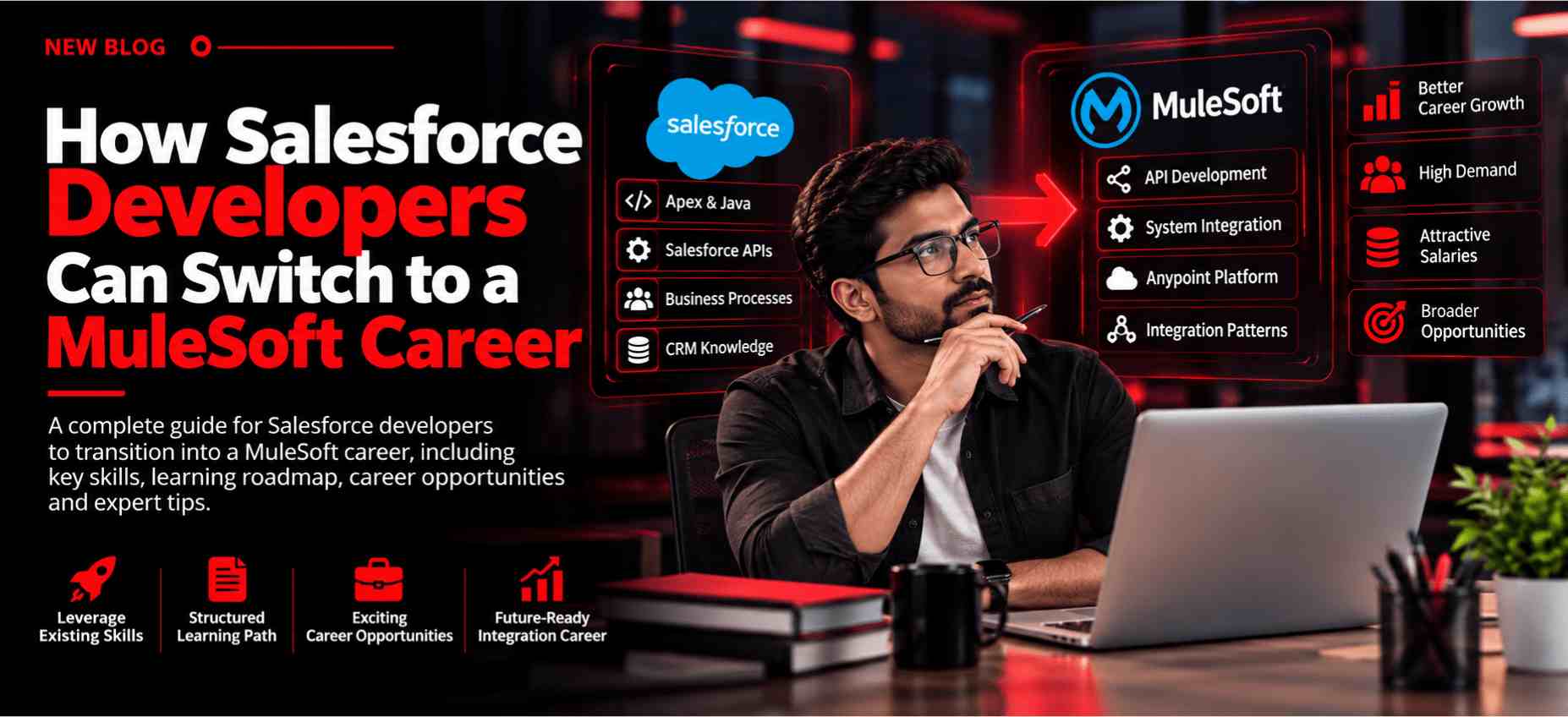
A Salesforce Developer who has experience with APIs, data, programming, and integrations already has a useful foundation for moving into integration development. One practical career path is transitioning from Salesforce Developer to MuleSoft Developer, particularly for professionals who want to work across multiple enterprise systems.
Salesforce is often connected with ERP platforms, databases, payment systems, marketing applications, and external APIs. MuleSoft helps organizations build and manage these connections through APIs and integration flows.
Why Are Salesforce Developers Moving Toward MuleSoft?
Modern business applications rarely operate independently. A company may use Salesforce for customer information, an ERP for operations, a database for internal records, and several external applications for other business processes. These systems need to exchange information reliably.
MuleSoft provides tools and technologies for building these connections, which creates an opportunity for developers who already understand Salesforce and want to expand into integration. A Salesforce Developer may already have experience with:
- Salesforce APIs
- REST and SOAP services
- JSON and XML
- Apex programming
- Data handling
- Authentication
- External integrations
- Salesforce objects and relationships
- Business process automation
These skills can provide a useful starting point for learning MuleSoft. The main difference is the scope of development. Salesforce development generally focuses on building and customizing solutions within the Salesforce ecosystem, while MuleSoft development focuses on connecting different applications, APIs, and data sources.
Salesforce Developer vs MuleSoft Developer
Both roles involve programming and integration concepts, but their responsibilities can differ significantly.
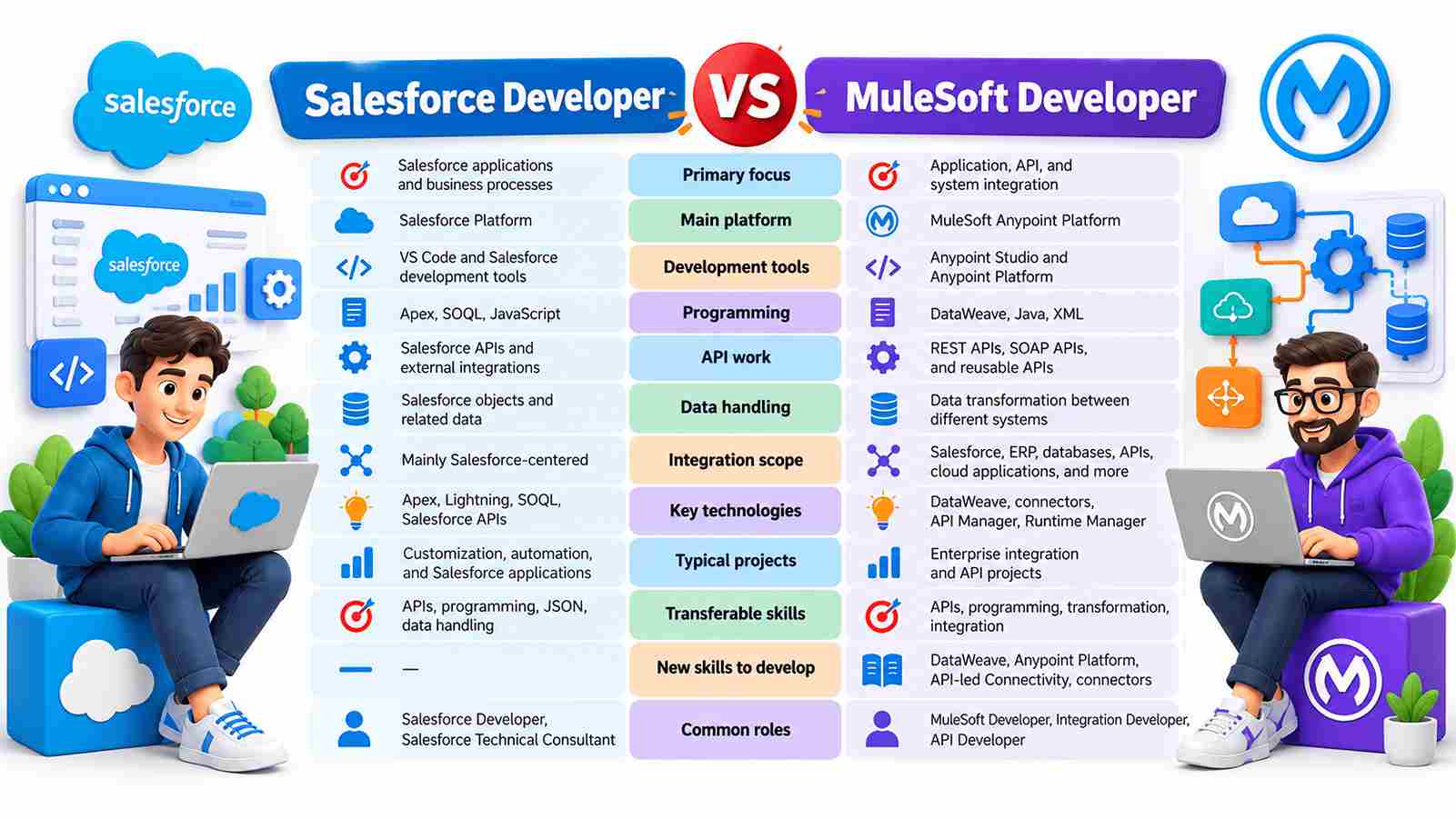
Salesforce Developers primarily work on Salesforce applications, customization, automation, Apex, SOQL, and Salesforce APIs, while MuleSoft Developers focus on connecting applications, APIs, databases, ERP systems, and other enterprise platforms. Salesforce development is generally centered on the Salesforce ecosystem, whereas MuleSoft involves broader integration, data transformation, API development, and connectivity. For Salesforce Developers planning a career switch, existing knowledge of APIs, programming, JSON, and data handling can provide a useful foundation for learning MuleSoft technologies such as DataWeave, Anypoint Platform, and API-led Connectivity.
Which Salesforce Skills Can You Carry Into MuleSoft?
A career switch becomes more manageable when you know which skills you can reuse.
That experience can provide a practical foundation for broader integration work.
What New Skills Do You Need to Learn?
The biggest learning shift is understanding how MuleSoft approaches application and API integration.
- Authentication and authorization
- Secure credentials
- Error handling
- Exception strategies
- Logging
- Retry mechanisms
- API security
- Monitoring
How to Move From Salesforce Development to MuleSoft Step by Step
A structured approach can make the transition easier to manage.
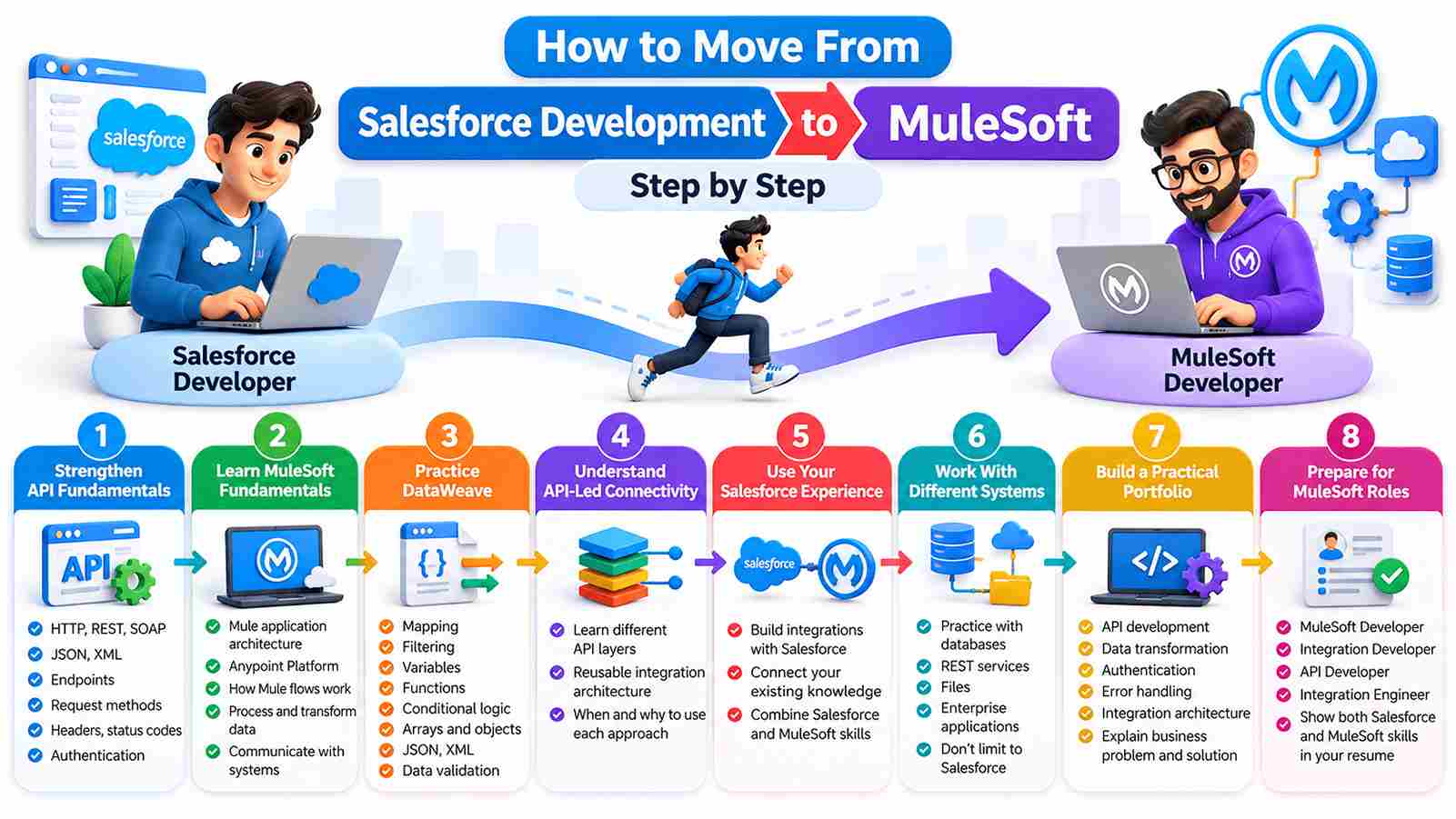
Start with API Fundamentals like REST, SOAP, JSON, XML, HTTP, and authentication. Then learn MuleSoft Anypoint Platform, Anypoint Studio, and DataWeave. Understand API-led Connectivity and practice connecting Salesforce with databases, ERP systems, and external APIs. Build hands-on MuleSoft Projects covering integration, data transformation, security, and error handling. Finally, prepare for interviews and explore roles such as MuleSoft Developer, Integration Developer, and API Developer.
How Do Salesforce and MuleSoft Work Together?
Salesforce and MuleSoft can complement each other in enterprise integration projects. For example, consider a company where Salesforce stores customer information while an ERP system manages orders. A simplified integration could look like:
Salesforce → MuleSoft API → ERP System
MuleSoft can receive the request, authenticate it, transform the data, communicate with the ERP system, handle errors, and return the required response. Common use cases include:
- Salesforce MuleSoft Integration
- Salesforce API Integration
- Salesforce to database integration
- Salesforce to ERP integration
- Customer data synchronization
- REST API Integration
- Data transformation
- Reusable business APIs
- Enterprise Application Integration
For a Salesforce Developer, understanding this type of architecture can provide a path toward broader integration-focused development.
How Is AI Changing the Salesforce and MuleSoft Developer Role?
AI is becoming part of modern software development. Developers can use AI-assisted tools for code suggestions, documentation, testing, troubleshooting, and repetitive tasks. For Salesforce and MuleSoft professionals, this can improve productivity, but AI does not remove the need to understand the underlying technology. Integration projects still require developers to decide:
- Which systems should communicate
- What data should be exchanged
- Which API architecture is appropriate
- How authentication should work
- How failures should be handled
- How sensitive information should be protected
- How the integration should be tested and monitored
MuleSoft can also be used as part of architectures that connect enterprise applications with AI services. For example:
Salesforce → MuleSoft → AI Service → MuleSoft → Salesforce
The practical approach is to learn how to work effectively with AI while continuing to strengthen API design, integration architecture, data transformation, security, and system-level problem solving.
What Career Roles Can You Explore?
After developing MuleSoft and integration skills, you may explore different roles depending on your experience and the requirements of an organization. Possible roles include:
- MuleSoft Developer
- MuleSoft Integration Developer
- Integration Developer
- API Developer
- Integration Engineer
- API Integration Engineer
- Application Integration Developer
- MuleSoft Consultant
The responsibilities can vary between organizations. Some positions may focus mainly on API development, while others may involve deployment, monitoring, architecture, or consulting.
How Should You Prepare for MuleSoft Interviews?
For a Salesforce Developer moving into MuleSoft, interview preparation should focus on understanding how different integration concepts work together rather than simply memorizing definitions. Start by becoming comfortable with MuleSoft Anypoint Platform, Anypoint Studio, Mule flows, DataWeave, REST and SOAP APIs, connectors, and API-led Connectivity.
You should also be prepared to explain practical topics such as Salesforce integration, authentication, API security, error handling, exception handling, testing, deployment, monitoring, and common integration patterns. Your existing Salesforce experience can be useful here, especially when discussing Salesforce APIs, data structures, and system-to-system integrations.
Scenario-based questions are also common in integration-focused interviews. For example, an interviewer may ask:
“How would you integrate Salesforce with an ERP system using MuleSoft?”
A strong answer should explain your approach from requirement analysis to deployment. You could discuss how you would:
- Understand the data and business requirements.
- Identify the systems, APIs, and integration pattern involved.
- Design the MuleSoft flow and select the required connectors.
- Configure authentication and security.
- Transform data using DataWeave.
- Handle exceptions, retries, and unexpected responses.
- Test the integration with different scenarios.
- Deploy and monitor the application.
The goal is to demonstrate that you can apply MuleSoft concepts to a real business requirement, not just explain individual features. Building hands-on integrations and practicing scenario-based questions can make your MuleSoft Interview Preparation more effective.
How Can Training Help With the Career Switch?
Self-learning can help you understand individual topics, but structured training can provide a more organized learning path. When evaluating MuleSoft Training in India, look for practical coverage of:
- MuleSoft fundamentals
- Anypoint Platform
- Anypoint Studio
- DataWeave
- API development
- API-led connectivity
- Salesforce integration
- Connectors
- Error handling
- Security
- Testing
- Deployment
- Hands-on projects
- Interview preparation
For Salesforce Developers, Salesforce-focused integration projects can be particularly useful because they allow learners to connect existing Salesforce knowledge with new MuleSoft skills. Professionals who are still developing their Salesforce foundation can also explore Salesforce Developer Training in India before adding MuleSoft to their technical skill set.
Why Choose TechPratham for Learning?
For Salesforce Developers planning to move into MuleSoft, structured learning can make the transition easier by providing a clear path from existing skills to new integration concepts. TechPratham focuses on practical learning that can help learners understand MuleSoft concepts and apply them to real integration scenarios.
The learning approach can cover key areas such as MuleSoft Anypoint Platform, Anypoint Studio, DataWeave, API development, API-led Connectivity, Salesforce integration, connectors, error handling, security, and testing. Hands-on practice with integration scenarios can also help learners build confidence in working with different systems and APIs.
For professionals making a Salesforce to MuleSoft career switch, this combination of structured concepts and practical application can provide a useful foundation for building MuleSoft skills, preparing for interviews, and exploring integration-focused roles.
Frequently Asked Questions
Can a Salesforce Developer switch to a MuleSoft career?
Is MuleSoft difficult for Salesforce Developers?
Will AI replace MuleSoft Developers?
Which projects are useful for a Salesforce-to-MuleSoft transition?
Final Thoughts
Switching from Salesforce development to MuleSoft does not have to mean starting your technical career again. Your existing knowledge of Salesforce development, APIs, business data, programming, and integrations can provide a useful foundation. The next step is to develop MuleSoft-specific skills such as Anypoint Platform, Anypoint Studio, DataWeave, API-led connectivity, connectors, security, and error handling.
AI is also changing the way developers work. Instead of focusing only on whether AI will replace developers, professionals can learn how to use AI for productivity while strengthening skills in integration, architecture, security, problem-solving, and business requirements. The most important part of the transition is practical learning. Build projects, practice DataWeave, work with APIs, integrate Salesforce with different systems, understand real integration challenges, and prepare for scenario-based interviews.
For professionals exploring how Salesforce Developers can switch to a MuleSoft career, the path can begin with the skills they already have and progress toward broader integration expertise through structured learning and hands-on experience.
Related Articles
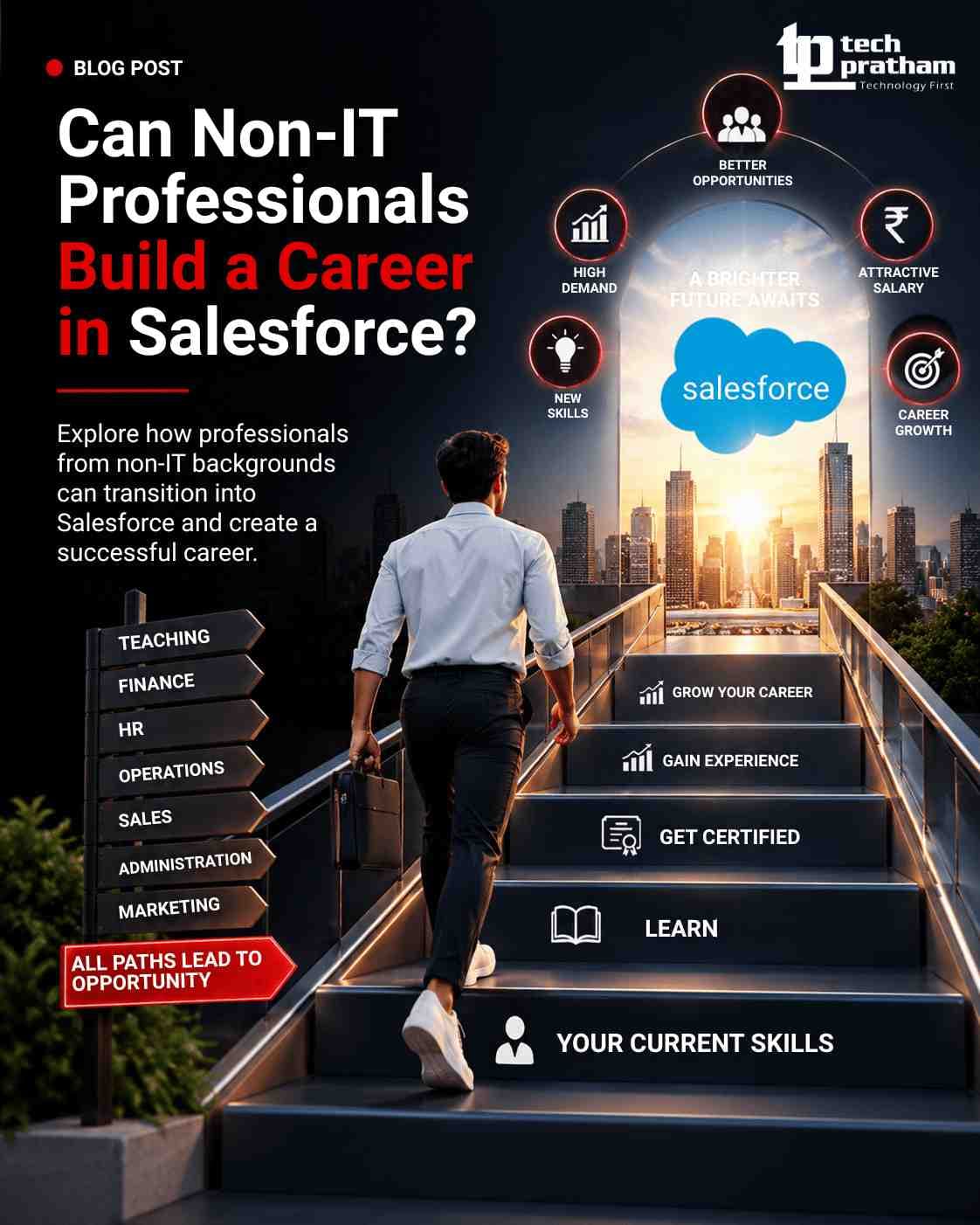
Can Non-IT Professionals Build a Career in Salesforce?
Can non-IT professionals build a career in Salesforce? Learn about Salesforce roles, coding requirements, AI impact, skills, certification, and career

Salesforce Business Analytics: How It Works, Key Features, Tools and Benefits
Explore Salesforce Business Analytics, key features, tools, benefits and use cases, with insights into Salesforce Business Analyst Training.





 +91-8882178896
 +1 (343) 477-0926