
Top 50 Workday Payroll Interview Questions & Answers 2026
Table of Contents
Preparing for a Workday Payroll interview in 2026? This comprehensive guide provides the Top 50 Workday Payroll Interview Questions and Answers, carefully curated for beginners, experienced professionals, Workday Payroll consultants, HRIS analysts, and payroll administrators.
Workday Payroll remains a highly adopted cloud payroll solution in 2026 because of its automation capabilities, real-time payroll engine, configurable compliance framework, and seamless integration with Workday HCM, Time Tracking, and Financials.
This resource includes real-time scenarios, configuration logic, functional examples, workflow design, and strategic implementation insights to strengthen your expertise and help you crack interviews confidently.
Top 50 Workday Payroll Interview Questions & Answers 2026
1. What is Workday Payroll?
Workday Payroll is a cloud-based payroll management system that automates payroll processing across organizations with real-time visibility and high accuracy. It supports configurable rules, legislative compliance, and seamless integration with Workday HCM. The system manages earnings, deductions, taxes, and payments efficiently. It delivers secure payroll operations with enhanced transparency and control.
2. What are the key business benefits and use cases of Workday Payroll?
Workday Payroll improves payroll accuracy, reduces manual intervention, automates compliance, and supports self-service features for employees. It offers seamless integration with HR, financials, benefits, and time systems. Organizations use it to manage payroll for full-time, part-time, and contingent workers. It enables better decision-making with real-time reporting and analytics.
3. What are the key components of Workday Payroll?
Key components include earnings, deductions, payroll input, taxes, pay groups, payroll schedules, gross-to-net calculations, and payroll accounting. These components work together to determine and generate accurate pay results. Workday also includes security roles, validations, reports, integrations, and payment distribution setups. Each component directly supports payroll processing and compliance.
4. What are earnings and deductions in Workday Payroll?
Earnings represent employee compensation components such as salary, bonuses, overtime, and incentives. Deductions include statutory and voluntary adjustments like tax withholding, benefits contributions, insurance, and garnishments. Workday automatically applies configuration rules to both earnings and deductions during payroll processing. They form the basis of net pay calculation.
5. How do you configure a pay group in Workday?
Pay groups are configured to group employees based on pay cycle characteristics such as weekly, biweekly, or monthly frequency. Configuration requires defining parameters like schedule, calendar, run category, and pay period. Employees are then assigned to appropriate pay groups based on eligibility rules. Pay groups ensure smooth and timely processing of payroll batches.
6. What is a run category in Workday Payroll and how is it used?
Run category identifies the nature of a payroll run such as regular payroll, bonus run, retro run, or off-cycle adjustments. It helps classify and segregate payroll runs for different processing needs. Payroll administrators apply run categories to define processing logic and reporting visibility. It ensures accurate handling of payroll processing cycles.
7. What is the role of the payroll accounting journal in Workday?
The payroll accounting journal posts payroll results to the general ledger and supports real-time financial reconciliation. It captures labor distribution, worktags, costing, and employer liability accounts. The journal ensures financial compliance and accuracy in corporate accounting records. It helps finance teams maintain controlled, traceable payroll transactions.
8. What is CTC (Cost to Company) in payroll terminology?
CTC is the total annual compensation an employer spends on an employee, including salary and company contributions. It includes basic pay, bonuses, allowances, taxes, insurance, PF, gratuity, and benefits. CTC does not equal take-home salary because deductions are applied. It represents the overall cost of retaining an employee.
9. What components come under non-taxable wages in Workday?
Non-taxable wages include statutory reimbursements and allowances such as meal allowance, travel reimbursement, medical reimbursement, and HRA. These components are exempt based on tax rules and eligibility conditions. They reduce taxable income and improve employee net pay. Workday applies exemption rules automatically during payroll calculation.
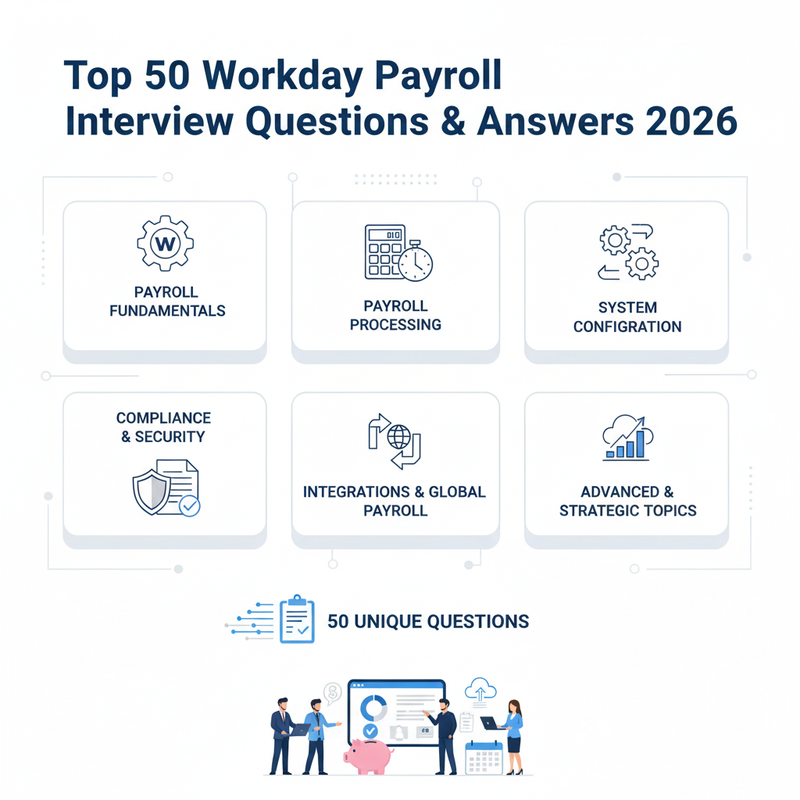
2. Payroll Processing & Calculation (8 Questions)
10. Can you explain the payroll calculation process in Workday Payroll?
Workday Payroll performs a gross-to-net calculation using earnings, deductions, taxes, and benefit contributions configured for each employee. The system derives pay results based on eligibility rules, time inputs, and payroll calendars. Continuous and iterative calculations update values in real time before finalizing payroll. It ensures secure, accurate, and auditable pay outcomes.
11. How does Workday handle tax calculations and withholdings?
Workday applies jurisdiction-specific tax rules based on employee location, earnings, and regulatory conditions. The system automatically calculates federal, state, local, and supplemental tax withholdings. It updates tax tables to comply with changing legislation and statutory requirements. Taxes are applied during each payroll run to generate accurate net pay results.
12. How is retroactive pay functionality configured and managed in Workday?
Retro pay adjusts missed or incorrect previous payroll amounts due to changes like promotions, rate updates, or benefit corrections. Workday identifies retro triggers and recalculates affected periods automatically using retro pay calculation rules. The adjustments reflect in the current payroll cycle with updated net amounts. It helps maintain payroll accuracy with full audit tracking.
13. How does Workday handle payments for terminated workers and workers on leave?
Workday processes final pay based on termination details, pending accruals, severance, and statutory obligations. For employees on leave, the system applies leave policies, proration rules, and adjustments to pay. Pay components, benefits, and deductions are automatically recalculated based on status. This ensures compliance and accurate payout handling.
14. How do you configure and manage garnishments and deductions in Workday?
Garnishments are configured by defining legal orders, priority rules, exemptions, and remittance schedules. Workday automatically calculates eligible amounts based on disposable wages and regulatory limits. Reports support tracking, liability posting, and payment distribution. The system ensures legal compliance, accurate deduction calculation, and proper employer accountability.
15. What is the role of payroll control groups and how does Workday handle YTD calculations?
Payroll control groups organize employees for specific payroll processing and review activities. They allow batch processing and approval of selected worker groups. Workday calculates Year-to-Date totals by accumulating pay results from previous runs. YTD values support reporting, tax filings, employee statements, and reconciliation.
16. How do you correct payroll errors in Workday?
Payroll errors are corrected using recalculations, retro adjustments, or manual correction entries. Workday highlights discrepancies through validations, reports, and calculation warnings. Administrators review audit visibility and apply appropriate corrections before finalization. Accurate corrections ensure clean posting and compliant pay outcomes.
17. Describe the concept of Continuous Calculation in Workday Payroll and its benefit to payroll administrators.
Continuous Calculation automatically recalculates payroll totals when data changes, eliminating the need for manual reruns. It updates results in real time when edits occur in earnings, deductions, or employee records. Administrators gain faster visibility into pay impacts during pre-processing periods. It improves accuracy, saves time, and reduces payroll processing errors.
3. System Configuration & Workflow (8 Questions)
18. How do you configure and manage payroll schedules in Workday?
Payroll schedules define the frequency, periods, and cut-off dates for processing payroll cycles. In Workday, schedules are configured by selecting pay periods, calendars, run frequencies, and approval timelines. Once created, employees are assigned to schedules through pay groups for execution. Proper scheduling ensures organized and timely payroll processing across the organization.
19. What is the role of business process configurations and how do workflow/approval processes work in Workday Payroll?
Business processes control the steps and approval flow required to complete payroll transactions. Workday allows configuration of routing, conditions, notifications, and roles for each payroll action. Approvals ensure compliance, transparency, and control of sensitive payroll operations. Workflows support auditing, tracking, and secure handling of payroll changes before final processing.
20. How do you define and utilize Calculated Fields and Custom Validation Rules in Workday Payroll to handle unique business logic?
Calculated fields generate custom values based on formulas, conditions, and payroll inputs to support special calculations. Validation rules enforce accuracy and prevent incorrect payroll entries by triggering alerts during processing. Organizations use them to meet complex requirements such as regional policies, tax logic, and earning eligibility. They enhance automation, flexibility, and compliance within payroll.
21. How does Workday Payroll handle payroll deductions for benefits programs?
Workday automatically calculates deductions based on benefit elections, eligibility rules, and contribution percentages. It updates premium amounts when coverage or salary changes occur and supports pre-tax and post-tax treatment. Deduction results feed into payroll runs and YTD balances for reporting and compliance. Integration ensures cost accuracy and seamless processing with benefits administration.
22. What actions are required to pay a new employee in Workday Payroll?
To process pay for a new employee, key information such as job details, compensation, tax forms, and bank information must be completed. The employee must be placed in the correct pay group and assigned eligibility for benefits and time tracking. Payroll validation checks ensure data accuracy before inclusion in the payroll run. Once complete, the employee is automatically included in the scheduled processing cycle.
23. How do you establish payroll for small businesses in Workday?
Workday allows small businesses to configure simplified rule-based payroll without heavy customization. They can create lightweight pay groups, schedules, and tax rules based on local compliance needs. The system supports self-service onboarding, automated calculation, and reporting to reduce manual work. It enables cost-effective and scalable payroll management.
24. What types of jobs are impacted when terminating employees in Workday Payroll?
Payroll, time tracking, benefits, and accounting job processes are affected during employee termination. Final payment calculation includes earned wages, unused leave payouts, deductions, and severance. Benefit eligibility and tax adjustments must align with the termination date. Workday ensures accurate financial and compliance-driven offboarding.
25. What are payroll source documents in Workday Payroll?
Payroll source documents include employee records, earning and deduction inputs, time entries, benefit elections, tax forms, and audit history. They provide the reference data needed to validate payroll and resolve discrepancies. Workday maintains these documents electronically for traceability and compliance. They support verification, reconciliation, and regulatory reviews.
4. Compliance, Audit & Security (6 Questions)
26. How does Workday ensure compliance with payroll regulations (wage, tax, legislative changes)?
Workday automatically updates regulatory tax tables, wage rules, and compliance policies based on government requirements. The platform supports regional, state, and international regulations with configurable rules. Continuous auditing ensures accurate statutory reporting and error prevention. Workday Payroll supports secure, compliant operations for global organizations.
27. How does Workday ensure data security, confidentiality, and maintain audit trails?
Workday provides strict security controls, data encryption, multi-factor authentication, and role-based access restrictions. Audit trails track changes to payroll transactions and preserve historical records for transparency. Logging tools support compliance reviews and internal governance. This ensures secure handling of sensitive payroll information.
28. How can internal audit support payroll processing and what is vouching?
Internal audit reviews payroll calculations, reports, and workflows to ensure control accuracy and rule compliance. Vouching is a verification technique where payroll transactions are validated against source documentation. It helps confirm legitimacy, prevent fraud, and detect anomalies. Workday reporting tools enable clear visibility during audit review cycles.
29. What payroll details must be verified before approving wages?
Before finalizing payroll, employee pay rates, hours worked, benefits deductions, taxes, adjustments, and bank information must be reviewed. Workday validations flag issues related to incorrect amounts or missing information. Approval workflows enforce review by managers and payroll teams. Accurate verification ensures correct and compliant payment.
30. How can payroll mistakes be prevented in Workday Payroll?
Payroll accuracy is strengthened through automation, continuous calculation, custom validations, and audit checks. Regular data review, reconciliation reports, and pre-processing audits reduce risk. Scheduled testing after configuration updates helps prevent unexpected errors. Strong workflow control and training support error-free payroll execution.
31. What are the common errors that occur during the payroll process in Workday?
Typical errors include incorrect tax setups, missing time entries, invalid deductions, retro miscalculations, or payroll schedule conflicts. Data entry mistakes and outdated configuration values may also cause discrepancies. Workday surface validations identify errors before payroll completion. Proper monitoring and testing minimize recurring issues.
5. Integration & Global Payroll (8 Questions)
32. What are the integration capabilities of Workday Payroll with other systems?
Workday integrates seamlessly with Time Tracking, Benefits, Financials, HR systems, and third-party payroll providers. It utilizes web services, APIs, Enterprise Interface Builder (EIB), and Workday Studio for data transformation. Integrations automate data flow and eliminate manual processing errors. They support real-time payroll calculations and accurate reporting.
33. How does Workday support and handle multi-country and global payroll?
Workday supports global payroll through country-specific tax rules, regulatory compliance, and multi-currency processing. Workday Global Payroll Cloud enables secure integration with third-party payroll providers worldwide. Centralized reporting offers unified visibility across all regions. This ensures global governance while supporting local payroll execution needs.
34. How does Workday support the management of payroll for contingent workers?
Workday handles contingent worker payroll by aligning pay logic with contract terms, time entry rules, and billing arrangements. Integration with time tracking ensures accurate hours captured for payment. Payroll teams can configure separate pay groups, run categories, and reporting as needed. This supports flexible and compliant contractor payment workflows.
35. What is the role of time tracking and leave management in Workday Payroll?
Time tracking provides hours worked, overtime, and attendance data used for payroll calculations. Leave management synchronizes accrual balances and absence deductions automatically. Payroll results reflect accurate compensation based on approved time and leave records. This integration reduces manual intervention and ensures pay accuracy.
36. How do you ensure seamless payroll integration with other HR processes in Workday?
Seamless integration requires accurate configuration, standardized data structures, and automated workflows across HR modules. Calculations update immediately when changes occur in compensation, time, benefits, or job data. Testing frameworks validate data correctness before production release. It ensures a smooth end-to-end HR and payroll experience.
37. Explain the strategy 'Manage Globally, Process Locally' and the role of Workday Global Payroll Cloud (GPC).
“Manage Globally, Process Locally” means organizations centralize payroll governance while processing pay locally for legal compliance. Workday Global Payroll Cloud enables certified connectors with country-specific payroll providers. It offers standardized integrations, global reporting, and compliance visibility. This model supports scalable and efficient global payroll operations.
38. What is the difference between Workday Cloud Connect for Third-Party Payroll and a custom integration using Workday Studio?
Cloud Connect provides pre-built certified integration connectors to streamline connectivity with partner payroll systems. Workday Studio enables customized integrations for unique, complex, or proprietary requirements. Cloud Connect is faster for deployment while Studio offers flexible design control. Both support secure and automated data exchange between systems.
39. How does Workday handle complexities of benefits enrollment effective dating and its impact on payroll deductions?
Workday uses effective dating logic to track benefit enrollment changes and apply deductions correctly based on eligibility start dates. Retroactive updates trigger recalculations to adjust past payroll amounts automatically. Accurate effective dating ensures premiums and contributions reflect employee plan status. It maintains compliance and prevents financial discrepancies.
6. Advanced & Strategic Topics (11 Questions)
40. How do you handle complex payroll calculations involving multiple jurisdictions in Workday?
Workday supports multi-jurisdiction rules by applying location-based taxes, earning rules, and compliance logic automatically. Worktags and costing allocations allow financial breakdown across locations. Integration with time tracking supports accurate distribution based on actual work performed. This ensures correct tax withholding and financial posting.
41. How are Worktags used in Workday Payroll for labor cost allocation and financial posting to the General Ledger?
Worktags represent cost attributes like cost center, project, region, and customer that classify payroll accounting entries. During posting, Workday allocates labor and employer costs to the appropriate GL accounts. Worktags support detailed reporting and budget management visibility. They provide accurate financial control and traceability for labor expenses.
42. What strategies can be employed in Workday to manage payroll costs effectively?
Organizations use analytics, real-time reporting, and labor costing rules to monitor payroll expenses. Automation reduces manual rework, helping improve operational efficiency. Scenario simulation tools support financial planning and strategic workforce decisions. Integrated budgeting ensures visibility into cost impacts across departments.
43. How do you handle year-end processing in Workday Payroll?
Year-end processing includes reconciling earnings, deductions, and tax balances, generating W-2 statements, and performing final adjustments. Workday supports automated reporting and ensures compliance with tax authority deadlines. Validations detect inconsistencies before publishing year-end results. The process ensures accuracy and clean start of the next fiscal year.
44. What strategies would you recommend for improving payroll efficiency in Workday?
Payroll efficiency improves through automation, continuous calculation, validation rules, and optimized workflows. Central dashboards help monitor issues quickly and support timely decision-making. Regular process audits and employee self-service reduce support workload. Training and standardization further optimize performance across payroll teams.
45. What are the advantages of using Workday's payroll analytics and reporting tools?
Workday provides real-time dashboards and ad-hoc reporting to analyze payroll trends, cost distribution, and accuracy issues. Reports help identify anomalies, improve forecasting, and support compliance audits. Accessible data strengthens payroll governance and financial decision-making. Analytics enhance transparency and operational control.
46. Can you explain the self-service capabilities of Workday Payroll?
Employees access pay slips, tax forms, direct deposit setup, and personal payroll information through self-service portals. The system reduces dependency on HR and payroll teams for routine requests. Administrative tasks like updating information become faster and error-free. It promotes transparency and enhances employee experience.
47. What best practices would you recommend for configuring and managing Workday Payroll?
Organizations should conduct extensive testing, maintain clean data, and periodically audit payroll configurations. Using continuous calculation and validations minimizes processing errors. Staying updated with Workday releases ensures regulatory compliance. A strong governance structure supports secure and efficient payroll operations.
48. What should organizations consider when choosing payroll management software?
Key considerations include compliance capability, scalability, ease of integration, automation features, cost, and data security. Organizations should evaluate user experience, support services, and reporting strength. The chosen system must manage evolving regulatory and operational needs. Strategic alignment ensures long-term value and efficiency.
49. When should an organization outsource payroll operations?
Organizations outsource payroll when internal resources lack expertise or processing complexity is too high. Outsourcing provides access to specialized knowledge and reduces compliance risks. It can lower operational cost and improve efficiency for non-core functions. Workday supports outsourcing through integrations with external payroll providers.
50. What are the key challenges and best practices when migrating historical payroll data and YTD balances into Workday?
Migration challenges include data accuracy, mapping inconsistencies, missing history, and validation complexity. Best practices include cleansing data, running parallel testing, and validating results against legacy systems. Workday tools support structured imports and automated reconciliation. Reliable data migration ensures continuity and audit compliance.
How to Prepare for Workday Payroll Interviews in 2026: Expert Strategy Guide
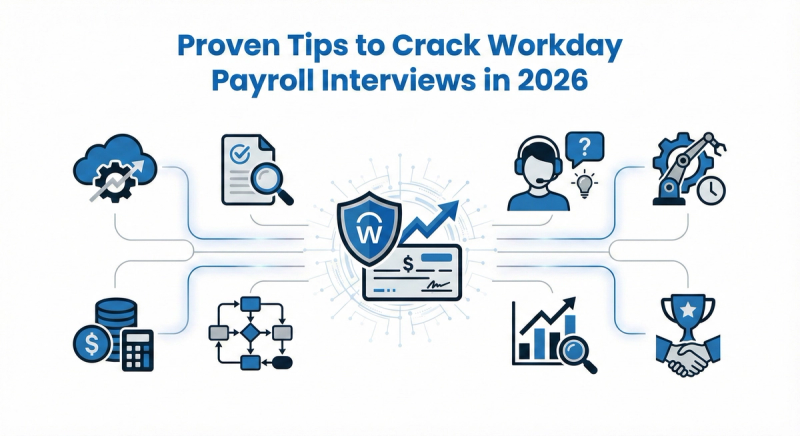
Preparing for a Workday Payroll interview in 2026 requires a deep understanding of payroll fundamentals, configuration logic, integrations, real-time troubleshooting, and end-to-end payroll processing cycles. Focus strongly on core areas like pay groups, payroll calendars, deductions, earning rules, retro pay processing, continuous calculation, and tax handling, as these remain the most frequently evaluated topics in interviews. Strengthening hands-on experience with business process workflows, approvals, security roles, audit trails, costing allocation, and reporting dashboards will help demonstrate practical and implementation-level expertise—not just theoretical knowledge. Practice real-world payroll scenarios such as retro adjustments, garnishments, off-cycle payments, and year-end reconciliation to confidently showcase problem-solving abilities and analytical thinking. Stay updated on Workday bi-annual releases, compliance updates, and global payroll capabilities to reflect strong industry awareness and adaptability in evolving payroll environments. Review project documentation, data migration strategies, testing cycles, and integrations with HCM, Time Tracking, and Financials to explain how payroll connects across the full Workday ecosystem. During the interview, communicate confidently, structure responses logically, use examples with measurable outcomes, and emphasize how your contributions improved accuracy, efficiency, compliance, or reporting visibility. With strong technical knowledge, hands-on practice, and clear business-oriented storytelling, you can significantly increase your chances of cracking Workday Payroll interviews in 2026 and you can boost your skills from the best institute Tech Pratham who provide workday training in India and globally
Conclusion
Success in Workday Payroll roles in 2026 requires a solid understanding of payroll configuration, compliance, calculation processes, integrations, security, and reporting. These Top 50 Workday Payroll Interview Questions & Answers (2026) will help you master both conceptual and practical knowledge, boosting your confidence and interview performance.
Continue exploring hands-on practice environments, Workday Community resources, and bi-annual product releases to stay ahead in your Workday career.
Best of luck with your interview preparation—your next Workday opportunity is waiting for you in 2026!