
Playwright vs Selenium: Which One Should You Choose in 2026?
_11zon.webp)
Have you been searching for the best automation testing tool and found yourself stuck between Playwright and Selenium? You're definitely not alone. One of the most common questions beginners ask before starting Automation Testing Training is:
With both tools being widely used for web automation, choosing the right one can feel confusing. While Selenium has been the industry standard for many years, Playwright has quickly gained popularity because of its speed, reliability, and modern features. So, which tool is the better choice in 2026? Should you stick with the trusted experience of Selenium, or invest your time in learning Playwright for the future? In this comprehensive guide, we'll compare Playwright vs Selenium based on performance, ease of use, browser support, programming languages, learning curve, community support, job opportunities, and real-world use cases. By the end of this article, you'll have a clear understanding of which automation testing tool best matches your career goals.
What is Playwright?
Real-Life Use Case: Online Shopping Website
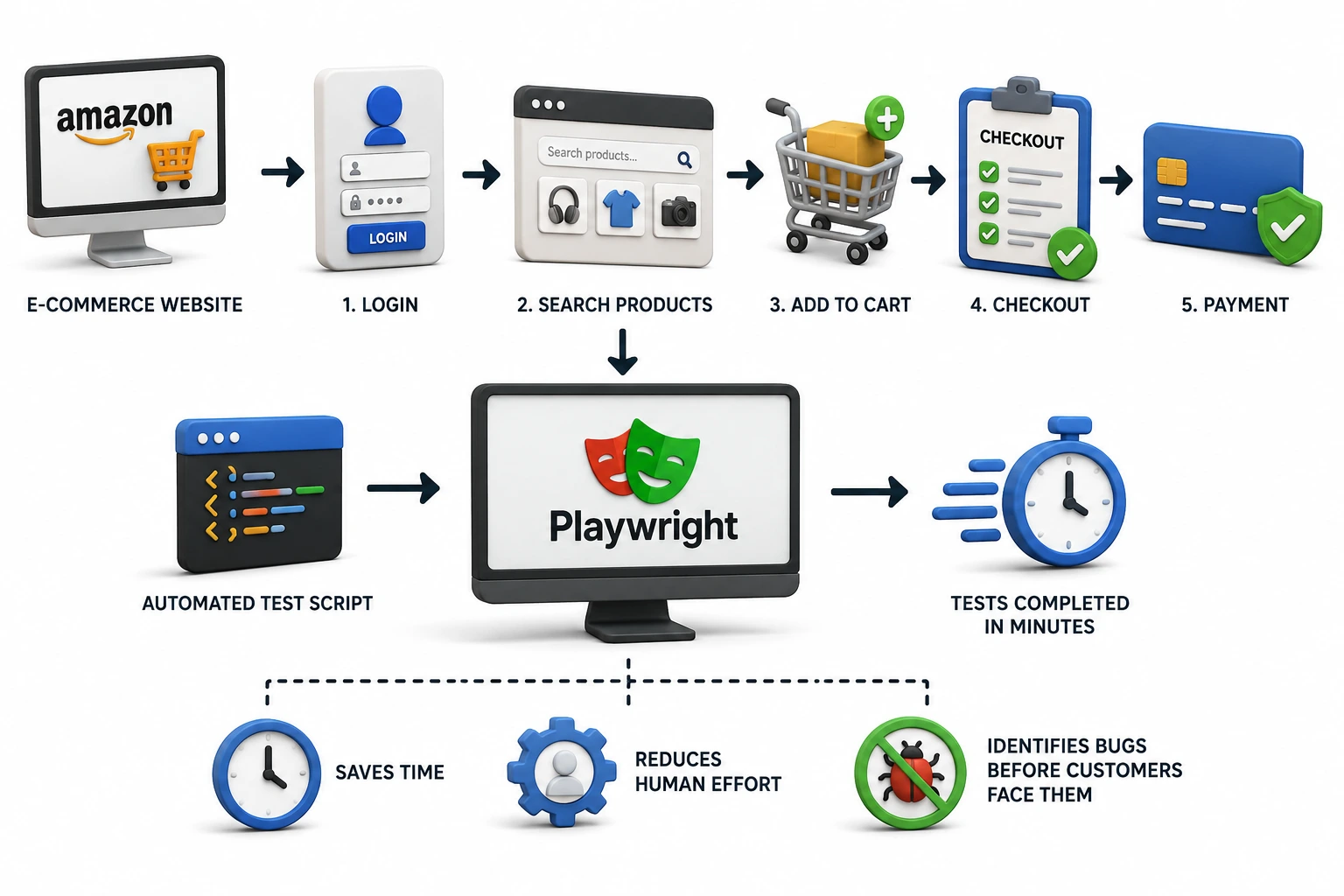
Imagine you own an e-commerce website like Amazon. Before launching a new update, you need to ensure that customers can:
- Log in successfully.
- Search for products.
- Add items to the cart.
- Complete the checkout process.
- Make payments without errors.
What is Selenium?
Real-Life Use Case: Online Banking Website
Imagine a bank launches a new update to its online banking portal. Instead of manually checking whether users can log in, view their account balance, transfer money, and log out after every update, Selenium can automate all these tasks. It runs the same tests across different browsers to ensure the website works correctly for every user, saving time and reducing manual testing effort.
Playwright vs Selenium: Quick Comparison
Which Tool is Easier for Beginners
Playwright is generally easier to learn than Selenium. It is designed with modern web applications in mind and includes many built-in features that simplify the testing process. Beginners can start writing reliable test scripts with less configuration and fewer lines of code. On the other hand, Selenium has been the industry standard for many years and is still widely used by companies.
Why Playwright is Easier for Beginners
- Simple Installation: Playwright can be installed with just a few commands and automatically downloads the required browsers.
- Built-in Auto Wait: It automatically waits for web elements to load before performing actions, reducing common errors.
- Less Code: Many automation tasks require fewer lines of code compared to Selenium.
- Reliable Test Execution: Built-in features help reduce flaky tests, making it easier to debug issues.
- Modern Documentation: Playwright offers well-organized documentation and practical examples for beginners.
- No Separate Driver Management: Unlike Selenium, you don't need to manually manage browser drivers.
Which One Should You Learn First?
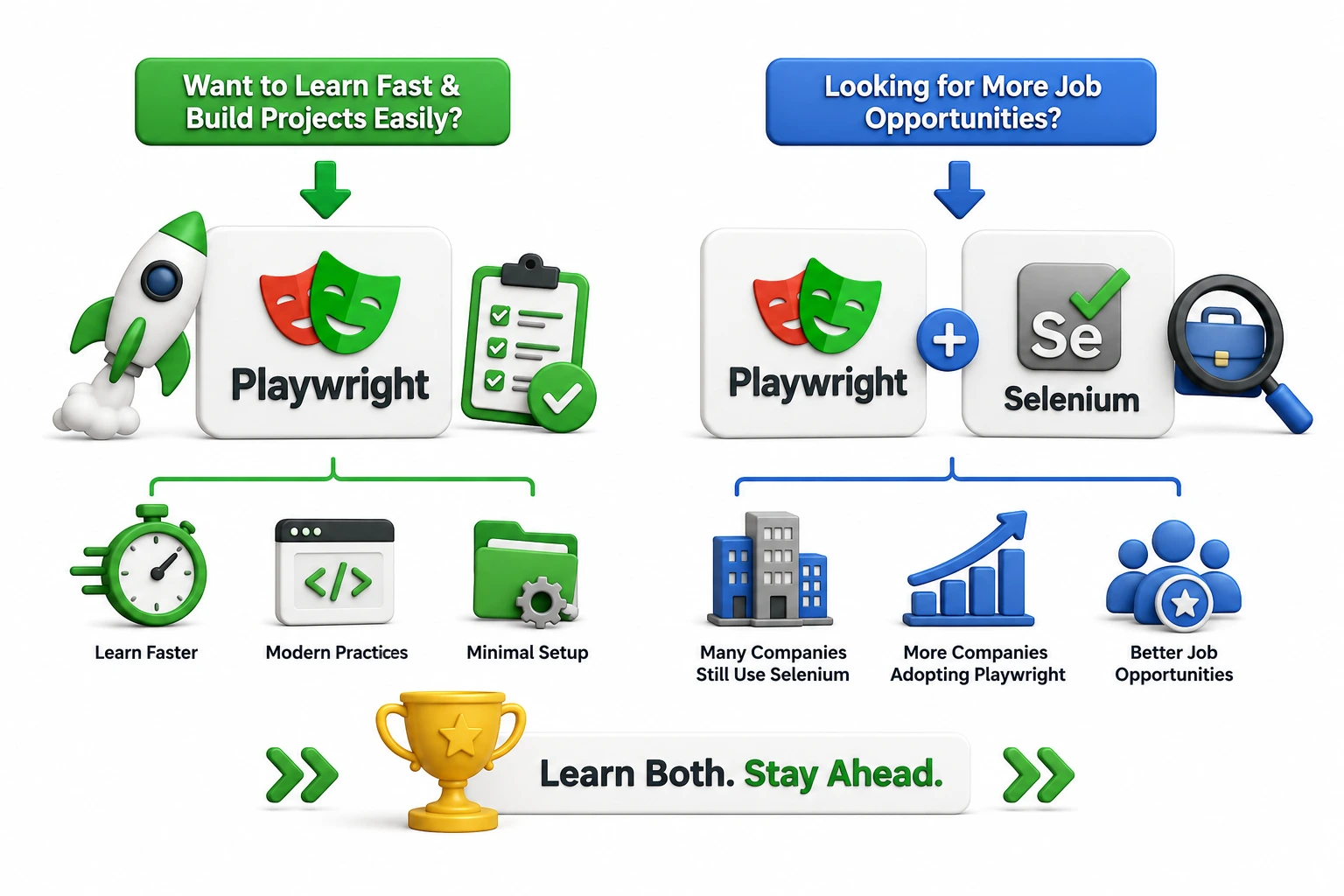
Winner: 🏆 Playwright
Which Is Faster: Playwright or Selenium
Playwright is generally easier to learn than Selenium. It is designed with modern web applications in mind and includes many built-in features that simplify the testing process. Beginners can start writing reliable test scripts with less configuration and fewer lines of code. On the other hand, Selenium has been the industry standard for many years and is still widely used by companies.
Benefits of Playwright's Speed
- Faster test execution
- Reduced waiting time
- Better parallel testing support
- Quicker feedback for developers
- Improved CI/CD pipeline performance
While Selenium is still capable of handling large automation projects, it usually depends on WebDriver, which can introduce additional communication overhead.
Winner: 🏆 Playwright
Which Is Better for Enterprise Automation Testing Projects
Many professionals search for "Is Selenium still used in enterprise projects?" The answer is absolutely yes. Despite the growing popularity of Playwright, Selenium remains the preferred choice for many large organizations because it has been an industry standard for over a decade. Large enterprises already have:
- Established Selenium automation frameworks
- Selenium Grid infrastructure
- CI/CD pipeline integrations
- Skilled Selenium automation engineers
- Extensive reusable test libraries
Migrating thousands of existing Selenium test cases to another framework requires significant time, effort, and investment. Because of this, Selenium continues to play an important role in enterprise automation testing.
Winner: 🏆 Selenium
Is Playwright Better Than Selenium for Modern Web Applications
Playwright was specifically designed to work seamlessly with modern JavaScript frameworks. It automatically waits for elements to become stable before interacting with them, reducing flaky tests and improving test reliability. Modern web applications are built using technologies such as:
- React
- Angular
- Vue.js
- AJAX
- Single Page Applications (SPAs)
Selenium can also automate modern applications, but developers often need to add explicit waits and additional synchronization logic to achieve the same level of stability. If your application heavily relies on dynamic content, Playwright usually delivers a smoother automation experience.
Winner: 🏆 Playwright
Which Has Better Community Support: Playwright or Selenium
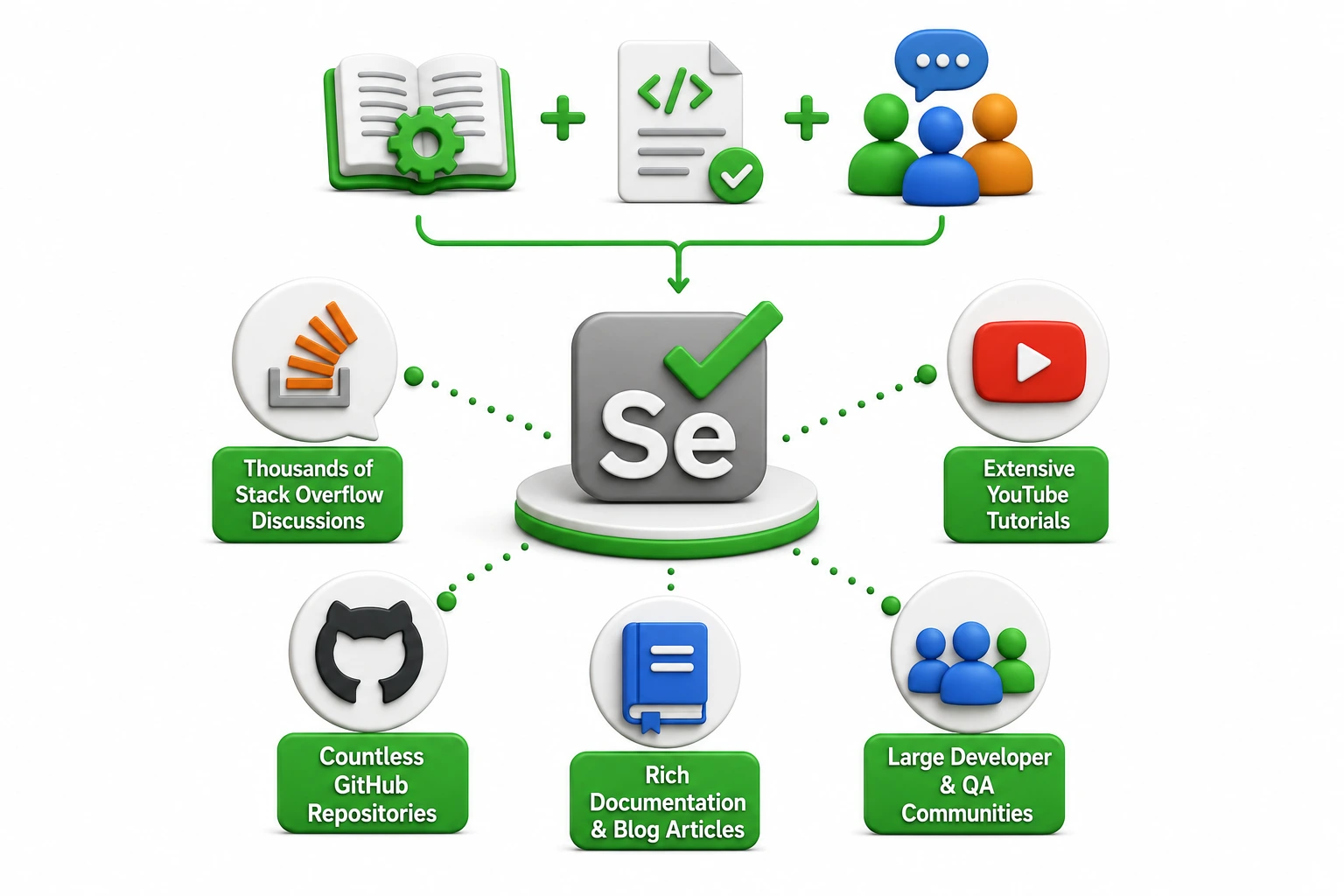
When learning a new automation tool, having access to tutorials, documentation, and community support can make a huge difference. Selenium has been around for many years and has one of the largest automation testing communities in the world. With Selenium, you'll find:
- Thousands of Stack Overflow discussions
- Extensive YouTube tutorials
- Countless GitHub repositories
- Rich documentation and blog articles
- Large developer and QA communities
Playwright's community is growing rapidly and is backed by Microsoft. It already has excellent official documentation and an active developer community, but it is still smaller compared to Selenium's ecosystem.
Winner: 🏆 Selenium
Which One Should You Learn First
Here's our recommendation based on your career goals.
Learn Playwright if:
- You're a beginner.
- You want to work on modern web applications.
- You prefer writing less code.
- You want faster automation scripts.
Learn Selenium if:
- You're targeting enterprise companies.
- Your organization already uses Selenium.
- You want to work on legacy projects.
- You need strong knowledge of traditional automation frameworks.
Can You Learn Both?
Absolutely! In fact, many professional QA engineers know both Selenium Testing and Playwright Testing. Understanding both tools makes you more flexible in the job market because different companies use different automation frameworks. Learning one also makes it easier to learn the other since the core concepts of Automation Testing remain the same.
Which Tool Has Better Job Opportunities in India?
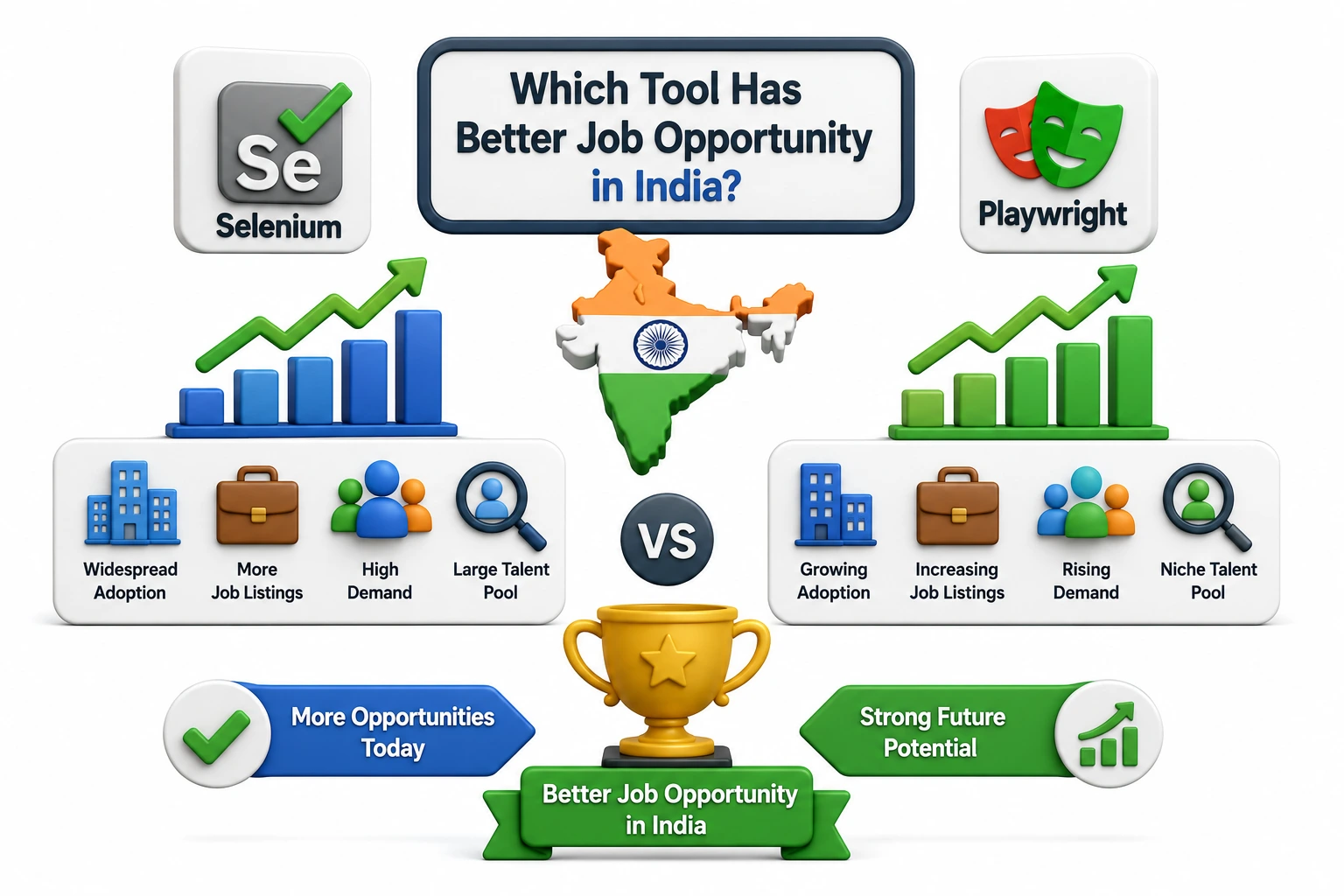
The answer depends on your career goals, but currently, Selenium still has more job openings because it has been the industry standard for many years. Thousands of companies across India continue to use Selenium for automating web applications, making it a highly sought-after skill for QA professionals.
Job Opportunities with Playwright:
- Growing demand in startups and product-based companies
- Preferred for modern web application testing
- Increasing adoption in new automation projects
- Excellent career growth opportunities in the coming years
Job Opportunities with Selenium:
- More job openings across India
- Widely used by MNCs and enterprise companies
- Strong demand for experienced QA Automation Engineers
- Common requirement in software testing job descriptions
If you're just starting your automation testing career, learning Selenium first can open up more immediate job opportunities. Once you're comfortable with automation concepts, adding Playwright to your skill set will make your profile even more competitive.
Want to Become an Automation Testing Expert
- Manual Testing fundamentals
- Core Java or Python programming
- Selenium Automation
- Playwright Automation
- API Testing
- Git & GitHub
- SQL for Database Testing
- CI/CD tools like Jenkins
- Automation Framework Development
Whether you're a student, a working professional, or someone switching careers, mastering both Playwright and Selenium will give you a strong foundation to grow as an Automation Testing Expert.
Final Verdict
Related Articles

How Working Professionals Can Switch to a Career in Software Testing
Learn how working professionals can switch to a career in software testing, build the right skills, choose tools, and start a successful Career.

Software Testing Career After BCA: A Complete Guide
Learn how to build a successful software testing career after BCA, including skills, tools, courses, job roles, and career growth opportunities.

Switching from Manual Testing to Automation Testing: A Career Transition Guide
Learn how to switch from manual testing to automation testing with essential tools, skills, career tips, and a practical learning path.





 +91-8882178896
 +1 (343) 477-0926